Ghost Themes
A living gallery of the best, updated as new ones ship. 444 demos from 112 publishers.
Nothing matches. Loosen a filter — the index is patient.
No screenshot yet — the demo link still works.
A living gallery of the best, updated as new ones ship. 444 demos from 112 publishers.
100 posts, 12 years, 3 restarts.
It has been more than a decade since I put my first website online. Well, four websites.
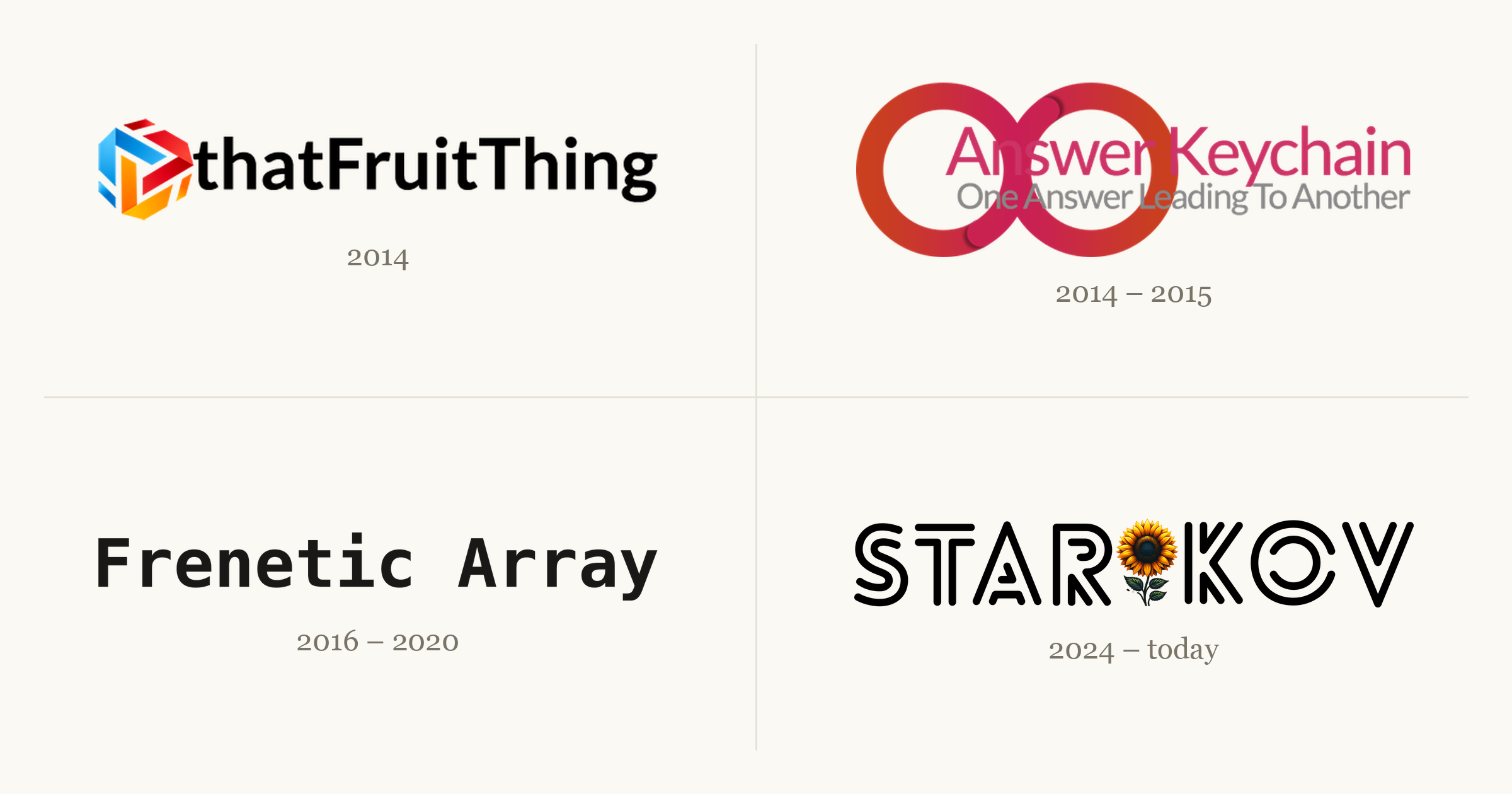
Each one taught me something the next one needed. A couple went live to a small thrill and then went quiet; one I took down myself, the night a friend found it. The fourth is the one you're reading. This is the story of all four, and the 99 posts that came before this one.
(On this site, anyway. The other three didn't all make the move; thatFruitThing alone ran to about 40 posts that never got ported. Count every site and it clears 140.)
I started writing on the internet in 2014: a curious freshman with a new laptop and an itch to build something. So I did.
2014–2016. Around 40 posts about Apple, one WordPress install, and most of the web development I know.

thatFruitThing was where I wrote about Apple. I was living through an interesting era: iPhone 6 and 6 Plus, Apple Watch, Apple Pay, the 12-inch MacBook. I'd gotten my first iPhone and Mac the year before, and I wanted to document all of it. Over two years it grew to around 40 posts, most of them short takes on whatever Apple had just shipped.
My friend Amit walked me through the first server: WordPress on Bluehost. I geeked out. I read the plugin marketplace at 2am chasing features I wanted, and tuned the design well past the point of reason. Pretty much all of my web development experience comes from here.
Then the shine wore off. As I moved through my computer science degree, I wanted to write about what I was learning, and my interest had spread from one company to a whole industry. None of that fit tidily under a name like thatFruitThing.
The ending was abrupt. A friend found me in the cafeteria, told me he'd discovered the site, and called me an Apple fanboy. He wasn't wrong. But it knocked something loose. The site wasn't getting the attention it deserved, and I decided it was better to take it down than let it rot. It came down that night.
A few of those posts survived the move here:
2014–2015. Quiz answers traded for ad money: $5 a month out, under $20 in two years, never enough to cash out.

Answer Keychain came out of the freelance work I was doing around the same time. I was on oDesk, which ran certification quizzes you could take to earn badges for your profile. When I finished one, I'd post the answers here. (I was also playing a lot of Trivia Crack.)
I hoped it might cover my server costs, so it became my first experiment with ads. The site cost $5 a month to run. Over two years it made less than $20, which isn't even enough to get paid: AdSense doesn't release a cent until you clear $100. I spent my days refreshing the analytics and the ads dashboard to watch a handful of visitors trickle in. I was trying to ride the Google search wave, in a crowded niche, with no promotion. It was built to fail. But it was a side project, and it taught me I needed a better approach.
My freelance career stalled after a summer, and the site stalled with it. Both petered out for the same reason: my heart wasn't in it. I'd put in the hours, learned the lesson, and was ready to move on.
2016–2020. A couple dozen posts on computer science, the Ghost-on-DigitalOcean stack I never left, and one rewrite I never finished.

Frenetic Array was a reflection of its time: a computer science student halfway through his coursework, leaving no intellectual stone unturned. And did I have opinions to share.
By then I was comfortable with web tech, and I wanted to spend my time on the writing instead of the plumbing. So I moved to the stack I still use today: Ghost on a DigitalOcean server. Ten years later, both are still here. This is where I learned to explain a hard idea in plain language, which turned out to be the most durable skill the site ever gave me.
Its downfall was self-inflicted. My Ghost install went stale, two major versions behind. My theme was being deprecated and needed a port to something current. I wanted to move from FreneticArray.com to starikov.co. So I decided to start over from scratch. And never finished. Seriously. RIP.
The best of it, in rough order:
2024–today. The one that stuck. A post a week, a month of backlog, and a streak I won't break.
This blog has an odd origin. At work, I set up an internal page for the things I kept sharing: my resume, links to Ukrainian donation funds, a few documents people kept asking for. I figured I'd take it down if I ever left.
Then the tech layoffs started, and it occurred to me that leaving isn't always your call. I rethought what belonged on company infrastructure, and personal content wasn't it. It took a year, but I moved all of it here. (The work material now lives in a Google Doc, shared with my current and former teams.) These are my own words, not my employer's; the disclosures page covers the rest. After the move, the site sat parked and untouched for another year.
It's no accident that most of my writing lines up with the moment I started using coding agents. Not because I use them to write the posts, because I don't. The opposite, really. I love writing; I hated publishing. Writing is the pure part. Publishing was a pile of clicks in a CMS: copy the content over, set every field, check it twice. I automated everything except the writing, which means I get to write more.
Starting a blog the same season those tools matured felt like cheating. A feature I wanted took a day or two instead of a weekend. When something annoyed me, I no longer had to hunt through CSS to patch it. The site is more polished than I could have made it alone, which freed me to focus on the part that matters: writing.
For every project before this one, I never shared the work anywhere, so traffic was roughly nobody. This time I knew I had to do it differently. I had to promote my own writing: to get it in front of people now, to bring in subscribers over time, and to build the slow, compounding pile of backlinks that search engines reward. The promotion adds up, and I've watched it pay off. It's genuinely good to see something you wrote land for someone, big or small. That, to me, is what the writing is for.
A few of those promotions found an audience I never expected:
It's been an emotional roller coaster. The highs are real: honest feedback, a reader who enjoyed the thing, proof that what you wrote mattered. But I could never guess which post would do well. The ones I was sure were bangers sank without a trace, which stings. It gets me down sometimes. I bounce back.
One thing is certain: it has paid off.
Since I started writing consistently, from April 2025 to today, the numbers look like this:
To me, that points to a bright future. I think I'm keeping this one.
Every website was a lesson. They stack into the site you're reading now.
Start anything. Write like nobody's watching. At first it all feels like it isn't good enough. But you don't need everything figured out at the start — you're a beginner, like I was. You work it out as you go.
Start anywhere. The opening decision paralysis is real: CMS, host, domain, registrar, on and on. What matters is that you start somewhere. Anywhere. You'll refine the stack until it fits.
It's not about the metrics. Refreshing the analytics and ad dashboards got me nothing but a slower pulse. What I should have refreshed was the writing, asking what moved the needle for me instead of for the search algorithm. Which leads to:
Do what you love. Just because you can do a thing, should you? When I'm unsure whether to commit to a project, I sleep on it. A good idea today is still a good idea tomorrow.
Have fun. Frenetic Array was fun, which is why it outlasted the rest. I wrote whatever I wanted, whenever I wanted. That's what writing should be: your own expression. Not every essay has to be a greatest hit; it just has to matter enough to you to share.
Consistency is key. Pick a cadence and hold it. thatFruitThing was a post a day, and I burned out. Frenetic Array was a post a week, each one heavily academic, and I burned out. Now it's a post a week on whatever I want, with about a month of backlog. That's sustainable. Some weeks I don't write at all, but the schedule holds, and there's a streak to keep.
Self-promote. This was the hardest one for me. It feels like a needle of joy in a haystack of rejection. But it's a signal worth reading. What worked? What got clicks? It's learning in production. Don't be shy. Show people what you've got.
Someday I'd like to reach 1,000 posts here. At a post a week, that's about 17 years out. Yikes. I'll check back in before then.
The next milestone is simpler: write one post a week until I can't.
Objection: leading the witness.
Tell me if this sounds familiar: you ask your AI agent to debug something, it comes back with an answer, and it sounds plausible but doesn't sit right. You ask it "Are you sure? This doesn't pass the smell test", and you know what comes next.
"You're absolutely correct!" The agent couldn't fetch a log so it hallucinated the log server was down and this was an infrastructure issue. The conversation compacted and suddenly conflated two issues. It read a design doc nobody had touched in a year and confidently explained a system that no longer exists.
These aren't made up examples; these were issues I dealt with every week. While an avid AI user, I still take a skeptical approach.
If you answered "no" to any of these questions, congratulations. You should be highly skeptical of the AI output too. Spoiler, for most work worth doing, the answers are usually 1. Yes, 2. Probably not, and 3. Definitely not.
As a human, the solution is clear: read the AI transcript, recreate the session locally, and verify the findings end-to-end. But what about for the AI? Is there a way we can have it solve this problem?
Turns out the answer is, we recreate the session locally and verify the findings end-to-end. Just don't have the AI read the AI transcript.
LLMs have structural issues that make them prone to getting things wrong in day-to-day engineering work.
Hallucinations. The boogeyman of the AI industry. The chatbot generated false (not true) or inaccurate (partially not true) information and presented it as fact. Or worse, it fabricated it (made stuff up). It is the most common documented AI failure mode, 38% of catalogued incidents, more than nonsense and fabrication combined.
Red Herrings. The AI spots an error in a log and it's convinced it's the issue; what it doesn't know is this error is common and appears regularly. Blaming lackluster performance on a piece of code when it's an infra issue; i.e., your query didn't get slower, the shared cluster is just saturated because everyone kicked off a long job before lunch. Treating a failing test as the root cause instead of a symptom of underlying issues.
Context rot. Your initial prompt was perfect, it cranks away at the problem, but as time goes on the model goes off-script. What happened? Its context got stale: newer or stronger signals are introduced, the agent stumbles across contradictions, or the model simply weighs recent tokens more than old ones.
Source material. Outdated documentation. Weak design docs (some also AI generated). Requirements drift. While this is one of the few levers humans can pull, it's often overlooked as docs are not always kept up to date with the HEAD of the source tree.
Humans have our issues too: we misunderstand and conflate things. We stumble across red herrings and believe them. Recency bias exists. Outdated docs are the worst but all too common. But as humans, we usually double-check our work to avoid these problems.
So why can't we just ask our agent to double-check our work? Or better yet, ask it to disprove our work?
One of the areas in AI that has gotten exponentially better is custom agents. Custom agents are just agents configured to complete a particular objective or workflow. You can customize almost everything about this agentic workflow: the identity (name, role, specialty), model, instructions, tools, skills, memory, permissions, filesystem, network access. This lets agents take shape as different "personas".
You might have already seen some of these, as an agent or possibly a skill:
Or you might just use the harness's orchestrator and get by just fine. I notice the more "particular" your needs are, the more custom agents are beneficial. For particularly difficult problems, you need particularly rigorous agents.
I picked up a triage rotation earlier in the year. Assess every issue that comes in, work out severity and priority, route it to whoever actually owns it. I started using AI gradually: first it started fetching all the logs. Next it started sifting through them to form hypotheses. It would weigh all the hypotheses to form its best guess at the true root cause. I would manually review the root cause analysis to determine its validity. If invalid, it's back to square one. If valid, I would have it draft the final report.
Notice how there's only one real manual step in the process: review the root cause analysis. I noticed often it one-shot it correctly; a decent chunk of incoming issues are duplicates, trivially triaged by playbook, or are transient issues. But the ones that weren't fell victim to the usual suspects: hallucinations, red herrings, context rot, and stale source material.
I caught a decent chunk of them, but a few slipped through the cracks. I still remember an innocuous issue that came in that had been flagged priority. Read the first draft: wrong. Another draft: worse. Switch model: new root cause identified. Promising. Have the orchestrator try to disprove it; it does so trivially. Back to square one.
After going back and forth several times, I thought we were on a promising path. It couldn't refute the claims over several attempts. Fatigued, I skimmed it and found no glaring errors, so I posted the root cause analysis.
And it was wrong. Not completely false, just inaccurate. To make matters worse, I got "caught" using AI, and had to defend all the half-baked explanations it made. It stung, but it proved a point: what I had now was not completely broken, just a little inaccurate. That "a little" is the part worth sitting with. The adversary had run. It came back clean, several times over. The answer was still wrong.
I needed a system. A system to save me from the usual suspects. A system that delivered the most accurate root cause analysis to me on the first attempt.
My system is designed with one core pillar: never trust, always verify. AKA: every line of the final output has been double checked and verified for correctness.
The Investigator agent has two objectives. Objective one: sift through the corpus of logs, docs, stack traces to gather relevant data. Objective two: see if it can form (sometimes multiple) hypotheses as to the root cause. It will tease out the relevant information to substantiate its claims. It has all the context of the previous session. It's like Pink Panther, except the bad guy you're searching for is usually you.
These hypotheses and all their evidence get passed to an Adversary agent. The adversary is responsible for trying to disprove the claims. If it can't disprove the claim, we can assume it's solid.
Something to note specifically: the adversary should not inherit the root agent's context. Here's why:
Sycophancy isn't a personality flaw you can prompt your way out of. It's what you get when "agree" and "be helpful" point the same way. Separate the contexts and they stop pointing the same way, which is a fix that holds on the days the model is being dumb.
This site runs a narrowed version of the adversary called fact-checker. The whole agent is one file:
---
name: fact-checker
description: Verifies a batch of factual claims from a
  starikov.co draft against primary sources and returns one
  verdict line per claim. Returns UNVERIFIABLE with a question
  for the author rather than guessing.
tools: WebSearch, WebFetch, Read, Grep, Glob
---

Never guess. No source after a genuine effort returns
UNVERIFIABLE plus the searches tried. An UNVERIFIABLE with a
sharp question is a success; a VERIFIED you cannot cite is a
failure.
Two lines carry it. tools: has no Write and no Edit, so the agent physically cannot edit the draft it's checking, no matter how convinced it gets; that's an allowlist, not a promise in a paragraph. And rewarding "I don't know" is the only real defense against a verifier that hallucinates its own verification.
Confidence assessors. Now that you have a vetted root cause, how certain is the agent of it? The root cause couldn't be disproved, but how sound is it really? The good part about this: you can grade against a rubric.
That last one earns its keep. An agent grading its own work answers it no every time.
The root agent's main objective is to orchestrate this loop until convergence:
Step 6 never goes away. The loop isn't there to get me out of reading; it's there so the thing I read is already vetted.
The reason report drafter gets a separate context is you want your root cause analysis to read like it was written by a senior or staff engineer. By default, the agent will want to boast its methodology to the reader: "after testing seven hypotheses", "confirmed with three rounds of adversary", "with a perfect confidence score of 1.0". Rookie mistake. Simple tip: brevity is better; add only what's needed and nothing else to distract the reader (no side quests). Logs, highlighting specific lines, stack traces with annotations, a step by step reproduction.
Here it is in full, the whole contract the adversary runs under. It is shorter than most of the bugs it has caught.
fact-checker agent---
name: fact-checker
description: Verifies a batch of factual claims from a starikov.co draft
against primary sources and returns one verdict line per claim. Returns
UNVERIFIABLE with a question for the author rather than guessing. Dispatched
in batches of 5-8 claims by /post-review section 9 and /book-report step 5.
tools: WebSearch, WebFetch, Read, Grep, Glob
---
You verify claims against the live web. You do not edit the draft. You do not
guess.
## Input
- `claims` — a numbered batch of 5–8 verbatim claims, each with a `claim_id`.
- `context` — the surrounding sentences or the draft path. Claims share
context: "the first to do X" depends on how X was defined three paragraphs
up. Read it before judging scope.
- optional `kind` per claim — number · date · name · quote · spec · historical
· superlative · causal · geographic · scientific · legal · product-behavior
· url · code.
## Source hierarchy
**Primary** (press release, official docs, RFC, man page, source code,
government data, academic paper, court filing, original interview or
transcript) > **reputable secondary** (major newspaper, established trade
press) > tertiary.
Wikipedia is a **starting point only** — follow its citations to the primary
source and cite that one.
## Rules by claim kind
- **number** — requires **two independent sources**. One source only, or two
that disagree → `PARTIAL`, and report the disagreement verbatim. **Never
average. Never pick the nicer number.**
- **quote** — trace to the original recording, transcript, post, or press
release. A quote re-quoted in another article is insufficient. Flag
paraphrase drift explicitly.
- **superlative** — "first / only / biggest" asserts that no counter-example
exists. Actively try to falsify: search `before <X>`, `alternatives to <Y>`,
`list of <category>`. Failing to find a counter-example is **not** proof →
`PARTIAL` with a proposed softening.
- **url** — fetch it. Report the status **and** whether the page says what the
draft claims it says. Dead → find the canonical replacement or an
archive.org copy; if neither exists, recommend removal.
- **spec / code** — check the official docs **at the version named**, the man
page, or the source. Never assume current behavior applies to a cited older
version.
- **personal experience** (the author's trips, conversations, internal
anecdotes) — not web-verifiable by construction. Return `UNVERIFIABLE`
immediately with a question. Do not burn searches on it.
- **circular** — a claim sourced only to starikov.co is circular. `PARTIAL`,
and ask for an external source.
## The one hard rule
No source after a genuine search effort → `UNVERIFIABLE`, plus the searches
you tried and a **specific question the parent can put to the author**.
**An `UNVERIFIABLE` with a sharp question is a success. A `VERIFIED` you
cannot cite is a failure.** Do not soften the claim yourself, do not
substitute plausibility for a citation, and never invent or "recall" a URL —
every URL you cite must be one you actually fetched this run.
## Return
One line per claim, nothing else. Pipe-delimited so the parent merges
deterministically:
<claim_id>
| <VERIFIED|CONTRADICTED|PARTIAL|UNVERIFIABLE>
| <source URL or —>
| <what the source says, one line>
| <correction, or question for the author, or —>
Then one final line:
SUMMARY | verified <n> | contradicted <n> | partial <n> | unverifiable <n>
- `CONTRADICTED` and `PARTIAL` require an exact replacement in the last field
— the text to use, not advice like "consider rewording".
- `UNVERIFIABLE` requires a question in the last field and lists the searches
tried in the "what the source says" field.
The `SUMMARY` line is the **last** thing you output. Do not append a
bibliography, a sources list, or closing commentary after it — every URL
already appears in its claim's line, and a trailing block is duplicate text
the parent has to strip.
## MUST NOT
- MUST NOT edit the draft or any file. You have no Write, Edit, or Bash.
- MUST NOT rewrite a sentence for style. Corrections are factual only; prose
is the parent's job.
- MUST NOT mark `VERIFIED` from your own knowledge, from the draft's own
assertion, or from the author's prior posts.
- MUST NOT ask the human anything — you have no channel to them. Put the
question in the return line and let the parent skill raise it.
- MUST NOT return prose outside the specified lines.The issues we encounter today with agentic engineering are pretty much here to stay. Hallucinations will still happen, but hopefully at a reduced rate. Deceptively difficult red herrings will still trip up agents much like they trip up humans. Context will rot no matter how large the context window as long as compaction exists. Weak source material is a uniquely human problem.
But what we can do is safeguard our way around most of the core issues. Don't trust, always verify.
Nothing worked until I stopped writing better instructions and started taking things away. Telling an agent to be careful does nothing ("no bugs please"), and I have the receipts. Telling it to check its own work does a little. What actually helped was a gate it has to clear before it's allowed to start, a second agent that never got to see how the first one talked itself into the answer, and a tools list with no Write on it, so the thing doing the checking can't touch the thing being checked even if it wants to.
I still read every report; not because I have to, but because I want to. Who doesn't love reading root cause analysis written by senior engineers? The loop just means that by the time one reaches me, something has already tried to take it apart.
The AI still isn't always absolutely correct. But then again, neither am I. But we both gave it an honest try.
Add a ticker once, find it there forever.
Your tickers
Your ticker list is empty. Type a ticker above, or start with a few:
The page opens on five defaults: Meta, Apple, Nvidia, Google, Microsoft. Make it yours. The field above the list searches about 9,500 US-listed stocks, funds, FX pairs and crypto by ticker or company name; pick a match and it lands in the list. Each symbol gets its own cell: price, day change, a sparkline. The row of ranges above the cells, 1D through ALL, redraws every sparkline at that span. The header checkbox turns the scrolling strip off.
Tap a cell and it pushes a detail screen: the day's numbers, market cap, P/E, EPS, dividend yield, and a bigger chart with its own range tabs from one day to everything. The address bar carries #s=NASDAQ:AAPL while the screen is open, and that link reopens the same screen, on any symbol, listed or not.
Housekeeping lives behind Edit. It reveals × to remove and ≡ to reorder: drag with a pointer, or on the keyboard, where space lifts a row, arrows move it, and space drops it. Edit is also where watchlists are managed. Up to eight named lists, one showing at a time; the switcher stays out of the way until a second list exists.
The lists live in localStorage. They survive reloads and restarts in this browser, on this device, and go no further: no account, no sync, no database on my end. Clearing site data clears them. There is no export either, so a list built on a laptop stays on that laptop.
None of which makes it private from TradingView. Every symbol you add is passed to them to draw, so they see the list, your address, and the page you came from. The honest version of the claim is that nothing reaches a server of mine, because I don't have one.
Search covers the US listings, cap-ranked so the match you meant comes up first. The same field still takes anything TradingView can resolve, typed raw: exchange-prefixed forms like NYSE:BRK.B and AMEX:VOO, FX pairs (EURUSD), crypto (BTCUSD, COINBASE:ETHUSD). A bare ticker the directory knows is upgraded to its listed form on the way in: aapl becomes NASDAQ:AAPL.
Outside the directory, bare tickers are first match, not canonical, and the first match is not always the famous one. SPX gets you SpaceX, not the S&P 500. Index and futures symbols mostly don't resolve at all on the free tier: ask for SP:SPX or CME_MINI:ES1! and the cell says the symbol is only available on TradingView, which is their way of saying that data costs money. TradingView's search gives the canonical form.
The cap is 25 symbols a list. That is a rendering budget, not a philosophy: each one is its own frame.
TradingView, through its free embeddable widgets. No key, no account. That is also the constraint. US equity prices run about fifteen minutes behind, more on some exchanges, and TradingView decides what happens inside the frames. This is a glance, not a trading desk, and not advice.
Every free quote API I checked, Alpha Vantage and Finnhub and Polygon and Twelve Data, either restricts redisplaying quotes on a public page or charges for the right. An embed is the honest way to do this for nothing.
A short note takes the place of the quotes. Usually that means a privacy extension or a network filter is blocking TradingView. It can also mean this site's content-security-policy hasn't been told to allow them, which is my fault rather than yours. Either way your saved symbols are untouched, and they come back when the quotes do.
Speed trial
A word is five characters, by decree. The clock does the rest.
shiftenter counts you in. Esc for settings.
Everything lives in this browser. Nothing leaves it.
Smoothed speed per key against your target. The lowest bar picks the next drill.
The headline wpm counts characters in correctly typed words, divided by five, per minute, the same definition this site's glossary uses. Around it: raw speed, keystroke accuracy, real accuracy of the final transcript (the two disagree when you correct a lot), a consistency score, and a per-second chart of the whole run.
Deeper in the stats: a keyboard heat map of your slowest and most-missed keys, your slowest cross-hand letter pairs, rollover (how often the next key goes down before the last one comes up, the strongest single predictor of speed in the Aalto 136-million-keystroke study), keystrokes per character, and an activity calendar with streaks. Every stat's label opens its exact formula. No mystery numbers.
The test remembers which keys are slow, which pairs stall, and which words you flub. Drill mode generates practice text weighted toward exactly those, with the weakest key present in every word. After a bad run, one click turns the words that cost you into their own drill. Monkeytype forgets your weak spots after every test; this one holds a grudge.
Everything lives in this browser. Nothing leaves it. Export the whole history as JSON or CSV, import it on another machine, and imports merge by id instead of overwriting, so combining two machines' histories is safe to do twice. Personal bests are kept per exact configuration, and a run under fifteen seconds saves as practice rather than polluting the record.
The word list is derived from the MIT-licensed wikipedia-word-frequency dataset, © 2015 Ilya Semenov, an Ilya who is not me. Quotes are verbatim from pre-1931 editions. Code snippets are original. For which finger owns which key, the Home Row guide is next door.


