Self
The personal file: milestones, missteps, and a few lessons that took embarrassingly long to learn.
100 Posts
100 posts, 12 years, 3 restarts.
It has been more than a decade since I put my first website online. Well, four websites.
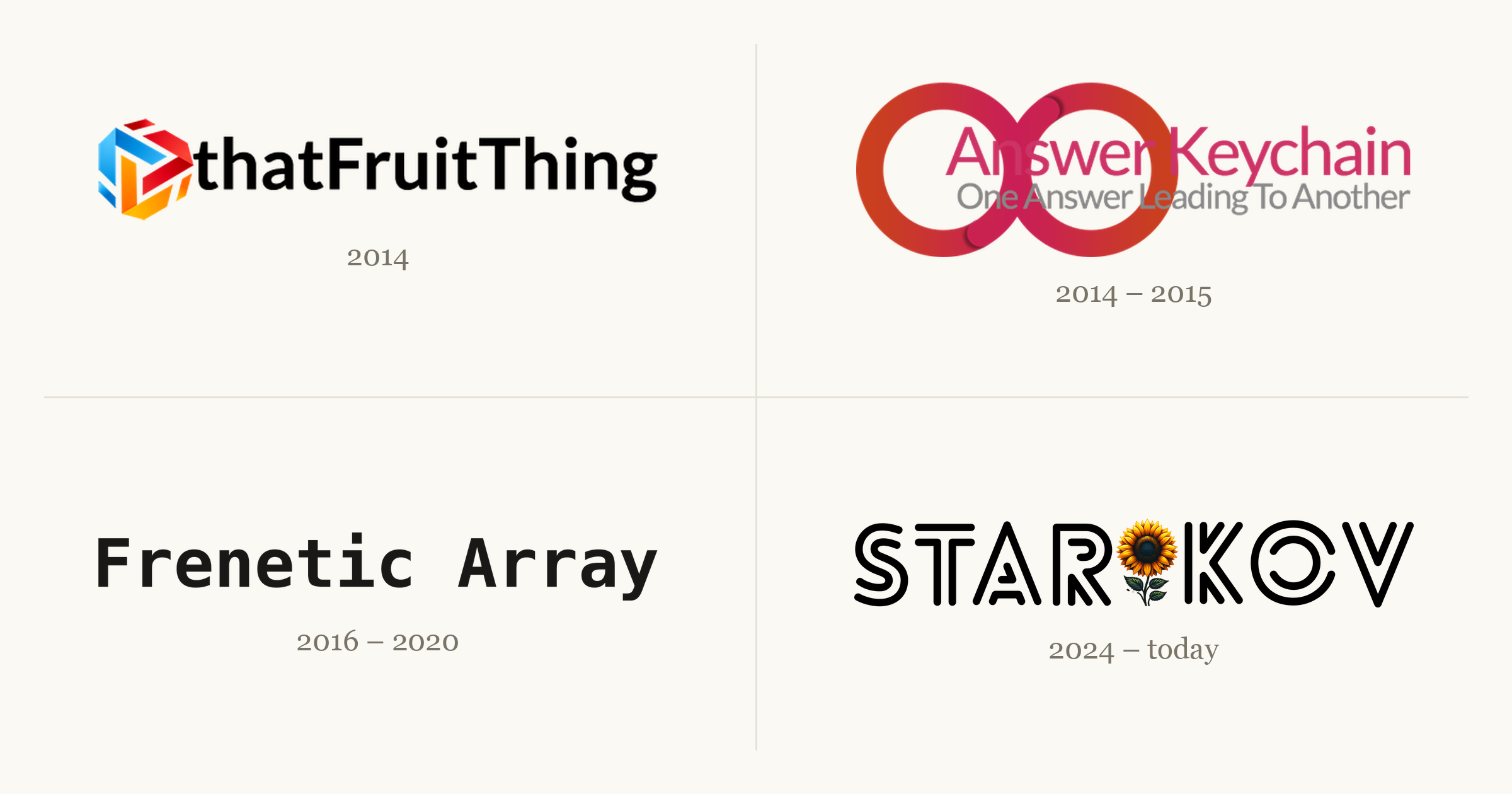
Each one taught me something the next one needed. A couple went live to a small thrill and then went quiet; one I took down myself, the night a friend found it. The fourth is the one you're reading. This is the story of all four, and the 99 posts that came before this one.
(On this site, anyway. The other three didn't all make the move; thatFruitThing alone ran to about 40 posts that never got ported. Count every site and it clears 140.)
Humble Beginnings
I started writing on the internet in 2014: a curious freshman with a new laptop and an itch to build something. So I did.
thatFruitThing
2014–2016. Around 40 posts about Apple, one WordPress install, and most of the web development I know.

thatFruitThing was where I wrote about Apple. I was living through an interesting era: iPhone 6 and 6 Plus, Apple Watch, Apple Pay, the 12-inch MacBook. I'd gotten my first iPhone and Mac the year before, and I wanted to document all of it. Over two years it grew to around 40 posts, most of them short takes on whatever Apple had just shipped.
My friend Amit walked me through the first server: WordPress on Bluehost. I geeked out. I read the plugin marketplace at 2am chasing features I wanted, and tuned the design well past the point of reason. Pretty much all of my web development experience comes from here.
Then the shine wore off. As I moved through my computer science degree, I wanted to write about what I was learning, and my interest had spread from one company to a whole industry. None of that fit tidily under a name like thatFruitThing.
The ending was abrupt. A friend found me in the cafeteria, told me he'd discovered the site, and called me an Apple fanboy. He wasn't wrong. But it knocked something loose. The site wasn't getting the attention it deserved, and I decided it was better to take it down than let it rot. It came down that night.
A few of those posts survived the move here:
- Into the Rabbit Hole of Markdown Editors
- Apps of 2014
- Apple Keynote: September 9th, 2014
- Breakdown of My Homescreen
- iOS 8 Guide
Answer Keychain
2014–2015. Quiz answers traded for ad money: $5 a month out, under $20 in two years, never enough to cash out.

Answer Keychain came out of the freelance work I was doing around the same time. I was on oDesk, which ran certification quizzes you could take to earn badges for your profile. When I finished one, I'd post the answers here. (I was also playing a lot of Trivia Crack.)
I hoped it might cover my server costs, so it became my first experiment with ads. The site cost $5 a month to run. Over two years it made less than $20, which isn't even enough to get paid: AdSense doesn't release a cent until you clear $100. I spent my days refreshing the analytics and the ads dashboard to watch a handful of visitors trickle in. I was trying to ride the Google search wave, in a crowded niche, with no promotion. It was built to fail. But it was a side project, and it taught me I needed a better approach.
My freelance career stalled after a summer, and the site stalled with it. Both petered out for the same reason: my heart wasn't in it. I'd put in the hours, learned the lesson, and was ready to move on.
Frenetic Array
2016–2020. A couple dozen posts on computer science, the Ghost-on-DigitalOcean stack I never left, and one rewrite I never finished.

Frenetic Array was a reflection of its time: a computer science student halfway through his coursework, leaving no intellectual stone unturned. And did I have opinions to share.
By then I was comfortable with web tech, and I wanted to spend my time on the writing instead of the plumbing. So I moved to the stack I still use today: Ghost on a DigitalOcean server. Ten years later, both are still here. This is where I learned to explain a hard idea in plain language, which turned out to be the most durable skill the site ever gave me.
Its downfall was self-inflicted. My Ghost install went stale, two major versions behind. My theme was being deprecated and needed a port to something current. I wanted to move from FreneticArray.com to starikov.co. So I decided to start over from scratch. And never finished. Seriously. RIP.
The best of it, in rough order:
- On Being Passionate About Tools
- An Evolutionary Approach to Problem Solving
- On Understanding, Not Just Memorizing
- The Monty Hall Problem
- Painting Gabriel's Horn
The Blog Lives On
2024–today. The one that stuck. A post a week, a month of backlog, and a streak I won't break.
This blog has an odd origin. At work, I set up an internal page for the things I kept sharing: my resume, links to Ukrainian donation funds, a few documents people kept asking for. I figured I'd take it down if I ever left.
Then the tech layoffs started, and it occurred to me that leaving isn't always your call. I rethought what belonged on company infrastructure, and personal content wasn't it. It took a year, but I moved all of it here. (The work material now lives in a Google Doc, shared with my current and former teams.) These are my own words, not my employer's; the disclosures page covers the rest. After the move, the site sat parked and untouched for another year.
It's no accident that most of my writing lines up with the moment I started using coding agents. Not because I use them to write the posts, because I don't. The opposite, really. I love writing; I hated publishing. Writing is the pure part. Publishing was a pile of clicks in a CMS: copy the content over, set every field, check it twice. I automated everything except the writing, which means I get to write more.
Starting a blog the same season those tools matured felt like cheating. A feature I wanted took a day or two instead of a weekend. When something annoyed me, I no longer had to hunt through CSS to patch it. The site is more polished than I could have made it alone, which freed me to focus on the part that matters: writing.
For every project before this one, I never shared the work anywhere, so traffic was roughly nobody. This time I knew I had to do it differently. I had to promote my own writing: to get it in front of people now, to bring in subscribers over time, and to build the slow, compounding pile of backlinks that search engines reward. The promotion adds up, and I've watched it pay off. It's genuinely good to see something you wrote land for someone, big or small. That, to me, is what the writing is for.
A few of those promotions found an audience I never expected:
- 850 pages of my CS notes, on r/learnprogramming
- the zero-width space, on r/webdev
- a Ukraine donation one-pager, on r/ukraine
- RSS as my everything app, on r/rss
It's been an emotional roller coaster. The highs are real: honest feedback, a reader who enjoyed the thing, proof that what you wrote mattered. But I could never guess which post would do well. The ones I was sure were bangers sank without a trace, which stings. It gets me down sometimes. I bounce back.
One thing is certain: it has paid off.
Since I started writing consistently, from April 2025 to today, the numbers look like this:
- 14k users
- 35k views
- 20 members
To me, that points to a bright future. I think I'm keeping this one.
Lessons Learned
Every website was a lesson. They stack into the site you're reading now.
thatFruitThing
Start anything. Write like nobody's watching. At first it all feels like it isn't good enough. But you don't need everything figured out at the start — you're a beginner, like I was. You work it out as you go.
Start anywhere. The opening decision paralysis is real: CMS, host, domain, registrar, on and on. What matters is that you start somewhere. Anywhere. You'll refine the stack until it fits.
Answer Keychain
It's not about the metrics. Refreshing the analytics and ad dashboards got me nothing but a slower pulse. What I should have refreshed was the writing, asking what moved the needle for me instead of for the search algorithm. Which leads to:
Do what you love. Just because you can do a thing, should you? When I'm unsure whether to commit to a project, I sleep on it. A good idea today is still a good idea tomorrow.
Frenetic Array
Have fun. Frenetic Array was fun, which is why it outlasted the rest. I wrote whatever I wanted, whenever I wanted. That's what writing should be: your own expression. Not every essay has to be a greatest hit; it just has to matter enough to you to share.
STAR🌻KOV
Consistency is key. Pick a cadence and hold it. thatFruitThing was a post a day, and I burned out. Frenetic Array was a post a week, each one heavily academic, and I burned out. Now it's a post a week on whatever I want, with about a month of backlog. That's sustainable. Some weeks I don't write at all, but the schedule holds, and there's a streak to keep.
Self-promote. This was the hardest one for me. It feels like a needle of joy in a haystack of rejection. But it's a signal worth reading. What worked? What got clicks? It's learning in production. Don't be shy. Show people what you've got.
My Next Milestone
Someday I'd like to reach 1,000 posts here. At a post a week, that's about 17 years out. Yikes. I'll check back in before then.
The next milestone is simpler: write one post a week until I can't.
The Thunderfury Incident
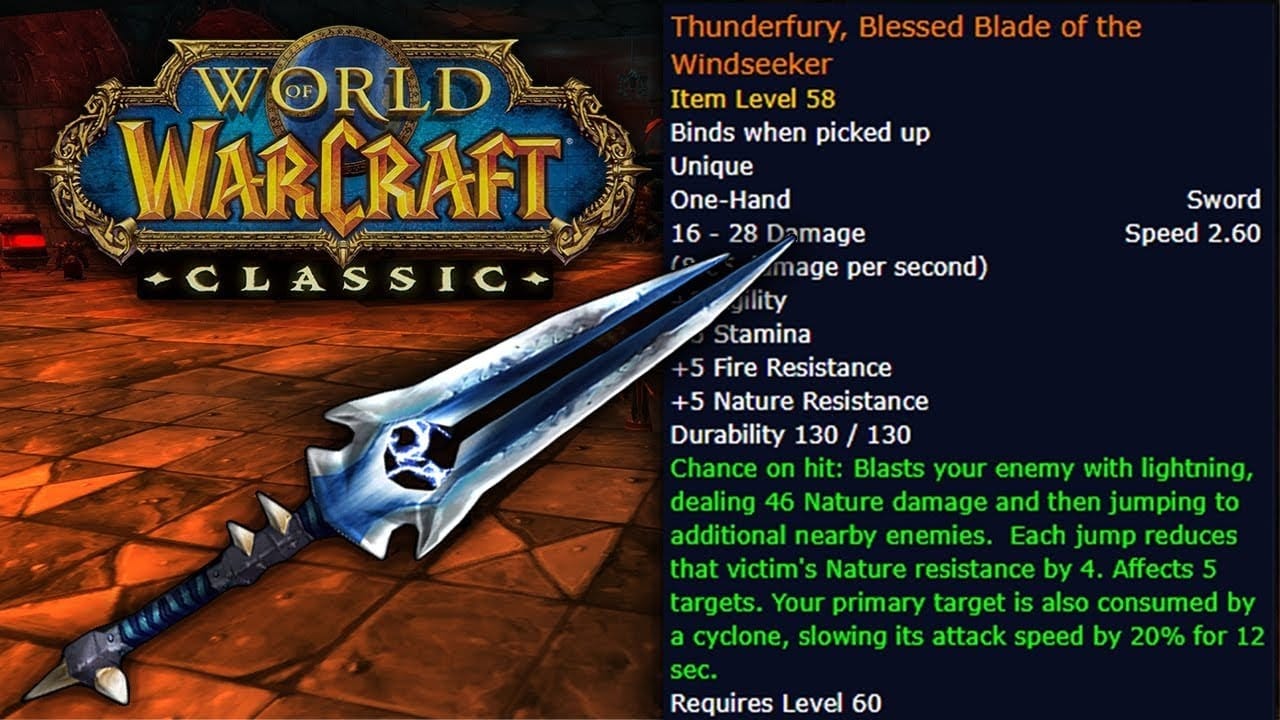
"Did someone say Thunderfury, Blessed Blade of the Windseeker?" — The IT Department, probably
I have a confession: early in college, I casually played World of Warcraft (WoW). With that off my chest, let me tell you about the time I almost got into trouble over a shell script. And how WoW was involved.
To set the scene: I was in campus housing, just getting started in Linux land, trying to master the shell. I mostly tinkered on my MacBook, but we had access to shared, virtual Linux workstations. Think of it as a free timeshare for college students. I realized something: I could broadcast messages to everyone else logged into the same machine via wall. I also had access to about 40 shared workstations across the network.
So I wrote a script and tested it for a couple of minutes in a computer lab. I got my confirmation from the confused looks on people's faces. Each person on a workstation would be spammed randomly with the simple message: “Did someone say Thunderfury, Blessed Blade of the Windseeker?”.
A day or so later, I was hanging out in the computer science lounge, talking to a friend who happened to grade for the introductory programming class. He was eager to tell me my script had hit a student’s assignment submission and muddled it. The student went to the teacher and accused me of hacking their computer. Amused, the teacher just said “oh, that’s just Illya” and graded over it.
But, how did they know it was me?
See, my script had a bit of a flaw. The -n flag in wall suppresses the banner that shows who sent the message; omitting it broadcasts your message with your username attached. So there was no hiding from it, which is why I only gave it a “light test run.”
I gave it a couple of weeks and didn’t hear anything about it. So I published a blog post, shell script attached, and called it a day. Coast was clear.
Until a few months later, when I got a text from a friend that worked in the IT department. They were upset about my shell script. And they weren’t upset that I ran it, they were upset I published it on my blog.
Now, I was worried. They were meeting later in the day to decide what action to take. I held my breath and took down the page. I got a follow-up that everything would be okay. I asked my friend to apologize on my behalf, and I wouldn’t do it again. And that’s the last I heard of it.
So, here’s that blog post.
If your school is anything like mine (engineering and science, mostly), you probably have some kind of virtual Linux machines you can SSH into. If you’ve done any digging, you might have realized that commands such as wall or write are not disabled. If you are anything like me, you probably thought about writing a shell script that will automatically log you in, spam something (i.e. the famous Thunderfury, Blessed Blade of the Windseeker) on a random machine, and leave. Well you’re in luck.
#!/bin/bash

PASSWORD="your-password-here"
USERNAME="your-username"
HOST_PREFIX="linux"
MIN_HOST=1
MAX_HOST=39
MESSAGE="Did someone say [Thunderfury, Blessed Blade of the Windseeker]?"

spam() {
    local n=$(( RANDOM % (MAX_HOST - MIN_HOST + 1) + MIN_HOST ))
    local host
    printf -v host "%s%02d" "$HOST_PREFIX" "$n"

    sshpass -p "$PASSWORD" ssh -t -l "$USERNAME" "$host" \
        "printf '%s\n' '$MESSAGE' | wall"
}

while :; do
    spam
    sleep $(( RANDOM % 60 + 1 ))
done
Set PASSWORD, USERNAME, and HOST_PREFIX up top. MIN_HOST and MAX_HOST bound the random suffix, zero-padded to two digits (so linux01 through linux39). The loop fires on a random 1-60 second interval. Neat!
Academia Notes
4 years, 29 courses, 1,113 pages. Because who doesn't love compiler errors from their notes?
From 2014 to 2018 I kept nearly every homework, lecture note, and problem set in LaTeX. Mathematical notation, diagrams, code listings, all rendered properly. Compiled, they come out to 1,113 pages.
The source is on GitHub. Four compilations below, covering different subsets of the material.
| Document | Pages | Description |
|---|---|---|
| Curated | 284 | Curated selection of best work |
| Assignments | 498 | Homework with solutions |
| Notes | 473 | Lecture notes and study materials |
| Complete | 1,113 | Everything |
Courses Covered
Computer Science
- CS 1001 Data Structures Lab
- CS 1200 Discrete Mathematics
- CS 1510 Data Structures
- CS 2200 Theory of Computer Science
- CS 2300 Databases
- CS 2500 Algorithms
- CS 3001 Skills Development
- CS 3001 Presentations
- CS 3100 Software Engineering I
- CS 3200 Numerical Methods
- CS 3800 Operating Systems
- CS 4096 Software Systems Development
- CS 5200 Analysis of Algorithms
- CS 5201 Object-Oriented Numerical Modeling
- CS 5400 Artificial Intelligence
- CS 5402 Data Mining
Computer Engineering
Mathematics
- MATH 1214 Calculus I
- MATH 1215 Calculus II
- MATH 2222 Calculus III
- MATH 2100 Foundations of Mathematics
- MATH 3304 Differential Equations
Physics
Statistics, Philosophy, Psychology



Home Row
112 WPM. Take that, typing teacher!
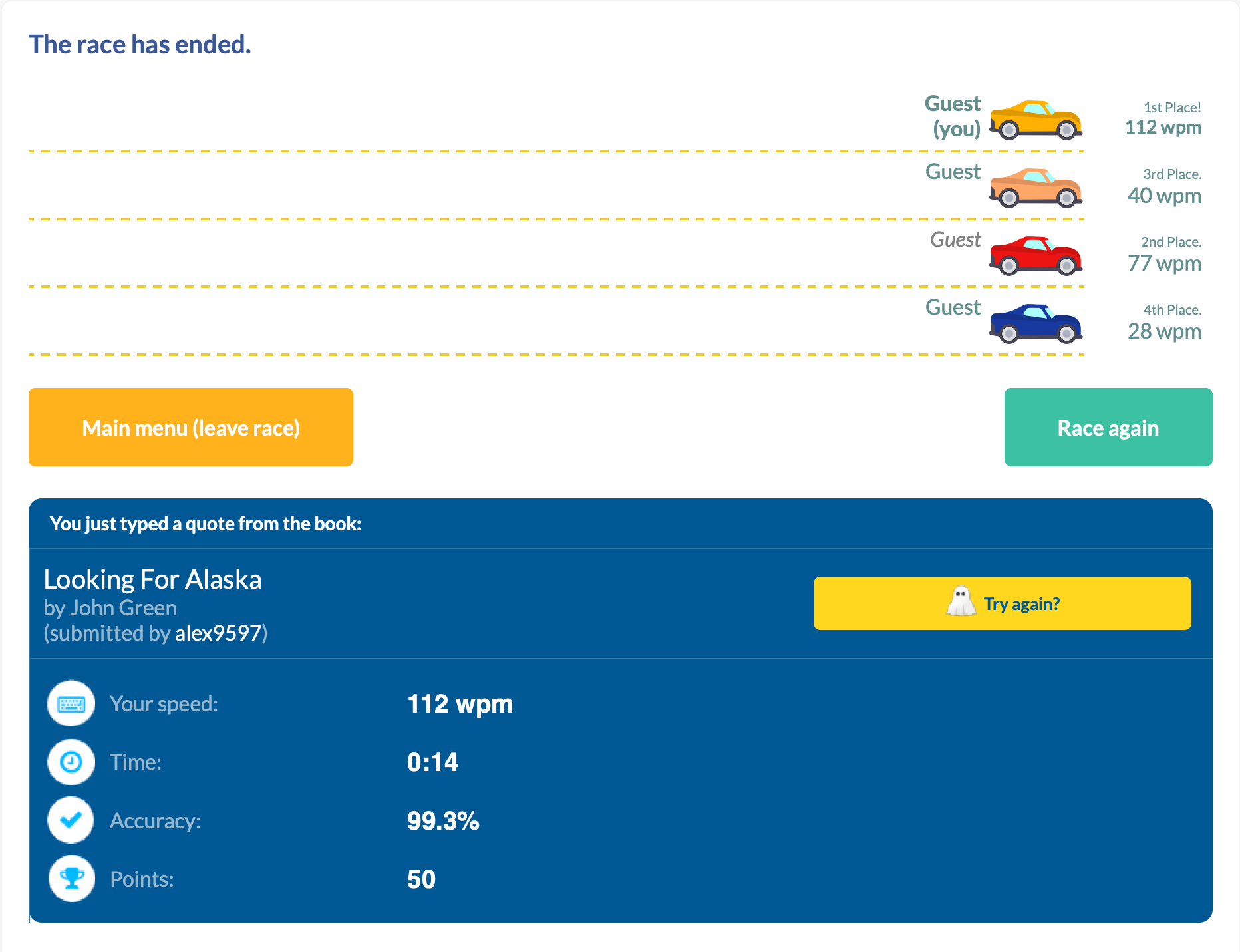
I managed a new high score in TypeRacer today: 112WPM.
With this article, I wanted to share my journey here, and how I would recommend someone to start.
My Typing Story
I have an interesting history with typing.
I started "typing" at age of five years old to learn the controls of Quake. While the keyboard was a different language with different characters, the muscle memory was the same keyboard-to-keyboard. Upon moving to the states, I changed to an English QWERTY keyboard, and continued playing Doom.
In middle school, before beginning typing class, I clocked in at 35-40 WPM. As I progressed throughout the class, I got familiar with more of the "weird" keys (symbols, numbers, q/z/v) and what a proper "home-row" hand positioning looked like. Midway through the class, I made a discovery about our typing software: you were allowed to make two mistakes, with one word misspell counting as one mistake, and at the end the software took the number of characters you had finished and divided it by 5 (the average word length). So I typed a few words, then held down a random key until the timer expired. And scored 230 WPM.
I thought I was going to get credit for finding a bug our school's software; while my teacher did call my parents that night, it was accuse me of hacking the typing software and changing my score. After explaining to her what I did, her first remedy suggested was a generous failing grade and suspension, but after apologizing to her and the staff, I was only forbidden from being crowned best typist at the school assembly. I may have not gotten an award, but I kept typing skills, reaching 55-65 WPM consistently.
In high school, it was more of the same classes, so I didn't see my typing speed increase drastically—I hovered in the 60-70 WPM range. Even in college, I plateaued around this range.
That is, until I got a mechanical keyboard. I didn't see the results immediately, but with consistent use I bumped my numbers to 65-80 WPM. And this is where I hovered for 5 years; this is where I felt like I had maxed out given the same environment.
I couldn't get any better, because my hand movement prohibited it. While my core fingers mostly stayed in home-row, to achieve my top speed I had developed bad habits to maintain it. Habits such as using right (dominant) index finger to go 3 keys over to the left or using my ring finger in-place of my little finger. While I always returned to home-row, I could feel the excess movement taking its toll, both on my efficiency and general hand strain. During the pandemic, I was working on my computer a lot, and my hands just could not keep up.
So for the first time since I started typing I had to try. It's hard to rewire muscle memory, especially at 30. I tried perfecting every keystroke, getting a massive dopamine hit as I consistently landed the ones I use most often. However, that last 20% feels much harder than the first 20%.
Today, I still try to perfect my craft. I still struggle with my little finger movement. I still catch myself trying to regress some of my old ways when I am trying to compensate and type fast. But today I also typed 112 WPM, and that's cause to celebrate. Take that, typing teacher.
You Too Can Improve
While I can't teach touch typing in a single blog post, I can give a pretty decent summary of it. The following are things I recommend doing in order to become a better typist.
Keyboard
I'll just state it outright: there's no conclusive evidence that ergonomic keyboards actually prevent RSI. Keyboards measurably improve your posture, just not necessarily your health outcomes:
- Alice layouts (Keychron V10, Epomaker Alice) reduce ulnar deviation with 10-degree inward tilt, 2-4 week learning curve
- Fully split keyboards (ErgoDox EZ, ZSA Moonlander) offer maximum adjustability including 0-60 degree tenting, 2-6 weeks to adapt
- Column-staggered designs (Corne, Kyria, Dactyl Manuform) optimize for finger lengths, brutal 1-3 month adaptation
- Kinesis Advantage2 reduces muscle activity in key flexor/extensor muscles, 2 weeks to full mastery
- Traditional ergonomic boards (Microsoft Sculpt, Logitech ERGO K860) offer gentle splits with fixed angles, ~1 month learning curve
- Alternative layouts (Dvorak, Colemak) claim reduced finger travel but have zero clinical trials and 1-3 months of productivity loss
The biomechanical improvements are real and measurable; the clinical benefits remain frustratingly theoretical.
But here's the thing: you don't need empirical evidence on the health benefits if you enjoy typing that much more. Think of it as fun with benefits (FwB, for short...). If you enjoy sitting down at your desk and typing, and it's something you do several hours a day, a keyboard you enjoy could be the push you need to improve other parts of your typing too.
Home Row
Touch typing technique centers on the home row position—ASDF for the left hand and JKL; for the right hand. The F and J keys contain tactile bumps that allow positioning without visual confirmation. This central position minimizes finger travel distance, with proper technique requiring only 0.76-1.5 key distances per character compared to 3.5+ for hunt-and-peck typing.
Each finger has specific responsibilities:
| Hand | Finger | Home Row | Keys Covered |
|---|---|---|---|
| Left | Pinky | A |
Q, A, Z, Tab, Caps Lock, Shift, ` |
| Left | Ring | S |
W, S, X, 2 |
| Left | Middle | D |
E, D, C, 3 |
| Left | Index | F |
R, F, V, T, G, B, 4, 5 |
| Right | Index | J |
Y, H, N, U, J, M, 6, 7 |
| Right | Middle | K |
I, K, ,, 8 |
| Right | Ring | L |
O, L, ., 9 |
| Right | Pinky | ; |
P, ;, /, 0, -, =, [, ], ,, ', Enter, Backspace |
| Both | Thumbs | Space |
Space only |
The index fingers cover the most keys (two columns each), while pinkies cover their column plus all outer keys. After striking any key, fingers must return to home row position—this maintains spatial orientation and prevents positional drift that increases error rates.
Ergonomics
Wrists should remain in neutral position: straight in alignment with forearms, neither bent upward (extension), downward (flexion), nor sideways. During active typing, wrists should float 1-2 inches above the keyboard surface, not resting on the desk or wrist rest. Resting creates contact stress and forces non-neutral positions. Wrist rests serve only for pauses between typing bursts.
Fingers should curve gently, similar to holding a tennis ball. This natural curve allows fingertips to strike keys perpendicularly with optimal mechanical advantage. Palms stay raised above the keyboard while hands maintain this curved posture. The biomechanics of each keystroke involve three distinct muscle activation bursts: extensor muscles lift the finger, flexor muscles drive it downward against keyswitch resistance, and extensors again remove the fingertip. Collision with the end of key travel stops downward motion, not muscle action—meaning excessive force provides no benefit and increases cumulative joint stress.
Arms should hang naturally at the sides with elbows forming 90-110 degree angles. This open angle promotes blood circulation and prevents nerve compression at the elbow. Shoulders remain relaxed and slightly externally rotated, not hunched or rolled forward.
Strength Training
Strength training shows what ergonomic keyboards can't: actual evidence. Research suggests it can significantly reduce injury risk, with clear biological reasons why—it strengthens tendons, improves tissue resilience, and builds endurance in the muscles you use for typing. The formula is simple: use weights or resistance bands (not just bodyweight), train 2-3 times weekly with rest days between, and focus on your forearms, grip, and upper back. Just be patient—tendons adapt slower than muscles, so it takes months to see results.
Conclusion
There's a learning curve to typing. In the beginning you'll see gains with minimal effort, just by knowing roughly where the keys are. As you progress and focus more on your speed, you might sacrifice hand placement (accuracy) for quickly hitting the correct key (speed). As you plateau, it will take more and more focus to correct the muscle memory. And along the way, your typing teacher may try to expel you.
All that matters is fixing your fingers, one key at a time.
