NOTE 📜 This is a post about AI. All views are my own and do not represent my employer. Please review my Disclosures.
range anxiety /reɪndʒ æŋˈzaɪ.ə.ti/ noun The fear that an electric vehicle will run out of charge before reaching a destination or charging station.
There's a similar phenomenon in the AI community: token anxiety.
token anxiety /ˈtoʊ.kən æŋˈzaɪ.ə.ti/ noun The fear that an LLM will exhaust its context or its credits before arriving at a solution.
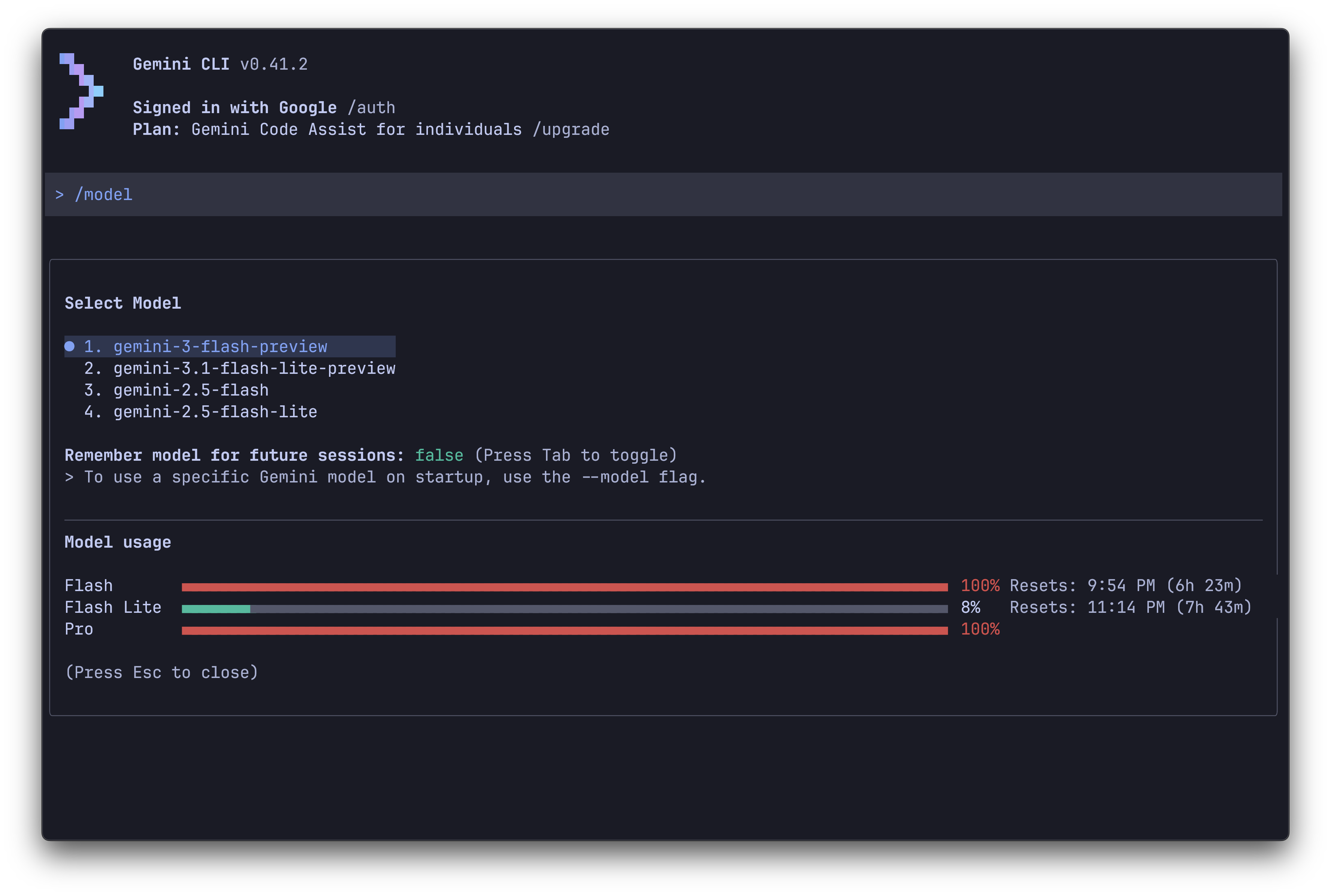
You know the moment. You're chipping away at a hard problem, on the best model available, on the highest effort setting. You're almost there, and then the banner drops: Approaching daily Pro limit · resets in 6h. Will you make it to the terminating token?
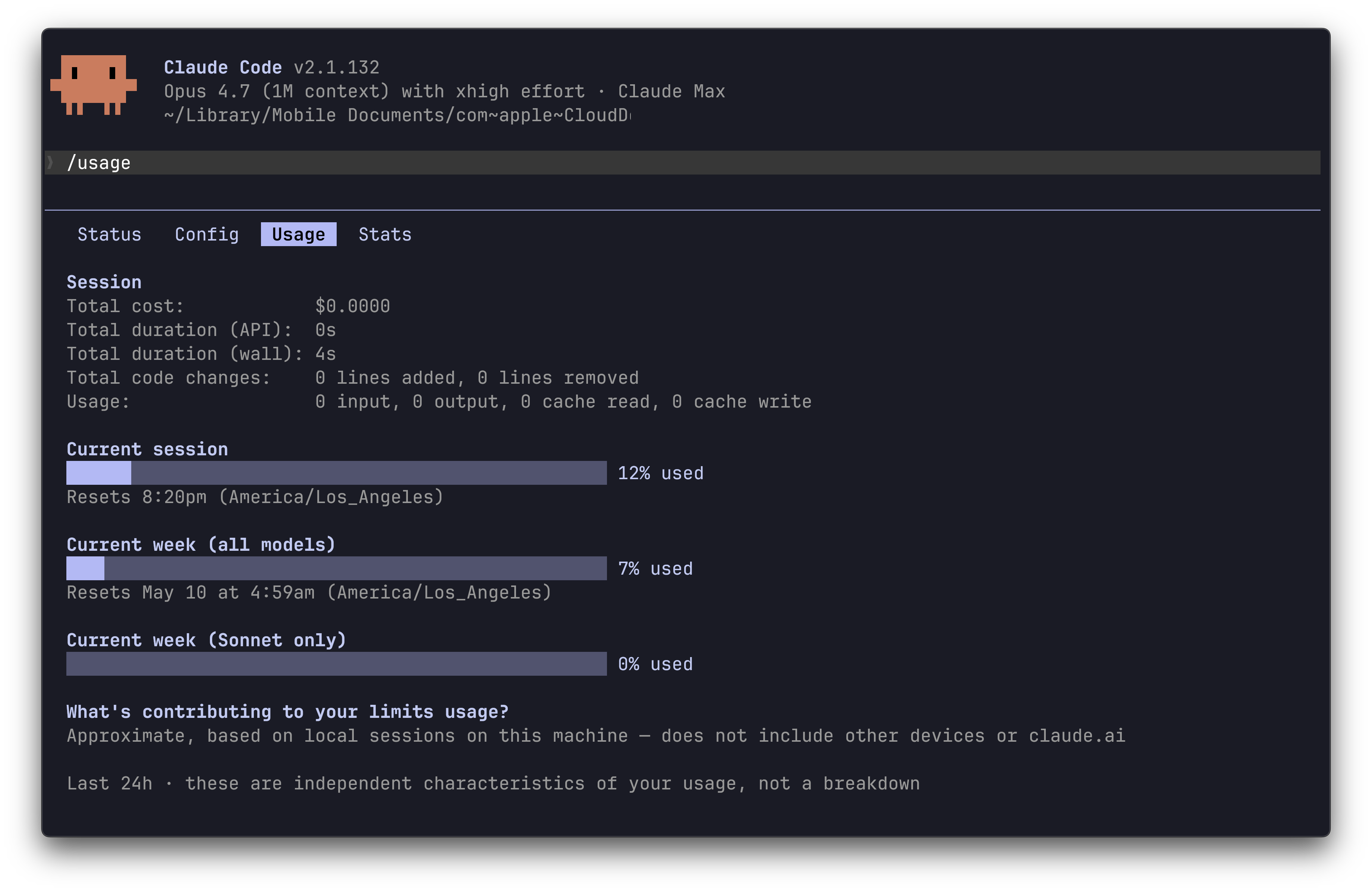
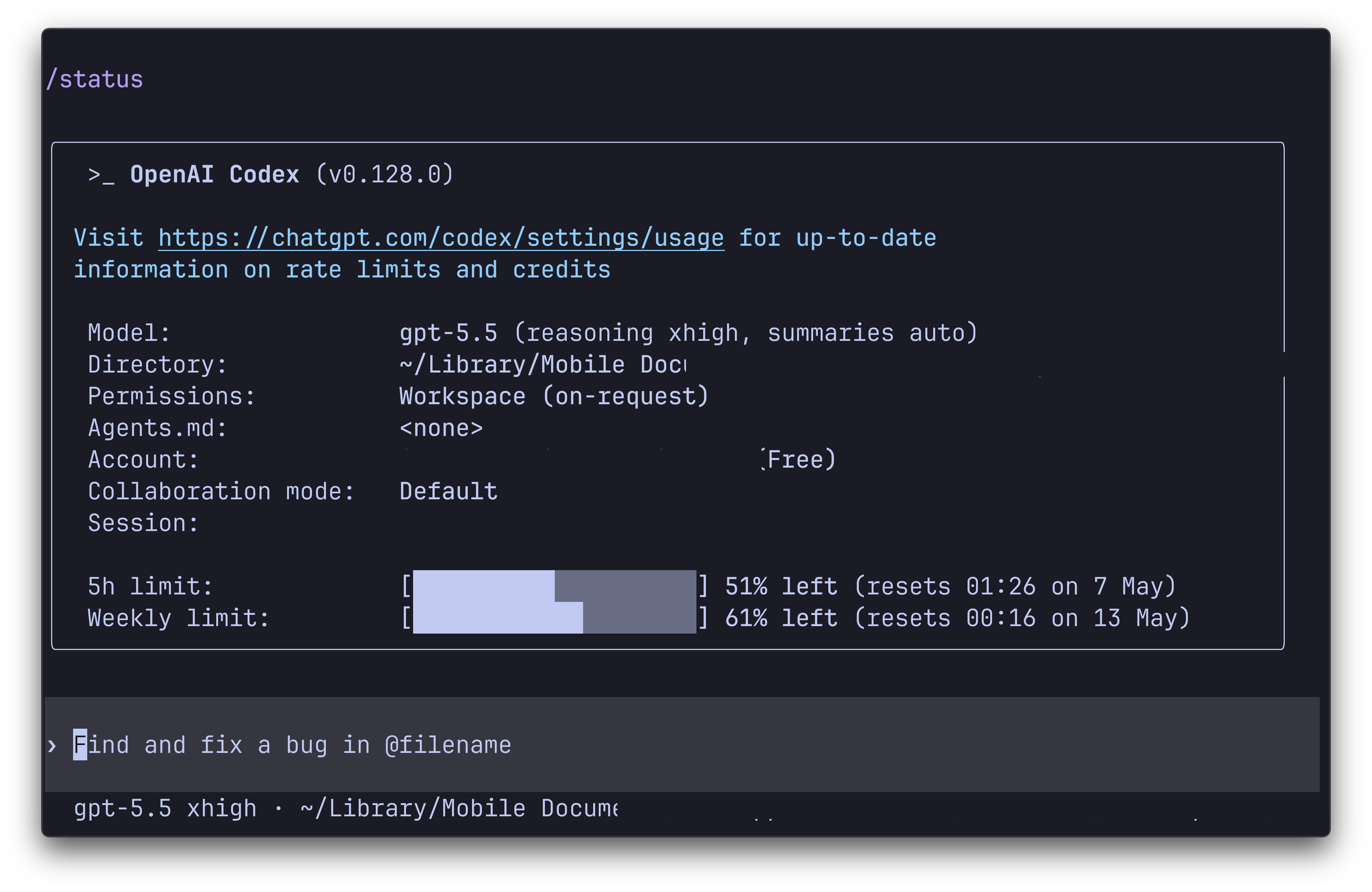
That's one flavor; here's another. You hear AI is the future, you don't want to fall behind, so you buy one of the big-lab plans. You polish a shelved project here, spin up a new project there. A month in, you've used 12% of your quota, and you can't decide whether to feel relieved or guilty.
Or here's a third. You work in tech, your employer encourages AI use, and your usage caps may as well be unlimited. You watch the cool projects your colleagues are shipping and want one of your own. You know AI fluency is a big part of performance now, so you start hunting for ways to spend all those tokens.
Three scenarios, two failure modes. An empty tank, and a full one; not having enough tokens, and having too many.
Empty Tank
When tokens are scarce, the symptoms are both predictable and compounding.
Rationing. You start asking the model less than you'd otherwise ask. The cap forces a triage that the work doesn't actually need. Each prompt becomes a small negotiation with yourself before it ever reaches the model.
Attachment avoidance. The first thing you cut is context. You stop pasting the file and describe it in prose. You hint at the error instead of showing it. Each attachment costs tokens, so you give the model less to ground on, and it generalizes from less. The output drifts toward generic, and you don't always notice why.
Model degradation. When the output disappoints, you assume the model was overkill and step down. Pro to Flash, Flash to Flash-Lite. Each step is a small concession: this question doesn't really need the smart model. Sometimes you're right. The trick is that you stop noticing when you're wrong.
Premature compression. The same anxiety that pushed the downgrade pushes you to trim the conversation before it's full. You /compress early to stretch the session, or auto-compression catches you mid-flow. The plan, the failed attempt, the thread you were following: gone. You restart on a thinner version of the problem and the model takes a wrong turn it had already corrected once.
Session splitting. Eventually you skip compression and start over. Work that should live in one continuous thread gets chopped into three. You spend tokens re-explaining where you were, paid in setup instead of progress.
Provider hopping. When Gemini finally caps out, you bounce to ChatGPT. ChatGPT is congested, you bounce to Mistral. Each switch loses the context you'd just rebuilt. You're chasing free tokens and paying in continuity.
Meter watching. By now /stats is a tic. You glance at the percentage between every prompt and weight each question by what it might cost. That's the wrong frame. The question is whether the answer is worth having, not whether you can afford to ask.
Settling. When every prompt feels taxed, you stop iterating. You accept the first draft because you can't afford another round. You stop asking for refactors. You stop asking for alternatives. The output is okay. Okay becomes the ceiling.
Burn out. Living inside these constraints is exhausting in a quiet, attritional way. You're working with a model that should make things easier, and instead you're rationing your access to it. Eventually you decide it isn't worth the friction, and you reach for the tools you trusted before.
Full Tank
You'd think the cure was more tokens. It isn't.
When tokens are plentiful, every incentive points toward burning them. You think you're falling behind. AI is showing up in your performance review. The dollars you spent on a plan demand to be amortized. So you use, and use, and use.
Trivial offloading. You start asking the model things you would have done in two seconds yourself. Renaming a variable. Looking up a flag. Reformatting a paragraph. The model's latency is higher than yours, but the tokens are "free," so you keep doing it. The muscle for the small things atrophies.
Drift. The bigger work catches the same habit. You let contexts grow long with stale code, dead chats, and abandoned plans. You retry from scratch instead of iterating. You let the model wander without guidance, because it has plenty of room to figure it out. The output gets worse, not better, and you respond by spending more tokens on it.
Project sprawl. With a great number of tokens comes a great number of side-projects. You start three demos in a week. Two are vibes, one has a real idea, and none of them ship. By Friday there's a fourth. The repos outpace the finished work. I'm still figuring out how to keep the portfolio from turning into a graveyard.
Burn out. This is the one I want to be honest about, because it's the reason I'm writing this.
When you're paying for the tooling, you want your money's worth. $20, $100, $200 a month is real money. So you use AI every chance you get. In the checkout line? Check out the long-running operation on your phone. Reading before bed? Perfect time to kick one off. Just woke up? Perfect time to check on it. The financial cost is fixed; the effort cost feels free.
It isn't. You're babysitting agents, holding the architecture in your head, deciding what they should work on next. You never stop thinking about the work. The model gets to forget. You don't.
We're not AI agents; we're human. We need rest, whether we choose it or not. The pause is where the work consolidates, where the bad ideas drop out and the good ones surface, where you remember what you were trying to build in the first place. None of that happens while you're checking on a build from the grocery store.
My current practice is to downgrade my plan once every few months for a month at a time. The lower cap forces me into intentional use, and the spare hours go into the things that aren't coding. It's the only thing that's worked; I'm curious if you've found others.
The Middle Lane
Range anxiety in EVs didn't get solved by 1,000-mile batteries. It got solved by chargers along the route, by trip planning, by drivers learning their cars. The fear faded as the fit got better.
Token anxiety won't be solved by infinite limits either. The cure isn't a bigger battery; it's knowing the route. Decide what the work is worth before you ask. Spend where the answer earns it. Hand some of the small tasks back to yourself, so the big ones get the version of you that actually shows up.
A low tank exhausts you quickly. A full tank exhausts you slowly. Only the middle is sustainable.
Everyone tells you the same thing: you should have a website. A place the algorithm can't touch. A URL that's yours. Words that outlive the platform.
They're right. But this isn't a post about having a website; it's about hosting one.
Decade of Hosting
I've been running websites since 2014. From WordPress onward, through a handful of CMSes, none of them have made me money. None have been wildly successful. All of them taught me more about running a real service on the internet than any job ever did.
Hosting forces you to see the full stack. Before you see a working page, you need three things:
A domain
A server
A CMS
After that, the web opens up with endless possibilities to tinker. To name three:
Web development. I started because the theme didn't have a contact form. Then I wanted a landing page. Then I wanted the whole layout rewritten. Within a few months I could scaffold a component, wire up a build, and deploy without thinking. None of it was "job" work.
Web design. I'm not a designer. But running my own site meant the stakes were zero, so I designed anyway. I picked fonts. I argued with myself about spacing. I redesigned the nav three times in a weekend.
Something odd happened along the way: I became opinionated. I'd see a well-designed site and think can I do something like that? I started noticing other people's patterns, their hierarchy, their whitespace. I shifted from user to contributor, an active participant in the ecosystem.
Ops. The frontend was the fun part. Then came everything underneath, roughly ranked by how much each will ruin your day when it breaks:
Reliability. Is the site actually up? Does it stay up when you push? Do you know when it's not?
Security. Any open ports? TLS 1.3? Are your admin panels behind a login that a bot can't guess in an afternoon?
Performance. Is anything cached? How long is first paint? Are your images doing work they don't need to?
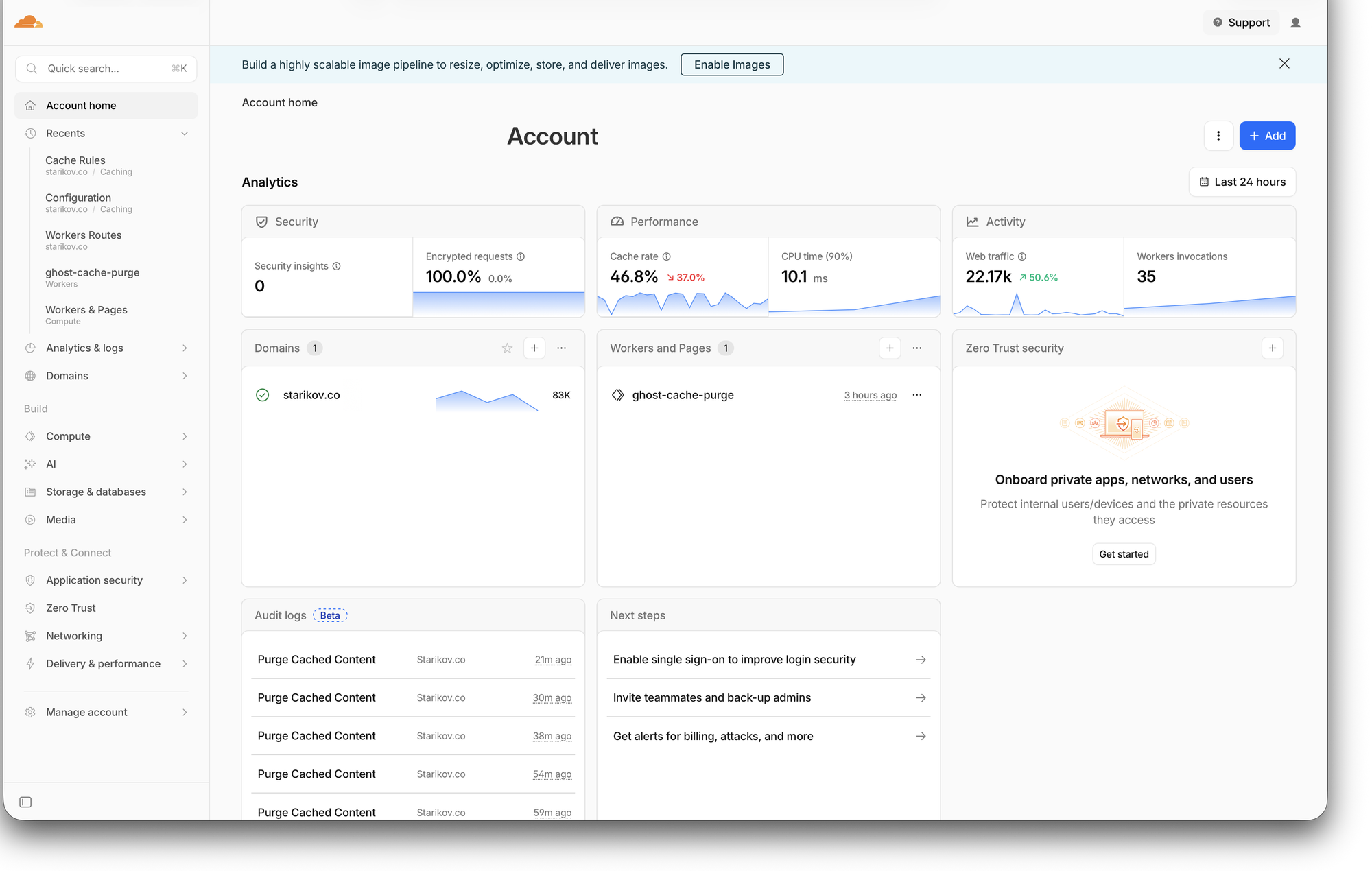
Observability. When things break, do you hear about it from your logs, or from a friend texting you "hey, your site's down"?
Accessibility. Alt text. Contrast. Semantic HTML. The baseline is cheap; skipping it is rude.
Every one of these is a specialization; every one is yours to obsess over or ignore. It's a gift and a curse.
Or Not!
Self-hosting isn't for everyone. Reasons to skip:
Money. Self-hosting is often more expensive than a managed blog once you value your own time. If you're counting hours, the math rarely works in your favor.
Time. Other side projects fail quietly in staging. A self-hosted site fails loudly, in production, at the worst moment. It asks for attention even when you have none to give.
Data responsibility. You own the data, which means you also own the backups, updates, abuse reports, and the incident when something goes wrong.
If any of those rings true, self-hosting isn't right for you. But I still think you should have a corner of the internet. Any of these will give you one without the operations tax:
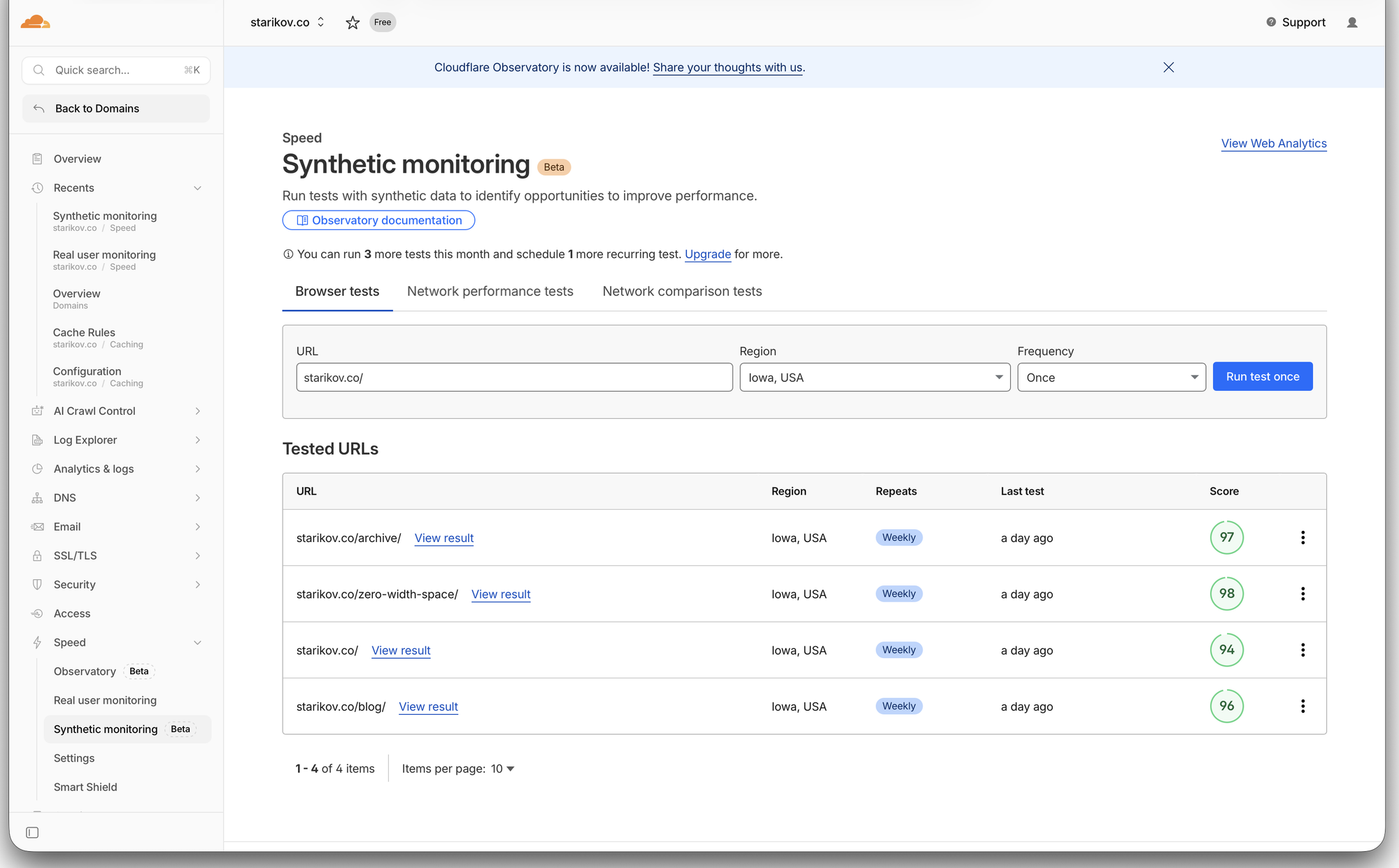
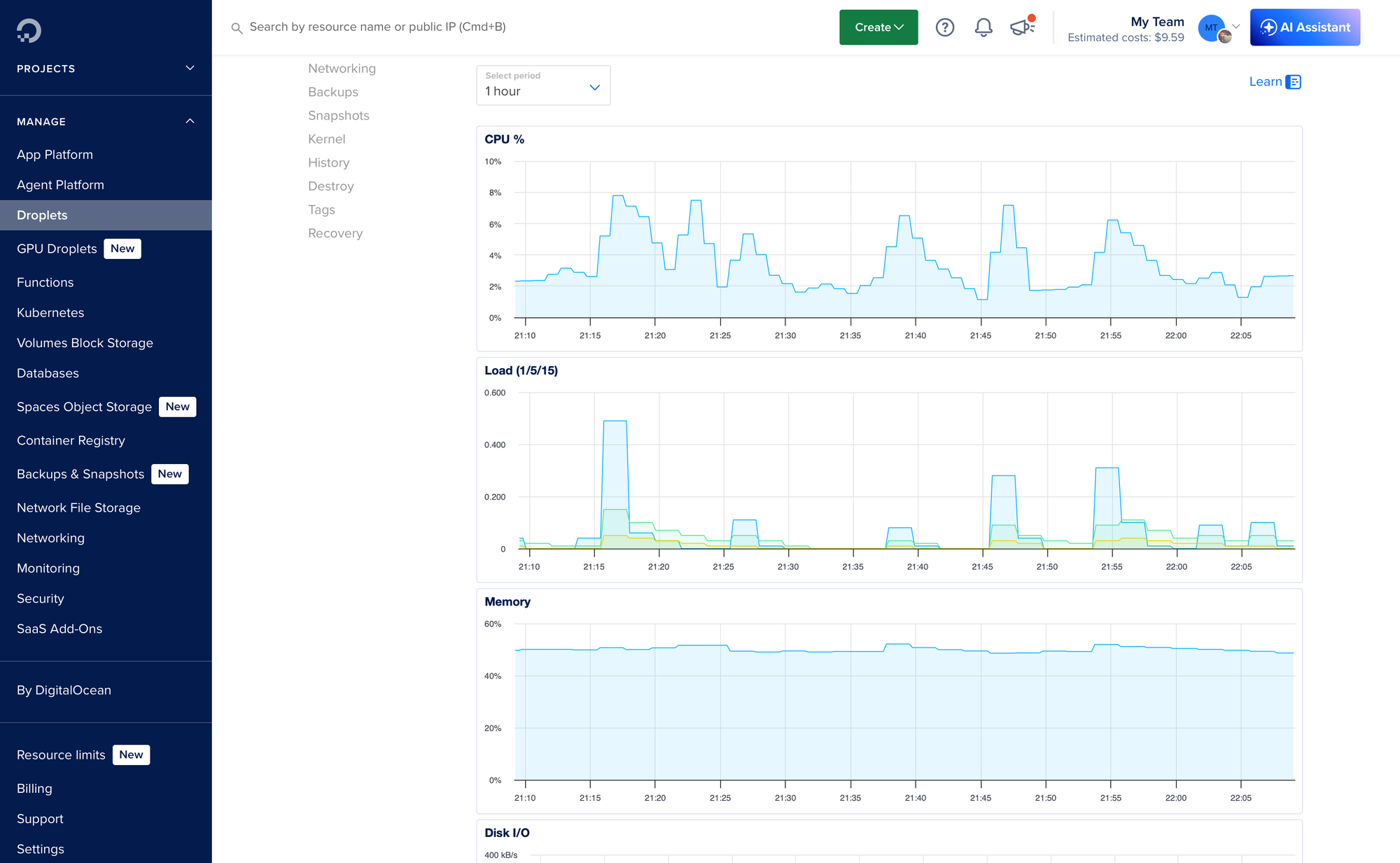
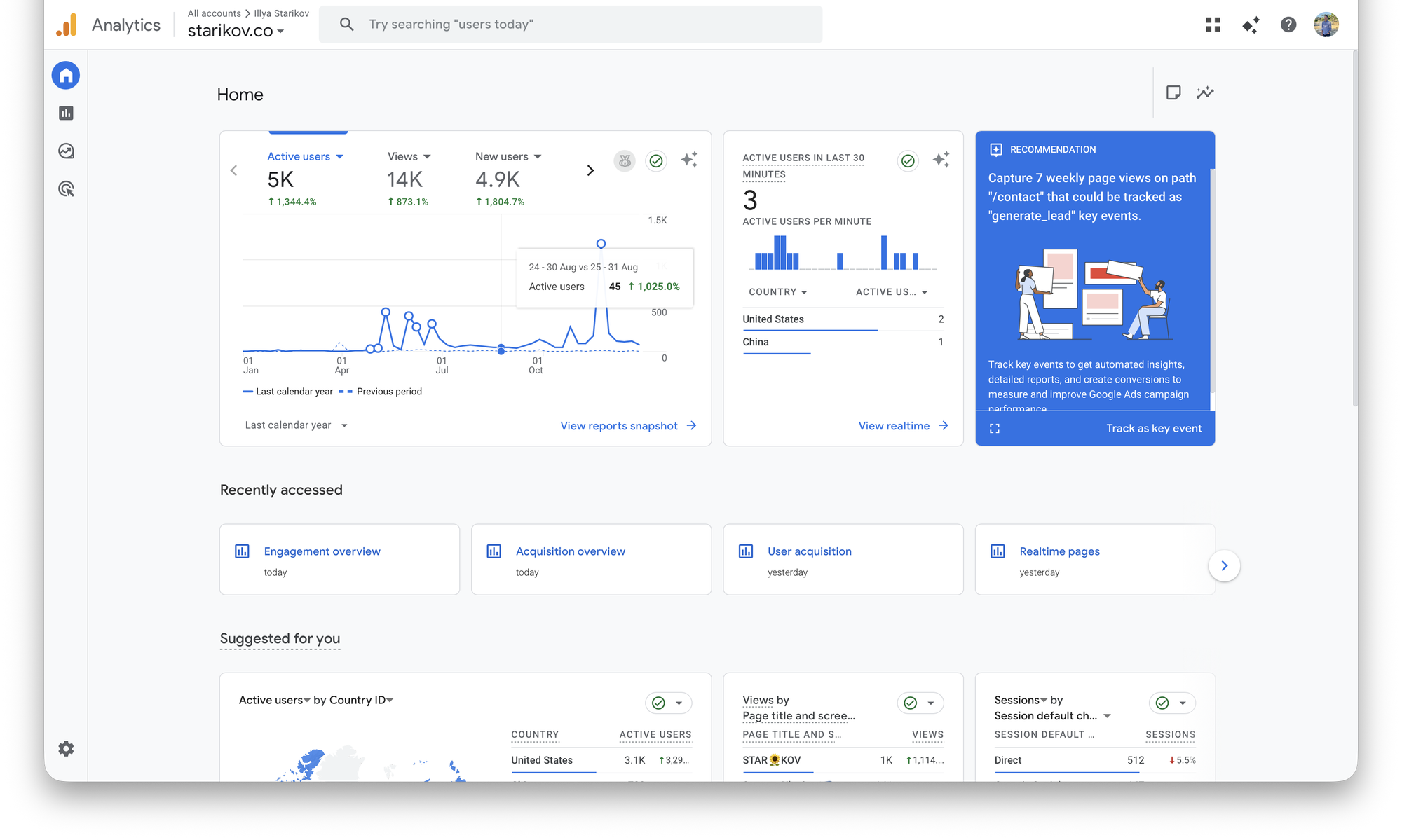
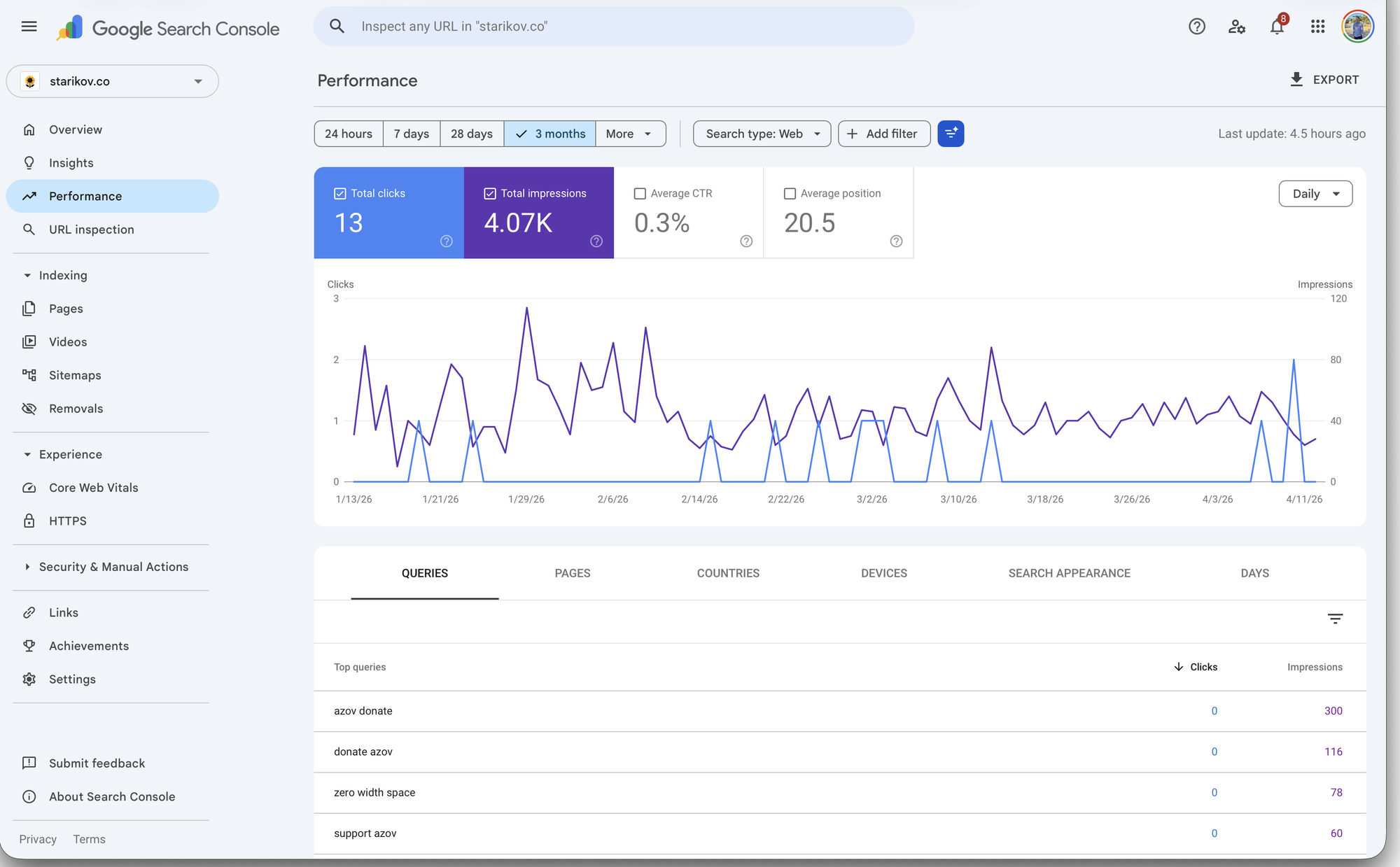
If you're still curious, here's a rundown of hosting options.
If you haven't used AI for development, start here. A chatbot is the closest thing you'll get to pair programming with a patient senior web developer. Tell it your vision, let it walk you through the tradeoffs, have it vibe-code you through the parts that feel over your head.
Jekyll, Hugo, or Eleventy if you want static output and don't mind the build step
Whatever you vibe-code yourself if you want to learn the most
You can (and probably will) migrate later, so pick one to get started.
Your Corner
The best reason to host your own site isn't cost, control, or credibility. It's that the web stops being something that happens to you and starts being something you make. You stop reading the internet and start writing it.
4 years, 10 projects, 91k lines of code. Pain is temporary, GPA is forever.
Between 2014 and 2018 I wrote a lot of code for school. Below are my favorite projects from my academic years.
This repository isn't just source files; it's a collection of memories. Ten years later, I can (and will) tell you where I was when I wrote each of them. I remember how late into the night I stayed at it. I remember how I wrote them, from the elegant one-liners to the nastiest regexes and bit manipulation you will ever see. I remember why I wrote them, because pain is temporary, but GPA is forever.
If you'd rather read the notes and problem sets themselves, they're collected in Academia Notes. The full source is on GitHub.
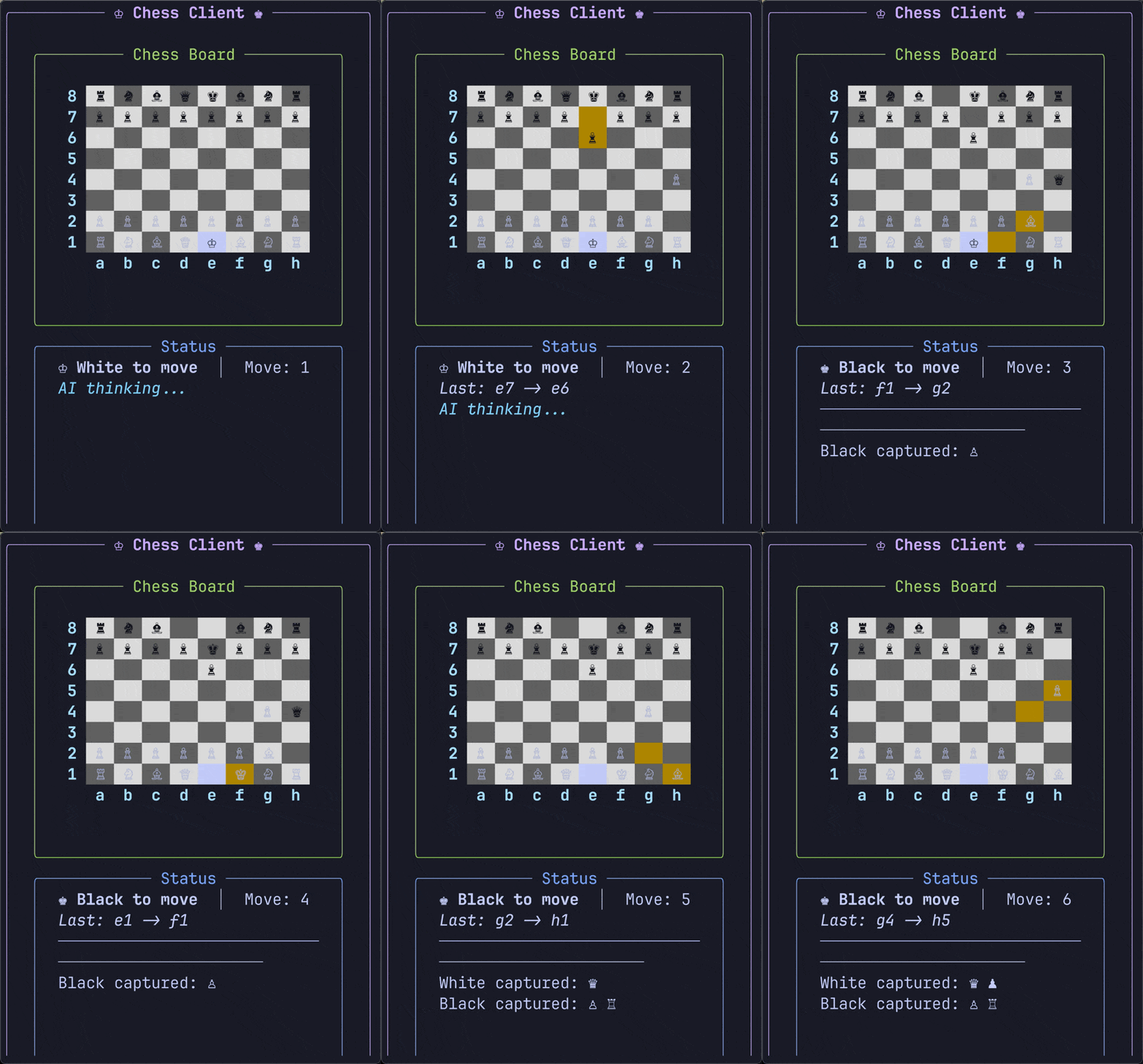
A chess AI engine built from scratch using bitboards. Each position fits in a set of 64-bit integers, one bit per square, so move generation is pure bitwise operations: shifts for sliding pieces, masks to prevent wraparound at the edges of the board. On top of that, alpha-beta pruning, iterative deepening, and a custom evaluation function that considers piece position, king safety, and pawn structure.
This was my most memorable software project throughout all of college; with good reason, it was the most notorious within our computer science department. Part one of the project was generating a complete chess move engine with a simple search algorithm to explore the game space. This was one of the handful of assignments I ever turned in late. And I started it a week before it was assigned.
Bitboards were nasty; I never anticipated how complex they would make the engine. But it was a proper learning experience, and I came out much stronger at bit manipulation. While well structured, it was a large surface area for bugs to fester. I tested my move generator against a standard Python one to see if it was correct; after running through >50 test cases, I called it good. Except there's still one test case, on the desktop of a computer I no longer have, that I could never get to pass. And I never even knew why.
This and a few other engine bugs made me skip the class-wide chess AI competition, one of my big regrets of college. I contemplated submitting a build that inverted the fitness function, producing an agent that optimizes for losing, but chickened out, afraid it would error on an illegal move. The decision wasn't pride; with 18 credit hours and a part-time internship, my straight-As were hanging on for dear life.
Code
The moving function shifts bits to simulate piece movement, masking edge files to prevent wraparound. Each piece type builds on this primitive.
And FEN (Forsyth-Edwards Notation), the standard for serializing a chess position as a string. Parsing it requires a regex that looks like someone smashed their keyboard. The apology is warranted.
std::string FenParser::getToken(const FenToken& token) {
    // lol sorry
    const char* regexString =
        R"((([pPnNbBrRqQkK0-8]{1,8}/?){8})\s*(w|b)\s*)"
        R"(([KQkq-]{0,4})\s*([a-hA-H0-8\-]{1,2})\s*)"
        R"((\d+)\s*(\d+)*)";
    std::regex regexExpression(regexString);
    std::smatch match;

    if (std::regex_search(fenString, match, regexExpression)) {
        switch (token) {
            case board:       return match[1];
            // off by one, regex error; don't ask
            case colorAtPlay: return match[3];
            case castling:    return match[4];
            case enPassant:   return match[5];
            case halfTurns:   return match[6];
            case fullTurns:   return match[7];
            default:
                throw std::logic_error("Fen String is fucking broke");
        }
    } else {
        throw std::logic_error("Fen String is fucking broke");
    }
}
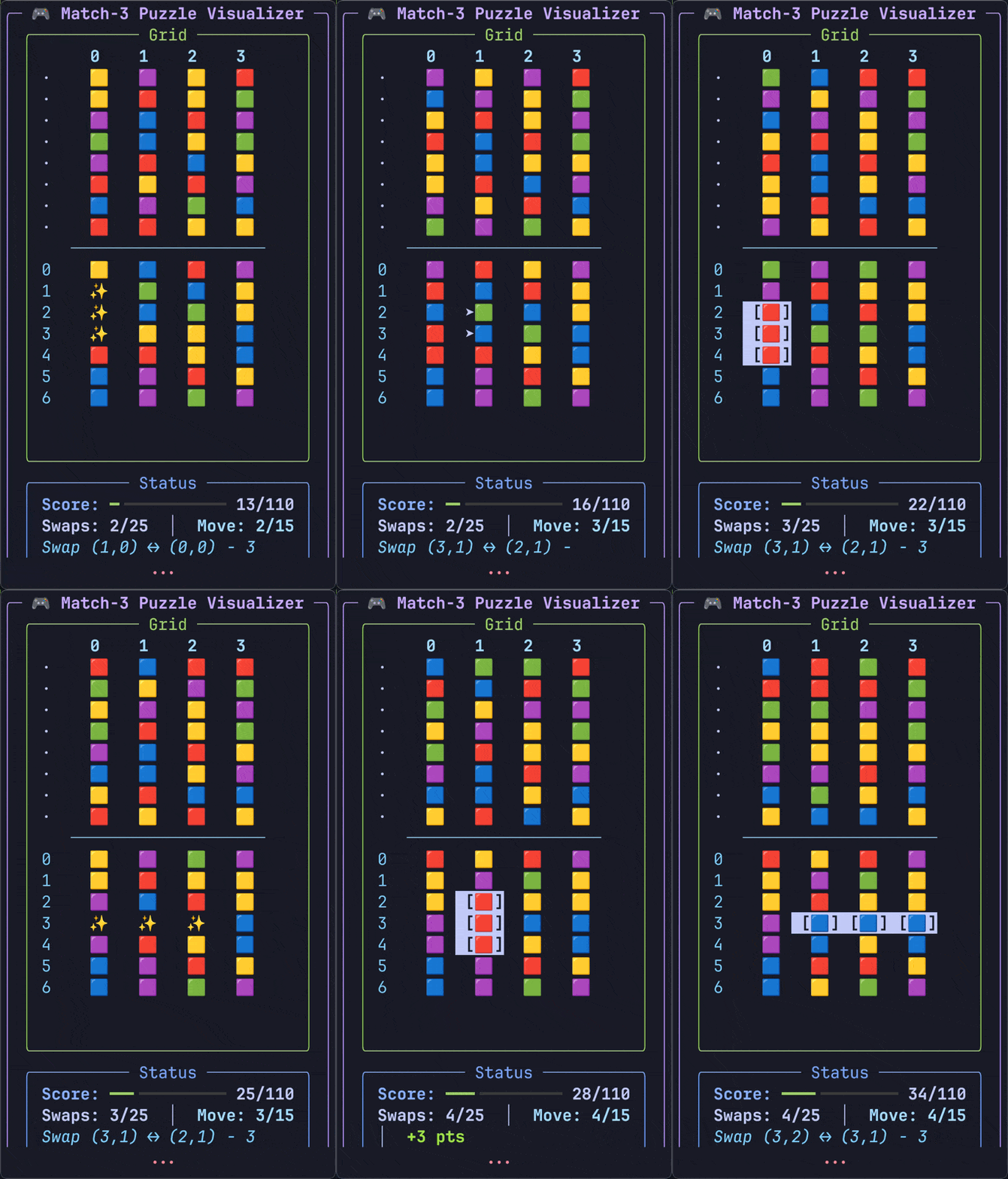
Four puzzle solvers built around different search algorithms. The standout is an A* implementation with custom heuristics that chews through state-space problems in milliseconds. Each puzzle forced careful thought about state representation and admissible heuristics. Watching the solver walk thousands of states to find an optimal path, faster than you can blink, was deeply satisfying.
The AI class had two programming projects: part two was the chess AI above. Part one, much simpler, was an AI engine that played a match-three clone. Reasonable project with sizeable scope, it was one of the projects that gave me real confidence as a programmer then. I remember comparing solutions with my friend Mark: his had a smaller code footprint, and he said mine was bloated. I remarked "your code is concise, but mine is poetic", then showed everyone my one-line move generator, like poetry.
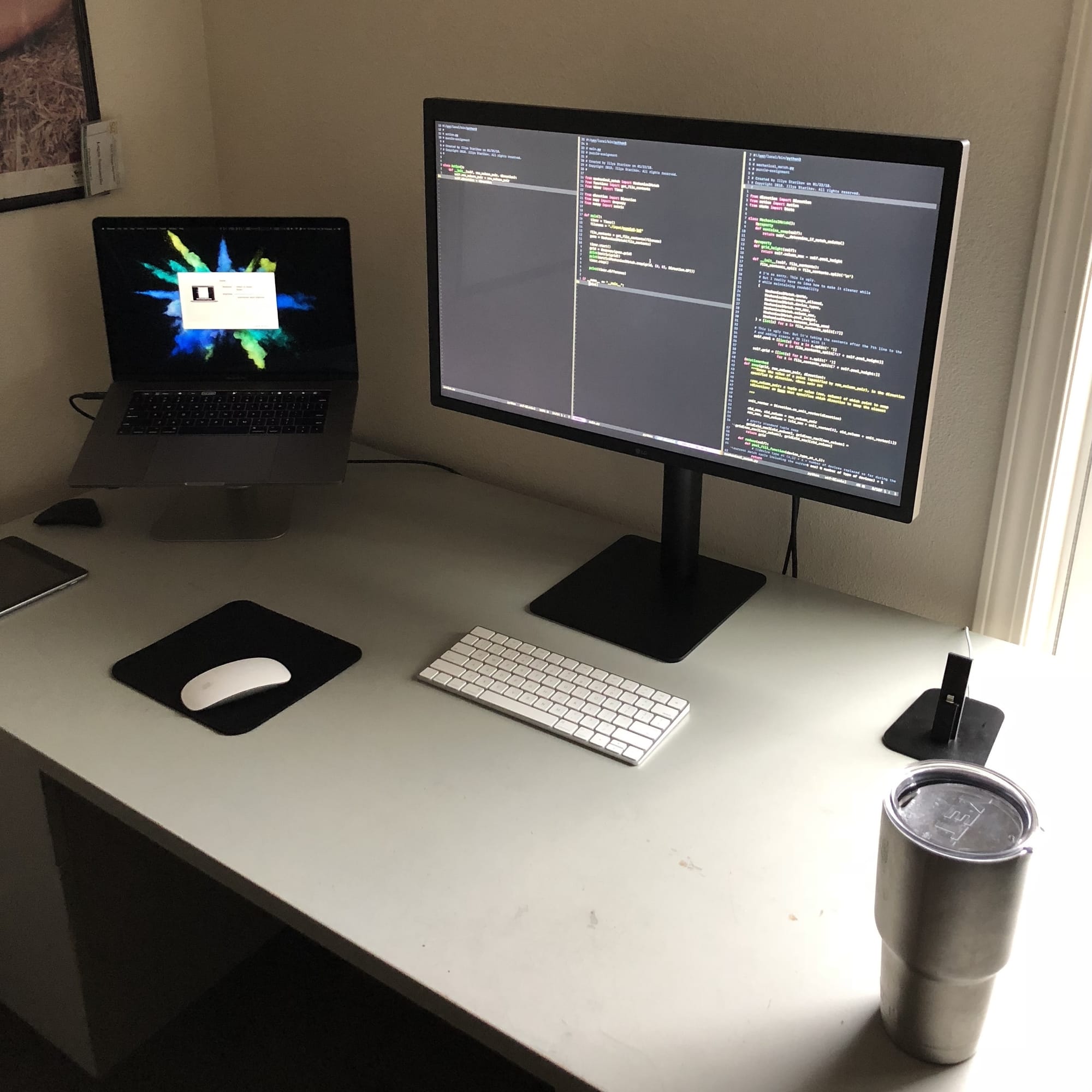
Here's my desk setup at the time, editing this very code. I'm particularly proud of the new MacBook Pro; I bought it with my own internship money.
Code
Python generators let you build lazy sequences that compute on demand. Instead of materializing all moves upfront, the generator yields valid ones one at a time. Memory stays flat regardless of how many possible moves exist, because only the ones we actually touch get computed.
@staticmethod
def actions(state):
    # This is ugly, but by abusing list comprehension, I get lazy evaluation.
    # In turn, I actually do a linear search of the entire space, but only store
    # the states that are legal. Thank you, generators.

    row_max, column_max = MechanicalMatch.grid_size(state.grid)

    return [] if state.swaps >= state.max_swaps else (
        Action((row, column), direction)
        for row in range(0, row_max)
        for column in range(0, column_max)
        for direction in [Direction.UP, Direction.LEFT]
        if MechanicalMatch.swap_is_valid(state.grid, (row, column), direction)
    )
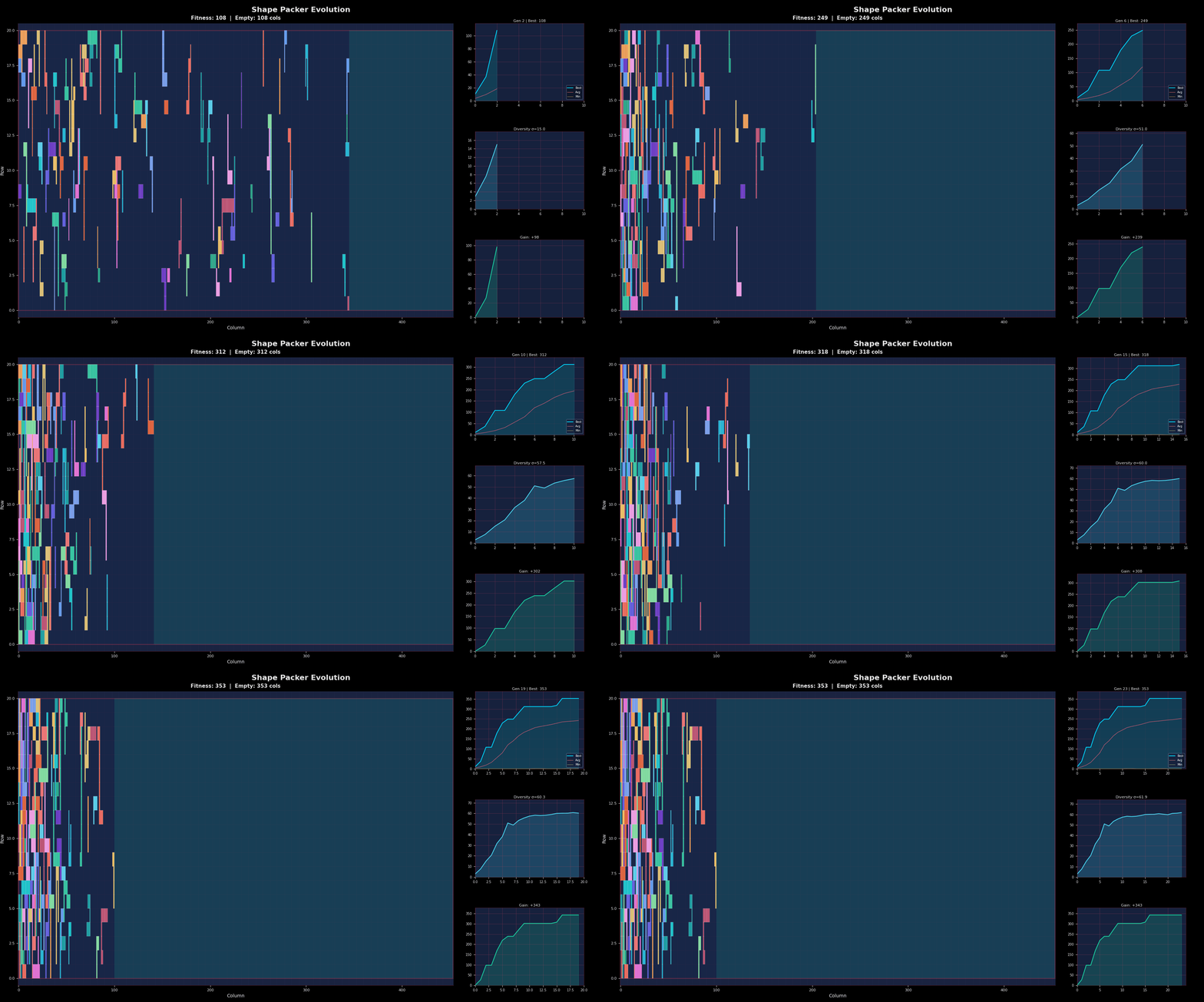
An evolutionary algorithm for 2D shape packing. Given irregular shapes and a rectangular board, find the placement that maximizes coverage. The genome encodes position and orientation per piece; mutation perturbs placements, recombination swaps configurations between parents. Fitness proportional selection, k-tournament (with and without replacement), truncation for survival.
This was my first real test of writing performant Python, and boy was it full of lessons. In short, my code was slooowww. Not hours but days slow. Every submission felt like a grueling experience (this is when I fell in love with tmux). But there's a certain fun to watching the convergence in such tight packings. Optimization problems are fun.
A templated C++ linear algebra library. Matrices, vectors, and decompositions (LU, QR, Cholesky). Heavy use of operator overloading so matrix math reads naturally. The final project ties it all together to solve linear systems with different numerical methods.
This assignment taught me that our library was sometimes open until 3am; I found a spot in the basement next to the vending machines. It wasn't a mental test, it was an endurance one. The course wasn't just about numerical modeling in code, but about writing good numerical modeling code: fully templated, high test coverage, with proper documentation. Two weeks to deliver 2k lines of code and 57 test cases, and a self-imposed single night to ship 1.6k lines of comments.
This problem called for solving steepest descent, using the various matrix and vector types we'd built:
vector
banded matrix
diagonal matrix
rectangular matrix
symmetric matrix
Code
An iterative linear system solver that follows the gradient downhill until it converges. The initial guess is just the b vector because "why not."
template <typename T>
Vector<T> SteepestDescentSolver<T>::operator()(const SymmetricMatrix<T>& A,
                                               const Vector<T> b) {
    Vector<T> x = b; // initial guess is the b vector, cause why not
    T alpha{};

    unsigned i = 0;
    Vector<T> residual = b - (A * x);

    if (!isDiagonallyDominant(A)) {
        throw NonDiagonallyDominantMatrixError();
    }

    while (norm(residual) > EPSILON && i++ < MAX_ITERATIONS) {
        residual = b - (A * x);
        alpha = (residual * residual) / ((A * residual) * residual);
        x += alpha * residual;
    }

    return x;
}
Undergraduate research project that instruments C++ code to trace control flow at runtime. A control flow graph represents all possible paths through a program: nodes are basic blocks, edges are jumps. This tool parses source, identifies basic blocks, and generates execution traces. Boost handled the regex. The goal was to understand how programs actually execute versus how we think they execute.
Even by my senior year, most of the bigger projects were codebases I developed or co-developed; this was my first notable exception. With a fellow researcher, our job was to pick up an existing codebase from a graduate student and get it running. I thought it would be a walk in the park, but it needed some massaging. I particularly liked this assignment because it was a semester-long, tag-team effort to push someone else's work forward.
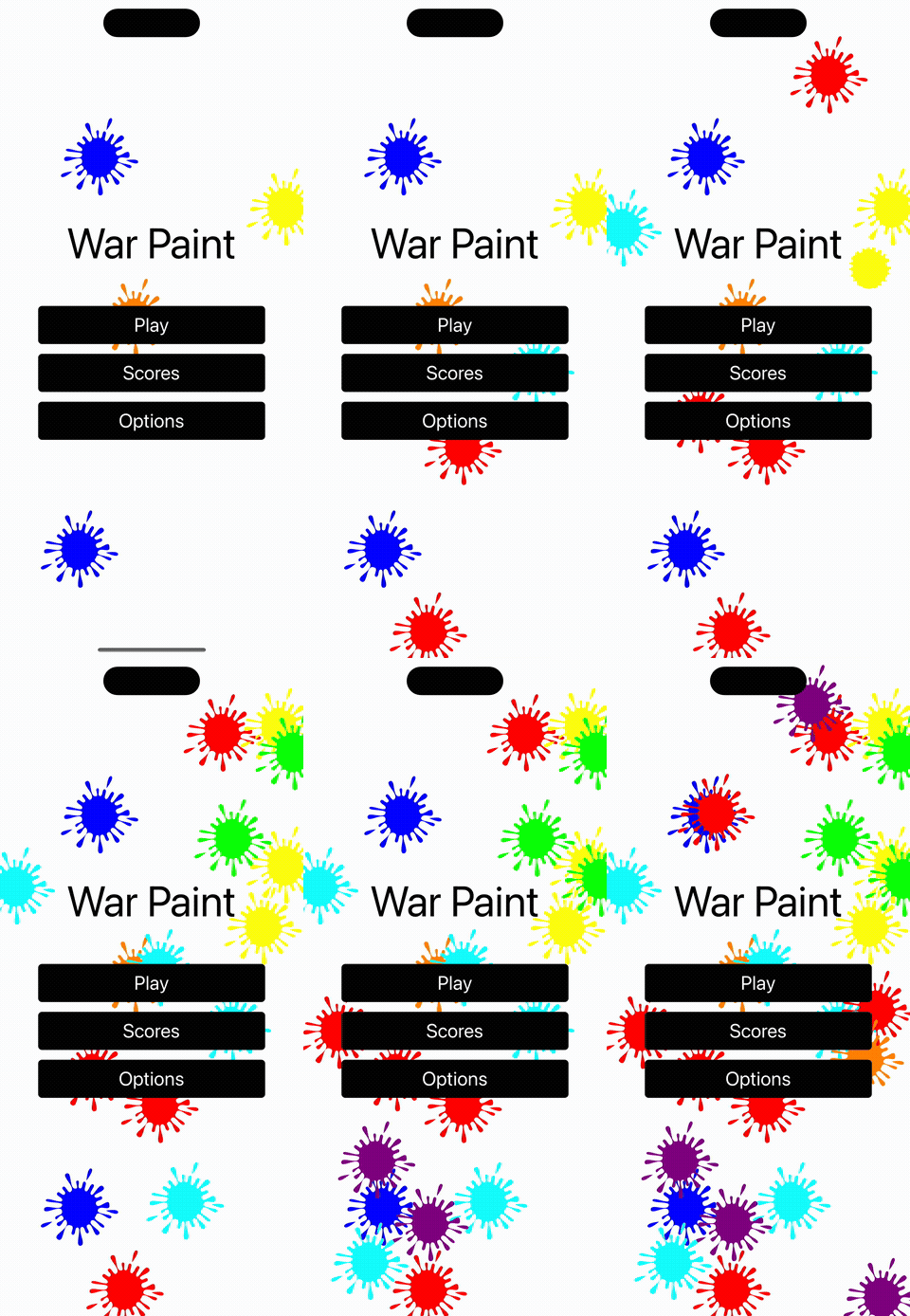
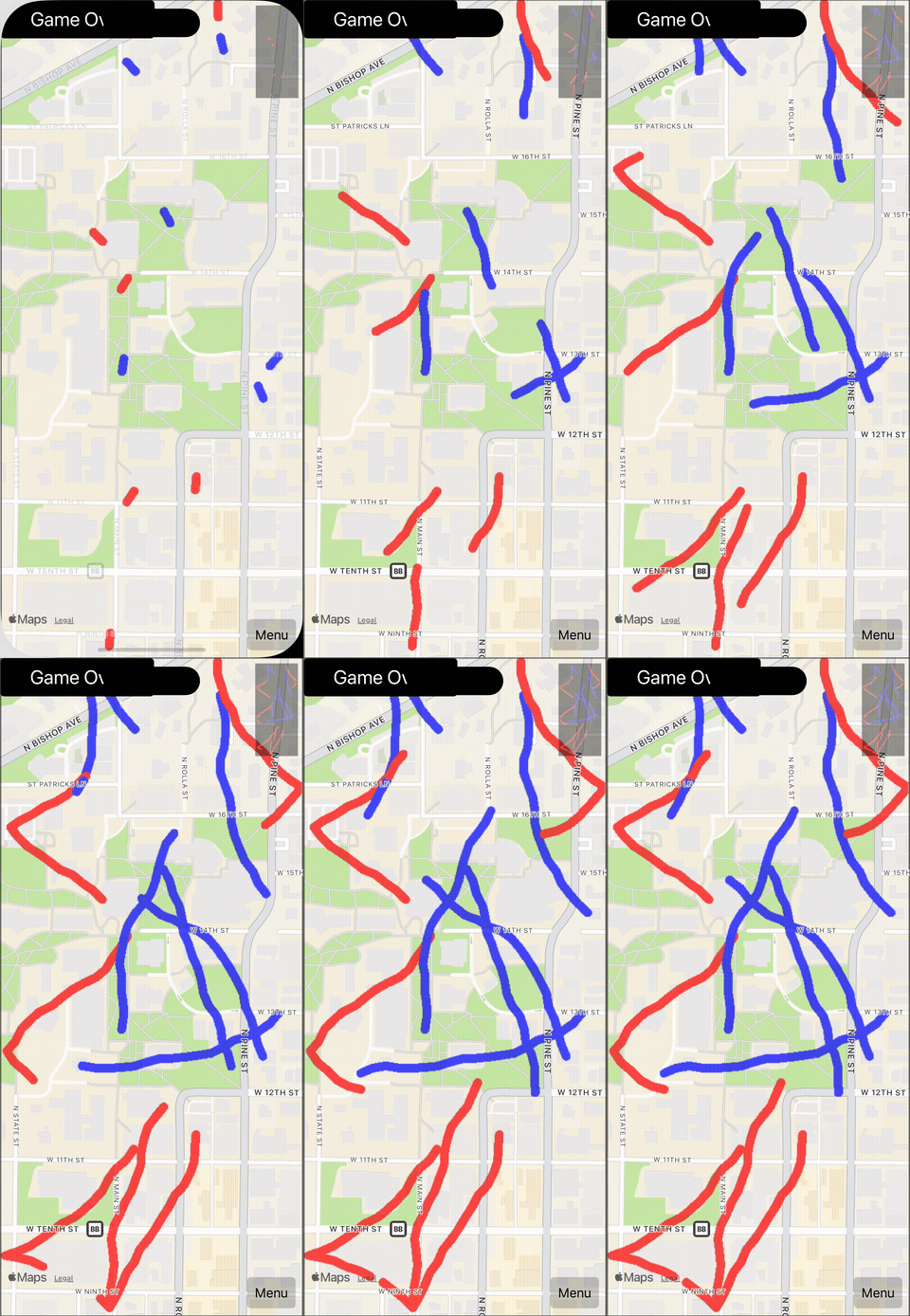
Capstone project, a multiplayer mobile game in Flutter/Dart. Went from concept to deployed app with a team. Real-time synchronization, touch controls, cross-platform deployment. The kind of project where you learn that 80% of software engineering is communication.
I hope Nintendo doesn't read this. We had a team vote on the project name, and Splatoonio won. We can change it.
This was my most "complete" software project in college: server, client, docs, pitch, you name it. And it was hardly my doing; it was a team project, and our team was the dream team. No, literally: our team name was "Dream Team", after we realized we averaged two internships per person and all of us were in the same AI and numerical modeling classes (the most demanding combination at our college).
Our last presentation of the year was naturally a live demo, and we couldn't disappoint. We wanted to showcase the rendering across campus because our classroom definitely wasn't big enough, and we only had a production build with no demo wiring. So I showed up on game day in running gear, introduced our team, and proceeded to run across most of campus with the game running. I even timed my return to the last minute of the demo to make a statement. We were unanimously the top project of the class, affirmed by one of the most memorable rounds of applause I got as a student.
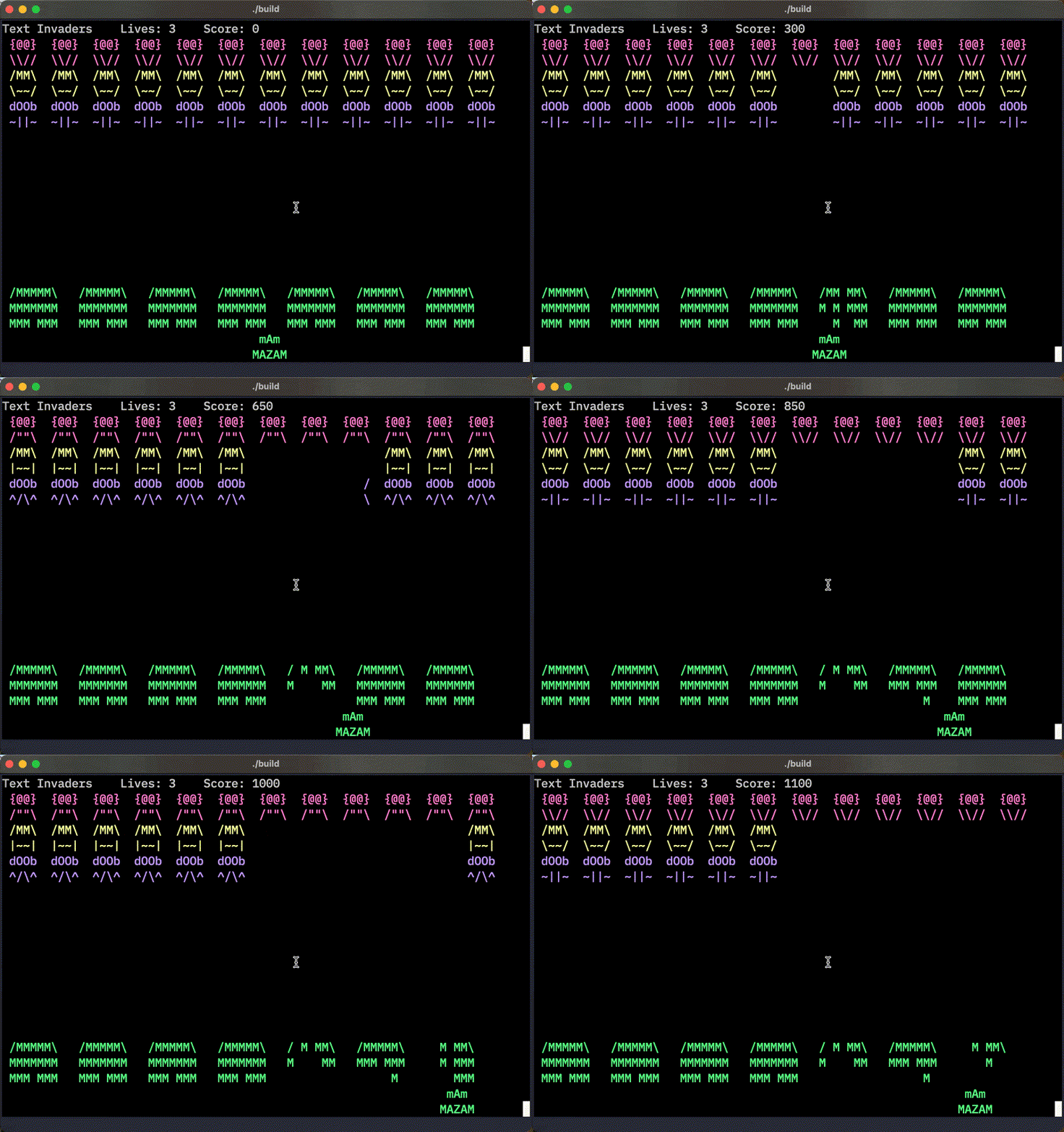
Space Invaders running on an 8051 microcontroller. Assembly and C, pressed against tight memory constraints. Every byte mattered. Implementing smooth sprite movement and collision detection on hardware this limited teaches you what efficiency really means.
Cold November nights, coding with How I Met Your Mother playing in the background (see Code, below). This one assignment made me appreciate video game logic: writing a screen rendering engine with nothing but ncurses is a tall order. Keeping track of not just bounding boxes but changing state, animations, player input, drawing, all of it.
Despite the complexity and having never done anything like it, I got something working. It had several bugs centered around the aliens: they never progressed down the screen, they never shot, you could never hit the one in the last row. But it was satisfying nonetheless. One snag: this was supposed to run on hardware with 4k of memory, and my first compile for the target platform came in at 15k. Yikes. I stripped essentially every library and wrote my own. 8k.
This is the part where I'd love to say I found a clever hack to squeeze under the limit, but there's no perfect ending. I hit my wits' end, talked to the professor, and made up for the failure by implementing another feature.
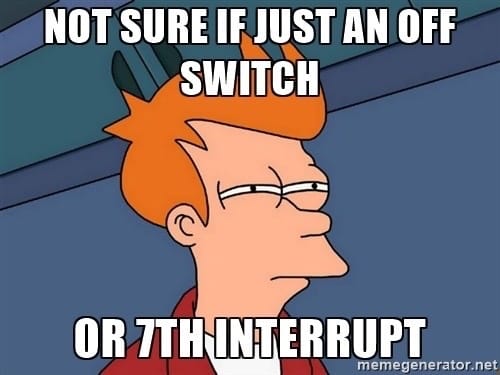
I did get to present my game to the whole class. And my adventures made for some great memes, which I attached to my homework and presented to the class too.
Code
The game loop is a switch inside a do { } while (true), with the render living in the default: branch. Instead of the usual tick → input → update → draw, this loop reads a key and only redraws when the player didn't press anything. Hold a key and the screen stops updating. Space Invaders with a frame rate inversely proportional to how panicked you are.
do {
    switch (getch()) {
        case KEY_LEFT:  /* ... move ... */  break;
        case KEY_RIGHT: /* ... move ... */  break;
        case ' ':       /* ... shoot ... */ break;
        case 'q':       endwin(); exit(0);  break;
        default:
            createHeader(&game, &header);
            createShooter(game.gunner.center, &game, &footer);
            createGameboard(&game, &gameboard,
                            stateOfAliens, stateOfShot);
            draw(&game, &header, &gameboard, &footer);
            break;
    }
    i++;
    if (i % STATE_CHANGE_ALIENS == 0) {
        stateOfAliens = stateOfAliens ? false : true;
    }
    stateOfShot = (i % 25 == 0);
} while (true);
The alien-selection logic is three branches of nested ternaries, picking which invader sprite to draw based on the row and animation frame.
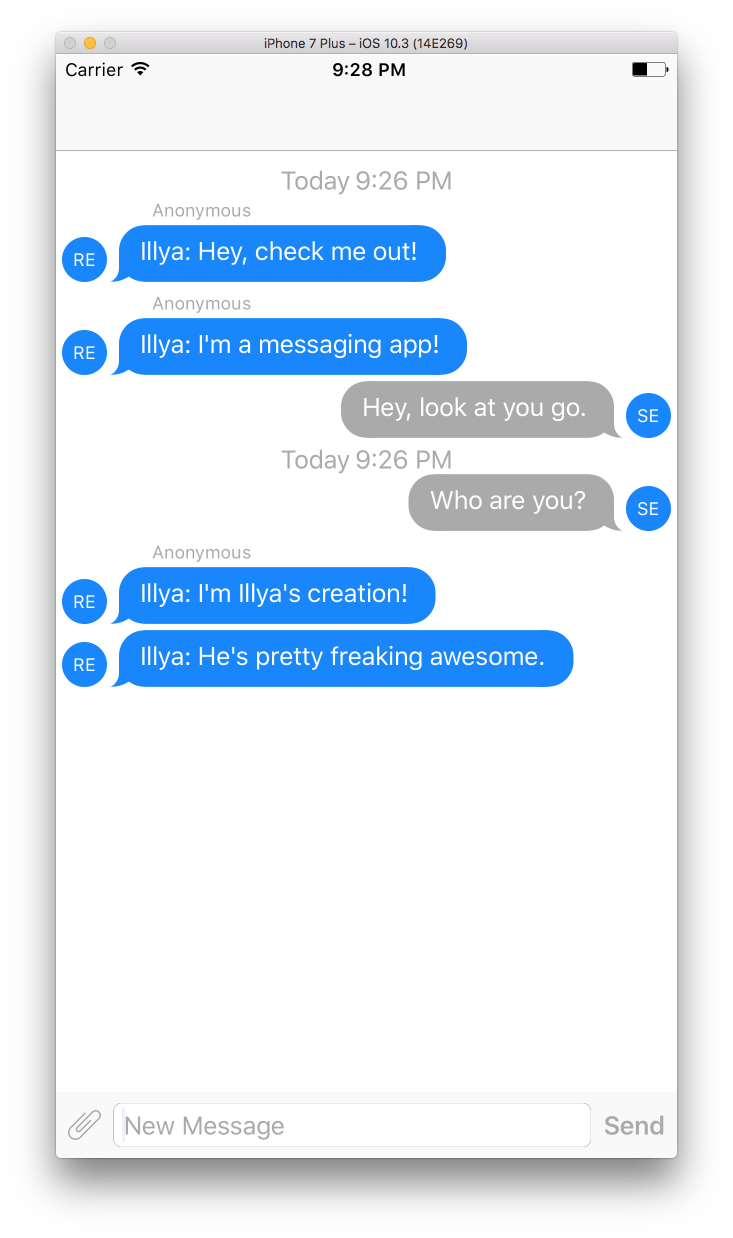
A team software engineering project with full documentation, UML diagrams, and Doxygen-generated API docs. Agile methodology, code reviews, collaborative development. The code itself is less interesting than the practice of building software with other people. An optional iOS chat client hooks into the server for real-time messaging. Swift, JSQMessagesViewController for the UI, SwiftSocket for TCP.
This class was pure joy. Not too difficult, not too easy. It was mostly just building useful software: an end-to-end chat interface. I got to make use of my iOS skills while the team built a fully-functioning message server. We put it together with flashy presentations.
Code
The server is exactly what you'd expect from a sophomore who just learned sockets: threaded TCP, a module-global SOCKET_LIST, and a broadcast loop that fans every message out to every connected client.
class ThreadedTCPRequestHandler(socketserver.BaseRequestHandler):
    def handle(self):
        my_socket = self.request
        SOCKET_LIST.append(my_socket)

        while True:
            data = str(my_socket.recv(1024), 'ascii')
            if not data:
                if my_socket in SOCKET_LIST:
                    SOCKET_LIST.remove(my_socket)
                return
            try:
                response = bytes(data, 'ascii')
            except Exception:
                response = bytes(json.dumps({
                    "error": "Something went wrong"
                }), 'ascii')
            for s in SOCKET_LIST:
                s.sendall(response)
The iOS side is sophomore-level in a different way: no push, no WebSockets, no long polling. Just a Timer that reads the TCP socket every second, decodes the bytes into a JSQMessage, and hops back to the main queue to render. Real-time by brute force.
switch client.connect(timeout: 1) {
case .success:
    self.timer = Timer.scheduledTimer(
        withTimeInterval: 1.0,
        repeats: true
    ) { _ in self.getNewMessage() }
    // ...
}

func getNewMessage() {
    DispatchQueue.global(qos: .background).async {
        let data = self.client.read(1024 * 10)
        guard data != nil else { return }

        if let string = String(bytes: data!, encoding: .utf8) {
            let message = JSQMessage(
                senderId: User.reciever.rawValue,
                displayName: getName(User.reciever),
                text: string)
            self.chatView.newMessage(message)
        } else {
            print("not a valid UTF-8 sequence")
        }

        DispatchQueue.main.async {
            self.chatView.finishReceivingMessage()
        }
    }
}
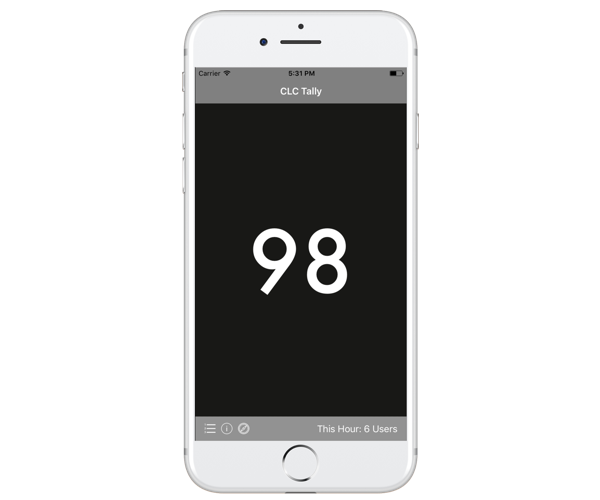
iOS app for tracking student headcounts at Missouri S&T's Computer Learning Center (CLC). Built to solve a real problem: tutors needed a quick way to log how many students they helped. Simple interface, local storage, export.
The irony is that I mostly wrote this in the CLC. I'd never found a tally app with this particular data format, and it was much easier to have my phone always-on taking count than periodically marking a notebook. I ended up being the only user, because I didn't have an App Store account. But this was an "enjoy the journey, not the destination" project: the beauty of developing and improving something weekly that you actually use.
Code
The entire data model is 20 lines. Each tap appends a Date to an array in UserDefaults. The counter is userLog.count. "Users this hour" is a filter. No database, no Core Data, no schema migrations. Sometimes the best software is the software that just works.
class Counter: CustomStringConvertible {
    public var count: Int { return userLog.count }

    private var userLog: [Date] {
        get {
            UserDefaults.standard
                .object(forKey: "log") as? [Date] ?? []
        }
        set {
            UserDefaults.standard.set(newValue, forKey: "log")
            UserDefaults.standard.synchronize()
        }
    }

    public func increment() { userLog.append(Date()) }
    public func decrement() {
        if !userLog.isEmpty { userLog.removeLast() }
    }

    public func usersThisHour() -> Int {
        let hourOf = { (d: Date) in
            Calendar.current.component(.hour, from: d)
        }
        let now = hourOf(Date())
        return userLog.filter { hourOf($0) == now }.count
    }

    var description: String { return "\(count)" }
}
Automated grading tools for CS 1570, the intro programming course. A style checker that enforces coding standards, a roster checker that validates submissions, a grader script that runs test cases, and a plagiarism checker.
Built out of necessity: grading hundreds of submissions by hand became unsustainable. I automated as much as possible so I could focus on the core concepts: algorithms, data structures, and programming paradigms.
The plagiarism checker never flagged anyone until assignment 8 out of 10; unironically, the hardest assignment of the year. Assignment 7 was a pair-programming project, assignment 8 was strict solo; and the same pair from assignment 7 decided to tackle assignment 8 together. I brought it to the instructor, and they asked my opinion on what we should do. Wanting to be fair, I proposed:
They split the work evenly, they should split the grade evenly: take each score and divide by two.
Output
Output is emitted as markdown so it drops straight into whatever report format the course coordinator wanted:
## student_submission.cpp

**80 Column Rule**

- Line 42: `    if (studentName == "John" && assignment.isComplete()`

**Tabs**

- Line 17: `    int counter = 0;`

**Non-Uppercase Constants**

- Line 8: `const int maxStudents = 60;`
- Line 9: `const double passingGrade = 70.0;`

**Header Guards Don't Match**

- Line 3: `#ifndef STUDENT_H`

**Missing Documentation (12 Functions, 4 Lines of Comments)**
Code
Every rule is a regex; most of them look like someone leaned on the keyboard. A sampler:
# 80-column rule: match anything, then demand a non-space in column 81.
# Trailing whitespace counts as a violation, which was the point.
column = r".{80}\S"

# Tabs: anchor to start of line, look for one tab character.
tabs = r"\A\t"

# Non-uppercase constants: "const <type> <name>;" where <name>
# has any lowercase letter. The nested char classes and optional
# assignment tail are what make it ugly.
constants = r"const\s+([a-zA-Z]|_)([a-zA-Z]|[0-9]|_)*\s+" \
            r"(([a-zA-Z]|_)([a-zA-Z]|[0-9]|_)*|\s*,\s*)*" \
            r"([a-zA-Z]|_)([A-Z]|[0-9]|_)*[a-z]+([A-Z]|[0-9]|_)*(\s*=\s*.+)*;"

# Switch without default: grab a whole switch block, then
# re-search inside for `default:`.
switch_block = r"switch\s*\(.*\)\s*\{[^\{;]+\}"

# Header-guard matcher: capture the #ifndef name and #define name, compare them.
header_guard = r"#ifndef\s*(.*)\n#define\s*(.*)"

# Header-comment detector: // or * or whitespace, then
# "File" / ".cpp" / ".hpp" / ".h". Paired with a separate
# /(Author|author)/ check for the author line.
header = r"(\/\/|\*|\s)+.*(File|file|.hpp|.cpp|.h)"
For the notes and problem sets themselves, see Academia Notes.
To my peers and professors at Missouri S&T: thank you. You made those four years special, and I remember them fondly. The late nights coding, the early morning classes where I'd take my first sips of coffee, the many fruitful discussions in between. All of it.
4 years, 29 courses, 1,113 pages. Because who doesn't love compiler errors from their notes?
From 2014 to 2018 I kept nearly every homework, lecture note, and problem set in LaTeX. Mathematical notation, diagrams, code listings, all rendered properly. Compiled, they come out to 1,113 pages.
The source is on GitHub. Four compilations below, covering different subsets of the material.
iPad is the best coding computer, which is why I always code on Mac.
Have you ever...
Had an idea at 11pm and wished you could just pick up where you left off—without walking to your desk?
Wanted to code on the couch without the "I'm opening my laptop to work" signal that kills the vibe?
Tried to fit MacBook on an airplane tray table next to your drink?
Wished you could code at the park on nothing but cellular and a keyboard?
I have. So I started coding on my iPad; and I'm not going back.
A Slab of Glass (and a Keyboard)
iPad Pro with Magic Keyboard is the most comfortable computer I've ever used. Not the most powerful, not the most versatile—the most comfortable. It weighs roughly a kilogram, runs silent, lasts all day, and disappears into a backpack without complaint. Every location that used to be "not a computer place" became one.
There's another side to portability: durability. Spill water on MacBook keyboard and you're buying new MacBook. Spill lava on my iPad's Magic Keyboard and I'm buying a new keyboard; an expensive one, sure, but a keyboard nonetheless.
The hardware is perfect for coding; the software is the problem.
Coding ON iPad
iPad Pros ship with the same M-series chips as Macs. The silicon is identical. In theory, this device could run macOS, Xcode, a full terminal, the works. But Apple won't let it. There's no native shell, no package manager, no pip install. Everything is an app, sandboxed and isolated.
I tried. Textastic has syntax highlighting and FTP. Pythonista runs Python directly on the device. These apps are impressive for what they are, but "what they are" is not a development environment.
I wanted to install my Vim configuration: my dotfiles, my plugins, the muscle memory I've spent years building. On Mac, it's a single git clone and a setup script. On iPad, it's an odyssey: file system sandboxing, half my plugins broken, no way to pipe commands together. I just wanted a terminal. A real one.
The editing was fine. Everything around it—file management, version control, builds, testing—felt like surgical precision with oven mitts. Long press to rename. Share sheet to move. Switch apps to run. iPad stopped feeling like a tool and started feeling like a puzzle.
So I gave up programming on iPad, and I started programming via iPad.
Coding VIA iPad
My MacBook already has everything I need: Z-Shell, Vim, tmux, Git, Python, C++ toolchains. All I needed was a way to reach it from my iPad. This problem was solved in 1995 via SSH.
An SSH Client
Blink is my SSH client. It's a native iOS terminal emulator that supports SSH and Mosh, renders fonts well, and integrates with iPad keyboard shortcuts so ⌘+Tab works like Mac. It doesn't try to be an IDE or a file manager. It's a terminal. That's it.
Other options worth considering:
Termius cross-platform with SFTP and port forwarding; has a free tier
Prompt polished and minimal, from the team behind Nova and Transmit
Secure ShellFish SSH client with native Files app integration for iOS and Mac
Reaching Your Mac
On the same network, macOS has SSH built in. Go to System Settings → General → Sharing → Remote Login and toggle it on. Your Mac gets a local hostname, and from Blink:
On a different network, Tailscale creates a free personal VPN connecting your devices as if they were on the same network. Install it on both, sign in, and your Mac gets a stable address you can SSH into from anywhere.
Developing a website and hosting it locally? SSH port forwarding lets you access it on your iPad:
Now localhost:4000 in Safari on your iPad shows your local dev server running on your Mac.
Mosh: SSH's Resilient Sibling
Mosh is SSH for mobile connections. Where SSH dies on network hiccups, Mosh picks up where you left off and predicts keystrokes locally so typing feels instant on high-latency connections.
I use it sparingly. It occasionally mangles my terminal rendering, the kind of artifacts that make Vim feel like a funhouse mirror. For day-to-day coding, plain SSH is cleaner.
But for long-running connections, Mosh is unbeatable. If I'm port forwarding a dev server to Safari, I don't want that tunnel dying every time I switch apps or my WiFi wobbles. I'll start a Mosh session for the port forward, open Safari in Split View, and code in a separate SSH session. The Mosh connection just sits there, indestructible, keeping my preview running.
tmux: The Session That Never Dies
tmux is what makes this setup practical. It's a terminal multiplexer: persistent sessions with multiple panes that survive disconnections.
I start a tmux session on my Mac, open Vim in one pane, run a build in another. Then I close my iPad, go to sleep, wake up, open Blink, reconnect, and type tmux attach. Everything is exactly where I left it. The Vim buffer with my half-written function. The build output. The git log I was reviewing.
Without tmux, every disconnection kills your processes and closes your files. With it, your Mac becomes a persistent development server that your iPad dials into whenever you want.
A Typical Session
I open Blink, type ssh mac, and I'm at my Z-Shell prompt. If a tmux session is already running—it usually is—I reattach:
tmux attach
From here, it's indistinguishable from sitting at my Mac. Vim, Python, C++, Git, grep. It is my Mac's terminal, just displayed on my iPad. Some common workflows:
Writing this blog in Vim and Markdown
Vibe coding with Claude Code, Vim, and whatever else the project needs
Web development running Ghost locally and forwarding port 2368 to Safari in Split View
Git commits, branches, and PRs without leaving the terminal
Server ops SSHing into production from the couch
Where It Falls Apart
A few months in, here's what doesn't work.
Images are a pain. Anything visual, the files live on your Mac and a terminal image viewer doesn't cut it. For image-heavy work, I still reach for MacBook.
File transfer is clunky. AirDrop and iCloud Drive work but neither integrates into a terminal workflow. Too much context-switching.
Network quality matters. Fast WiFi feels local. Weak signal or cellular, every keystroke has a delay. There's a floor below which this isn't enjoyable.
Your Mac needs to stay on. The display can sleep, but the system needs to keep running. Keep it plugged in and toggle System Settings → Battery → Options → "Prevent your Mac from sleeping automatically when the display is off" (or pmset -a sleep 0 in Terminal). One-time setup.
One screen is still one screen. Split View gives you two apps, but there's no second monitor for documentation.
I'm still learning. A few months in, I'm still hitting walls. That's part of the appeal, honestly. There's something satisfying about optimizing a setup nobody designed but works anyway.
The Best Computers
My iPad isn't replacing my Mac. It's extending it to places Mac can't comfortably go. Mac does the computing; iPad does the being-there.
If you have Mac and iPad, you already have everything you need. SSH has been around since 1995. tmux since 2007. The tools are decades old. The form factor is what's new.
The best coding computer is the one that lets you code when you otherwise wouldn't.