Skip to content

Blog

Home Row

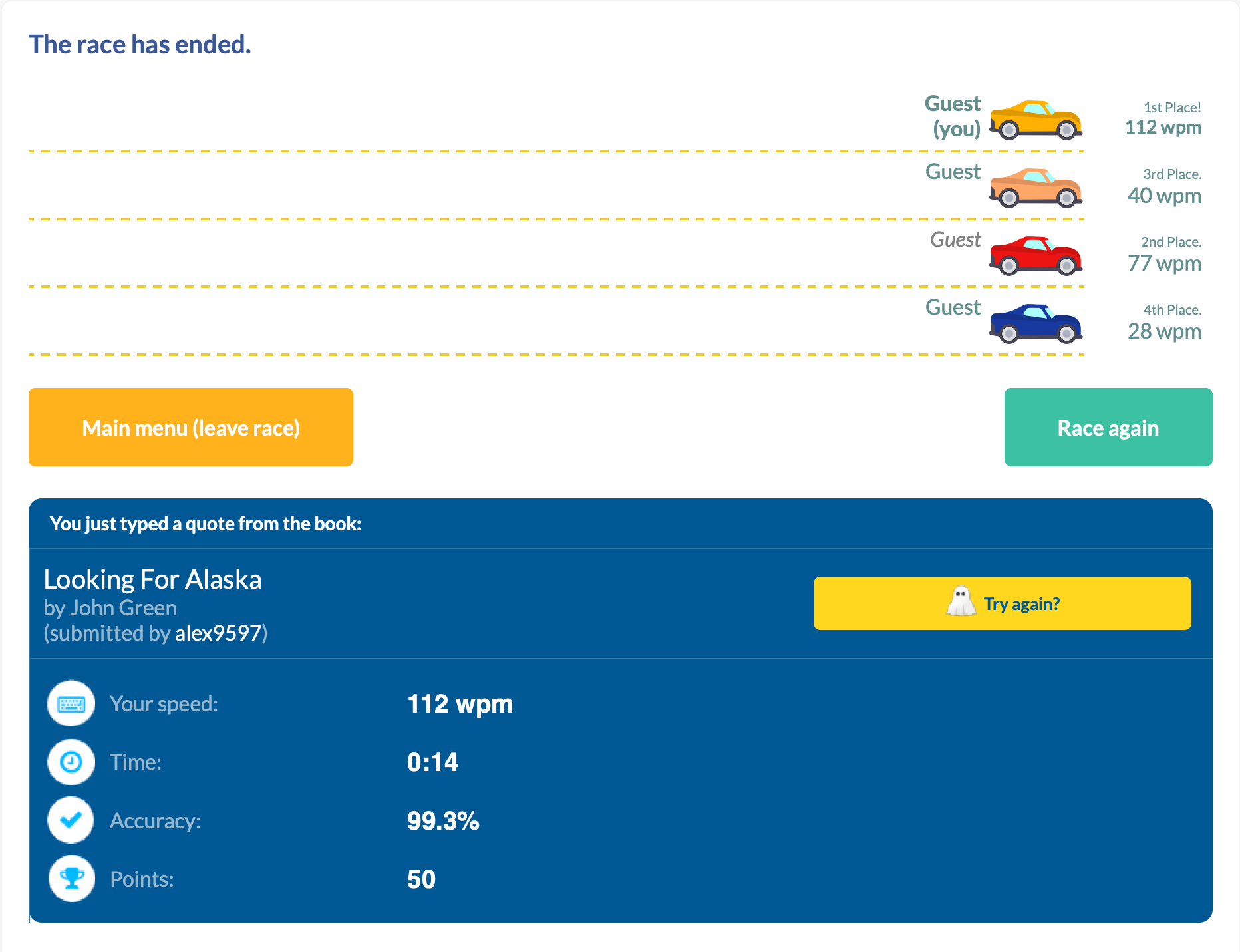
112 WPM. Take that, typing teacher!

I managed a new high score in TypeRacer today: 112WPM.
With this article, I wanted to share my journey here, and how I would recommend someone to start.

My Typing Story

I have an interesting history with typing.

I started "typing" at age of five years old to learn the controls of Quake. While the keyboard was a different language with different characters, the muscle memory was the same keyboard-to-keyboard. Upon moving to the states, I changed to an English QWERTY keyboard, and continued playing Doom.

In middle school, before beginning typing class, I clocked in at 35-40 WPM. As I progressed throughout the class, I got familiar with more of the "weird" keys (symbols, numbers, q/z/v) and what a proper "home-row" hand positioning looked like. Midway through the class, I made a discovery about our typing software: you were allowed to make two mistakes, with one word misspell counting as one mistake, and at the end the software took the number of characters you had finished and divided it by 5 (the average word length). So I typed a few words, then held down a random key until the timer expired. And scored 230 WPM.

I thought I was going to get credit for finding a bug our school's software; while my teacher did call my parents that night, it was accuse me of hacking the typing software and changing my score. After explaining to her what I did, her first remedy suggested was a generous failing grade and suspension, but after apologizing to her and the staff, I was only forbidden from being crowned best typist at the school assembly. I may have not gotten an award, but I kept typing skills, reaching 55-65 WPM consistently.

In high school, it was more of the same classes, so I didn't see my typing speed increase drastically—I hovered in the 60-70 WPM range. Even in college, I plateaued around this range.

That is, until I got a mechanical keyboard. I didn't see the results immediately, but with consistent use I bumped my numbers to 65-80 WPM. And this is where I hovered for 5 years; this is where I felt like I had maxed out given the same environment.

I couldn't get any better, because my hand movement prohibited it. While my core fingers mostly stayed in home-row, to achieve my top speed I had developed bad habits to maintain it. Habits such as using right (dominant) index finger to go 3 keys over to the left or using my ring finger in-place of my little finger. While I always returned to home-row, I could feel the excess movement taking its toll, both on my efficiency and general hand strain. During the pandemic, I was working on my computer a lot, and my hands just could not keep up.

So for the first time since I started typing I had to try. It's hard to rewire muscle memory, especially at 30. I tried perfecting every keystroke, getting a massive dopamine hit as I consistently landed the ones I use most often. However, that last 20% feels much harder than the first 20%.

Today, I still try to perfect my craft. I still struggle with my little finger movement. I still catch myself trying to regress some of my old ways when I am trying to compensate and type fast. But today I also typed 112 WPM, and that's cause to celebrate. Take that, typing teacher.

You Too Can Improve

While I can't teach touch typing in a single blog post, I can give a pretty decent summary of it. The following are things I recommend doing in order to become a better typist.

Keyboard

I'll just state it outright: there's no conclusive evidence that ergonomic keyboards actually prevent RSI. Keyboards measurably improve your posture, just not necessarily your health outcomes:

  • Alice layouts (Keychron V10, Epomaker Alice) reduce ulnar deviation with 10-degree inward tilt, 2-4 week learning curve
  • Fully split keyboards (ErgoDox EZ, ZSA Moonlander) offer maximum adjustability including 0-60 degree tenting, 2-6 weeks to adapt
  • Column-staggered designs (Corne, Kyria, Dactyl Manuform) optimize for finger lengths, brutal 1-3 month adaptation
  • Kinesis Advantage2 reduces muscle activity in key flexor/extensor muscles, 2 weeks to full mastery
  • Traditional ergonomic boards (Microsoft Sculpt, Logitech ERGO K860) offer gentle splits with fixed angles, ~1 month learning curve
  • Alternative layouts (Dvorak, Colemak) claim reduced finger travel but have zero clinical trials and 1-3 months of productivity loss

The biomechanical improvements are real and measurable; the clinical benefits remain frustratingly theoretical.

But here's the thing: you don't need empirical evidence on the health benefits if you enjoy typing that much more. Think of it as fun with benefits (FwB, for short...). If you enjoy sitting down at your desk and typing, and it's something you do several hours a day, a keyboard you enjoy could be the push you need to improve other parts of your typing too.

Home Row

Touch typing technique centers on the home row position—ASDF for the left hand and JKL; for the right hand. The F and J keys contain tactile bumps that allow positioning without visual confirmation. This central position minimizes finger travel distance, with proper technique requiring only 0.76-1.5 key distances per character compared to 3.5+ for hunt-and-peck typing.

Each finger has specific responsibilities:

Hand Finger Home Row Keys Covered
Left Pinky A Q, A, Z, Tab, Caps Lock, Shift, `
Left Ring S W, S, X, 2
Left Middle D E, D, C, 3
Left Index F R, F, V, T, G, B, 4, 5
Right Index J Y, H, N, U, J, M, 6, 7
Right Middle K I, K, ,, 8
Right Ring L O, L, ., 9
Right Pinky ; P, ;, /, 0, -, =, [, ], ,, ', Enter, Backspace
Both Thumbs Space Space only

The index fingers cover the most keys (two columns each), while pinkies cover their column plus all outer keys. After striking any key, fingers must return to home row position—this maintains spatial orientation and prevents positional drift that increases error rates.

Ergonomics

Wrists should remain in neutral position: straight in alignment with forearms, neither bent upward (extension), downward (flexion), nor sideways. During active typing, wrists should float 1-2 inches above the keyboard surface, not resting on the desk or wrist rest. Resting creates contact stress and forces non-neutral positions. Wrist rests serve only for pauses between typing bursts.

Fingers should curve gently, similar to holding a tennis ball. This natural curve allows fingertips to strike keys perpendicularly with optimal mechanical advantage. Palms stay raised above the keyboard while hands maintain this curved posture. The biomechanics of each keystroke involve three distinct muscle activation bursts: extensor muscles lift the finger, flexor muscles drive it downward against keyswitch resistance, and extensors again remove the fingertip. Collision with the end of key travel stops downward motion, not muscle action—meaning excessive force provides no benefit and increases cumulative joint stress.

Arms should hang naturally at the sides with elbows forming 90-110 degree angles. This open angle promotes blood circulation and prevents nerve compression at the elbow. Shoulders remain relaxed and slightly externally rotated, not hunched or rolled forward.

Strength Training

Strength training shows what ergonomic keyboards can't: actual evidence. Research suggests it can significantly reduce injury risk, with clear biological reasons why—it strengthens tendons, improves tissue resilience, and builds endurance in the muscles you use for typing. The formula is simple: use weights or resistance bands (not just bodyweight), train 2-3 times weekly with rest days between, and focus on your forearms, grip, and upper back. Just be patient—tendons adapt slower than muscles, so it takes months to see results.

Loading typing guide...

Conclusion

There's a learning curve to typing. In the beginning you'll see gains with minimal effort, just by knowing roughly where the keys are. As you progress and focus more on your speed, you might sacrifice hand placement (accuracy) for quickly hitting the correct key (speed). As you plateau, it will take more and more focus to correct the muscle memory. And along the way, your typing teacher may try to expel you.

All that matters is fixing your fingers, one key at a time.
iPhone (17?) Air, One Month Later

I fear I am about to feel what iPhone Mini people feel.

A confession. After reading the announcements, I planned to upgrade from my iPhone 16 Pro Max to iPhone 17 Pro Max. It was a luxury move, with my less-than-full-day battery life as the polite excuse. By the time I went to preorder, my configuration was weeks out. So I bought iPhone Air instead, in my usual configuration: the newest color (Sky Blue), 512 GB.

This is my 9th iPhone. My favorite, until now, was iPhone 6 Plus. Despite its size, the comfort was unmatched. I kept it for three years, my longest streak. Every iPhone since has been a strong device; none felt quite like that one.

I'm happy to say the crown has been passed to iPhone Air.

The Air feels every bit as comfortable as phones used to feel, with 2025 internals inside. I had assumed I needed to step down from the Max line because my hand cramped during bedtime use. The issue wasn't size, though; it was the close cousin of size: weight.

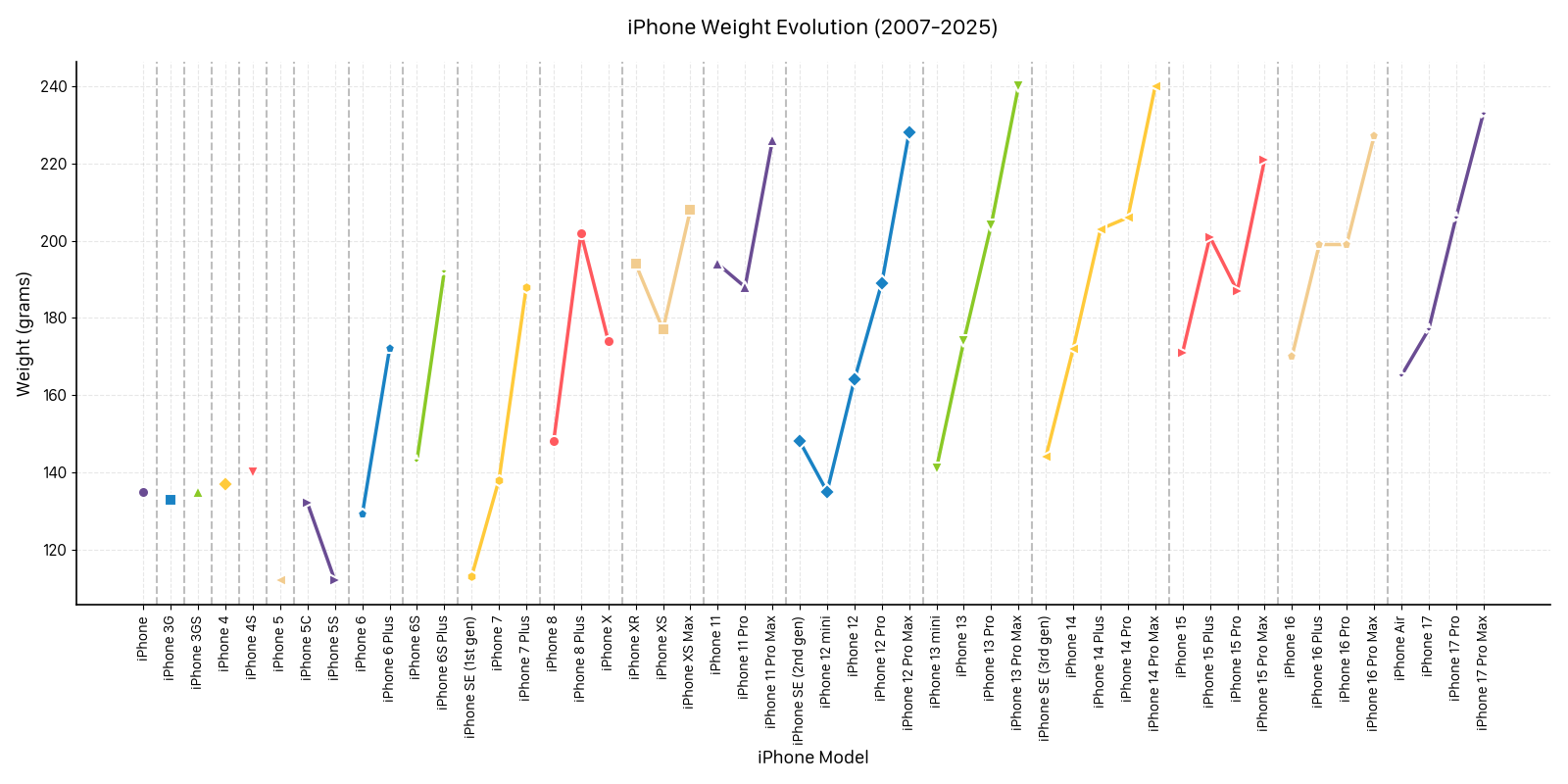
Below is a chart of every iPhone's weight. Peaks are Pro Maxes, valleys are base models, color-coded by year. The base iPhone 15 weighs as much as a Pro from several years ago.

The trend is unlikely to reverse. Customers have consistently asked for more battery, better cameras, and louder speakers, and those upgrades come with mass. To make the Air, Apple chose a different point on the curve:

  • Battery: 3,149 mAh (vs. 3,692 mAh on base, 4,252 mAh on Pro, 5,088 mAh on Pro Max)
  • Camera: single rear lens, no telephoto or ultra-wide
  • Speaker: mono via the earpiece. The bottom-firing driver is omitted.

These are the trade-offs the spec sheet shows. On paper, the Air reads like a phone of compromises. So why, after a month, am I keeping mine?

Because the spec sheet isn't how I use a phone.

My partner has an iPhone 12 Mini. Every time I pick it up, I think "too small for me." When I pick up the Pro Max, the weight asks for two hands or a surface; one-handed use is unstable. For my hand, the Pro line is comfortable for long sessions only with a case. The base iPhone hasn't fit my hand the way I'd hoped.

The Air is comfortable regardless of hand size. The screen is large enough to text on one-handed. It sits in a pocket without sagging. It's the first phone I've used caseless without immediately scratching it, a habit I'd given up after my iPhone 12 Pro's front glass cracked under normal wear.

I gave it a month before writing, to live with each trade-off:

  • "Hard to pick up off a table": easy unless it's face-down.
  • "Too thin to hold": most comfortable phone I've held, for my hands.
  • Single camera: I reposition or hand the phone to my partner more often.
  • Mono speaker: noticeable in showers and noisy kitchens; unnoticeable elsewhere because I'm usually wearing AirPods.
  • Battery: real-world use requires charger logistics, but I'd been doing that since iPhone 8. Many owners online report battery comparable to iPhone 16 Pro in normal use.

Each trade-off is real. None mattered enough to undo the comfort gain.

I handed the phone to my partner, who has called every iPhone and Pixel I've passed her "heavy" or "huge," and she said, "wow, this is nice." Six years of feedback to the contrary, then one sentence the other way. That was the moment I was certain.

A few design choices, from a customer's perspective, where I think there's room to improve:

  1. Pricing. $999 puts Air $200 above the base and only $100 below the Pro. Many buyers will close that small gap to the Pro for the feature delta.
  2. Color palette. Sky Blue, Light Gold, Cloud White, Space Black: subtle and minimal. The palette reads as aspirational, which positions the phone as a niche device rather than mass-market.
  3. Marketing emphasis. Air's messaging leans on thinness. From my experience, the meaningful win is weight, not thickness, and weight is a more legible benefit to a casual buyer.
  4. Visibility. I haven't seen Air ads on billboards, TV, or in my online feeds. The phone has lived primarily on Apple's own surfaces.

Reports suggest Air's sales came in below targets, with some pushback on those numbers. Apple has discontinued past "fourth iPhone" experiments (Mini, Plus, SE), and Air may follow.

After a month, two conclusions:

  1. I'll wait for the next iteration of Air, unless it takes more than three years (the same patience I gave iPhone 6 Plus).
  2. I'll buy whatever Apple ships as the successor. One more camera, the second speaker, and that's enough.

A thought experiment: rotating a different "fourth slot" each year (Air, Fold, Mini) would let Apple test new form factors without committing to multi-year roadmaps. Not free, since separate molds and supply chains have real cost, but a way to keep the lineup varied for a small population of customers who care.

For now, iPhone Air is the phone I reach for. The first iPhone in a long time that I genuinely enjoy holding: quiet, unobtrusive, content to disappear into my pocket and stay out of my way until I need it.

Solo at Tahoe

1 tent, 13km hike, 1000 calorie breakfasts. No service, no pants, no worries.

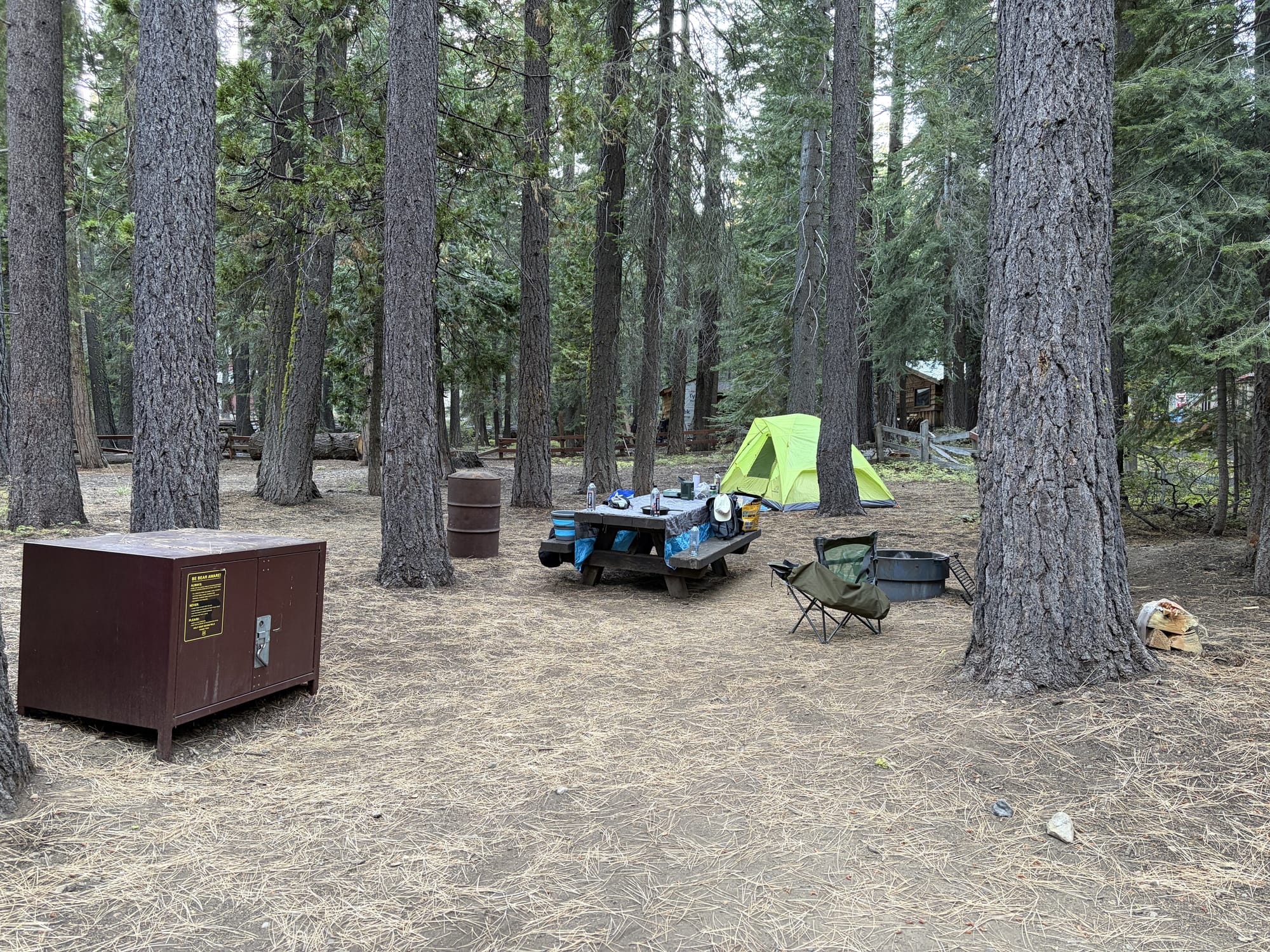
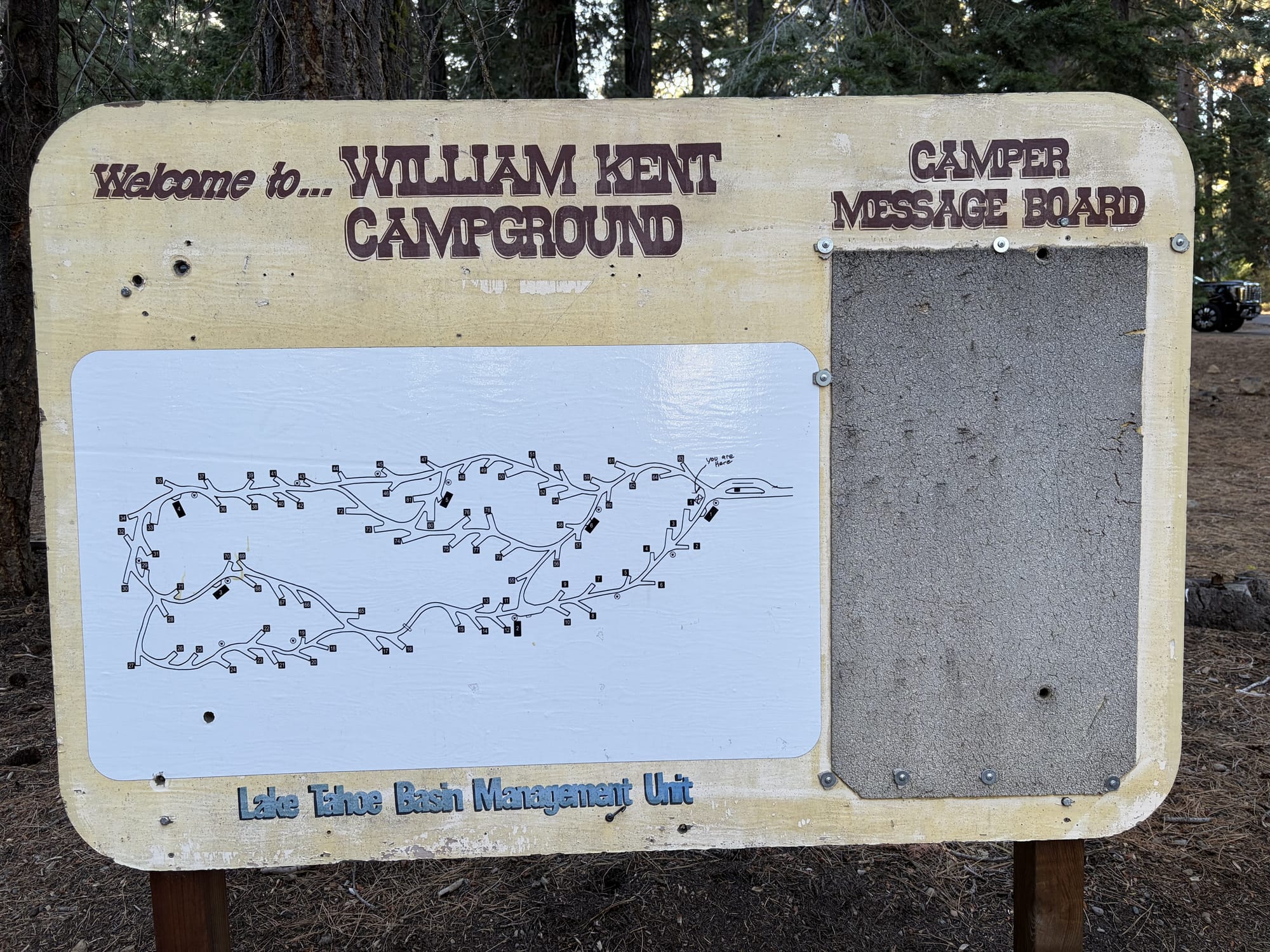
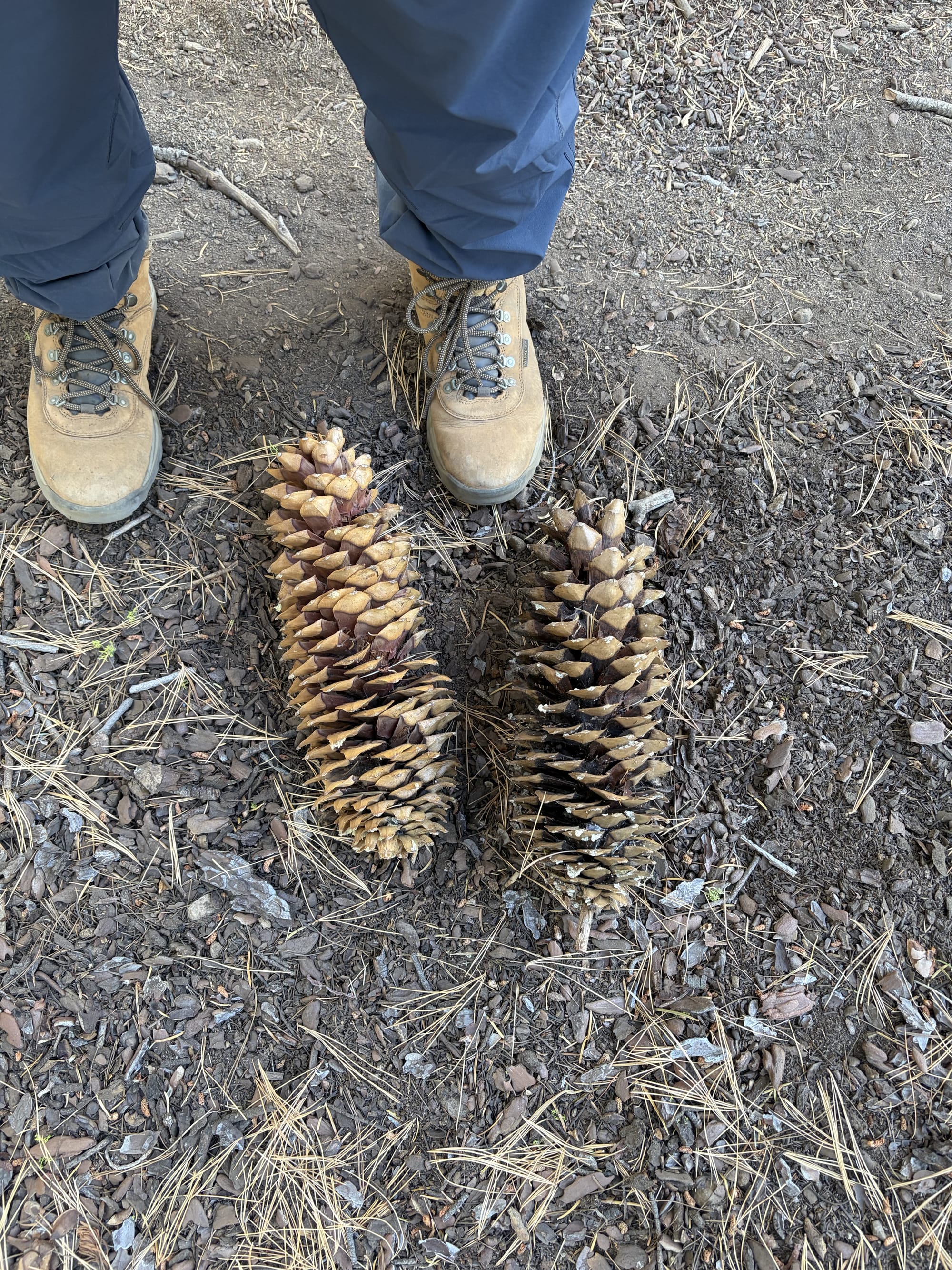
This weekend I had the pleasure of camping at William Kent Campground. I'd felt cooped up for a long while, and I needed to clear my head. Taylor and I had originally planned on going together, but we thought it would be more ideal for me to try camping by myself for the first time. We've been going consistently in the cooler months, and I felt more and more confident every time. Was I still nervous? You betcha.

After a day of packing and cooking (with Taylor helping me prep...), I was off. While it usually takes ~3.75 hours to get to Tahoe from our home, it's closer to ~4.25 hours with the Tesla, and in real conditions 4.5-5.5 hours with traffic (if not worse—thanks, Sacramento). I left at a cool 09:30 to arrive by 15:00, making an additional pit stop at a clothing store because my dumbass didn't pack pants. To Tahoe.

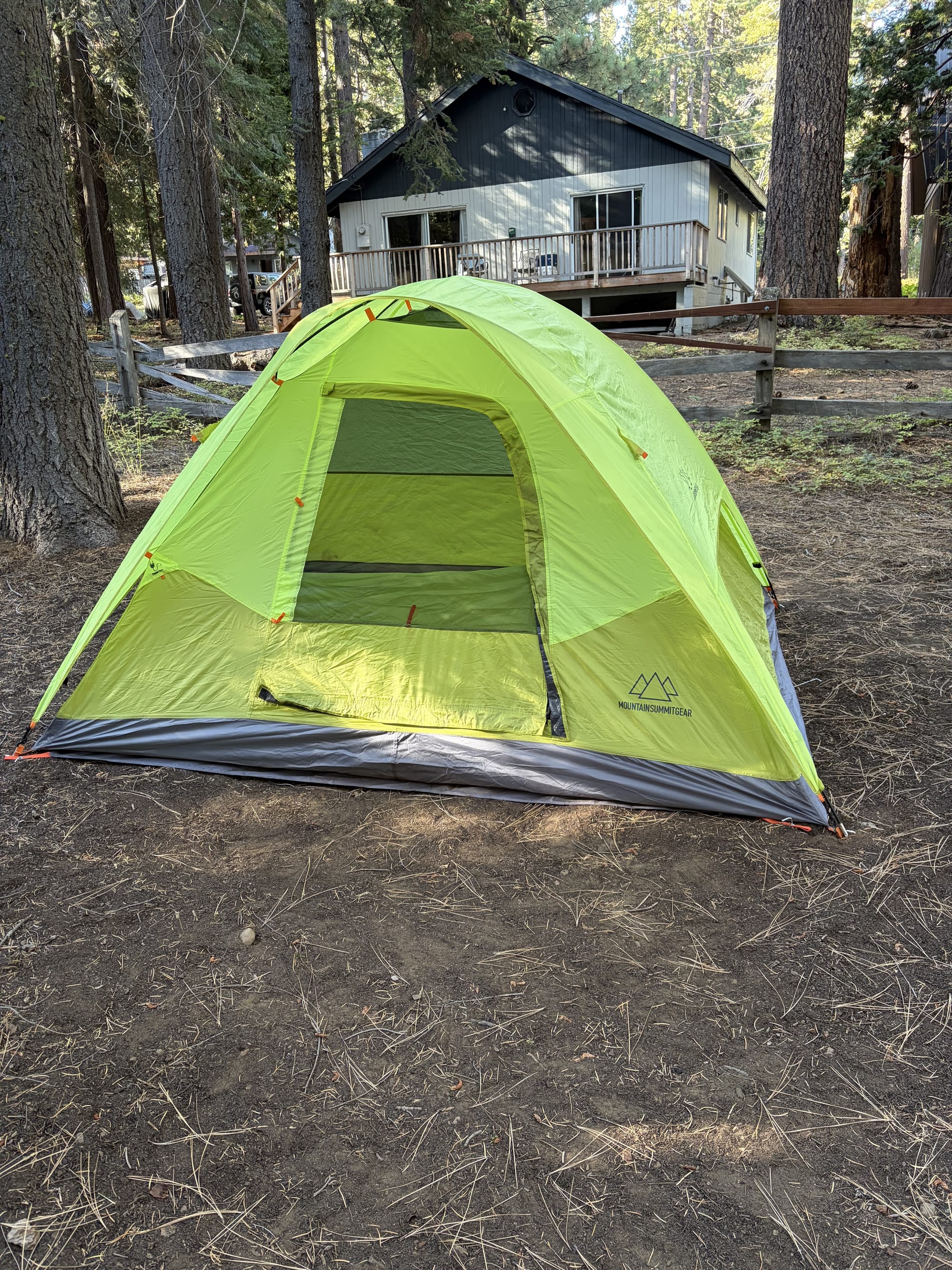
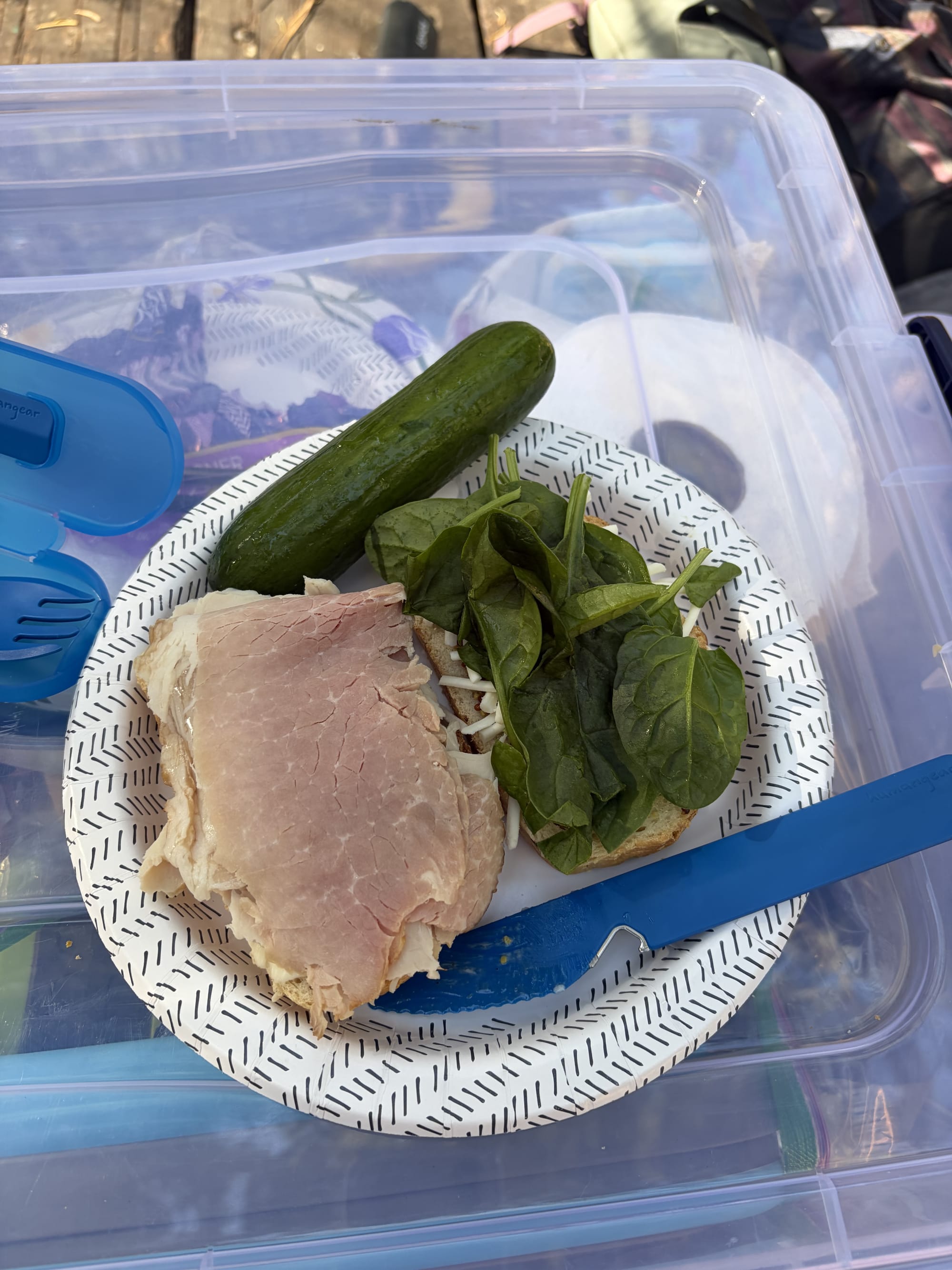
I got checked in, had my usual lunch sandwich (and cucumbers with a dab of salt), and then it was onto something much more difficult than driving 4.5 hours: pitching the tent solo. After many failed attempts and several swear words in several languages, it was a beauty. I got the rest of my site set up, and it too was a beauty.

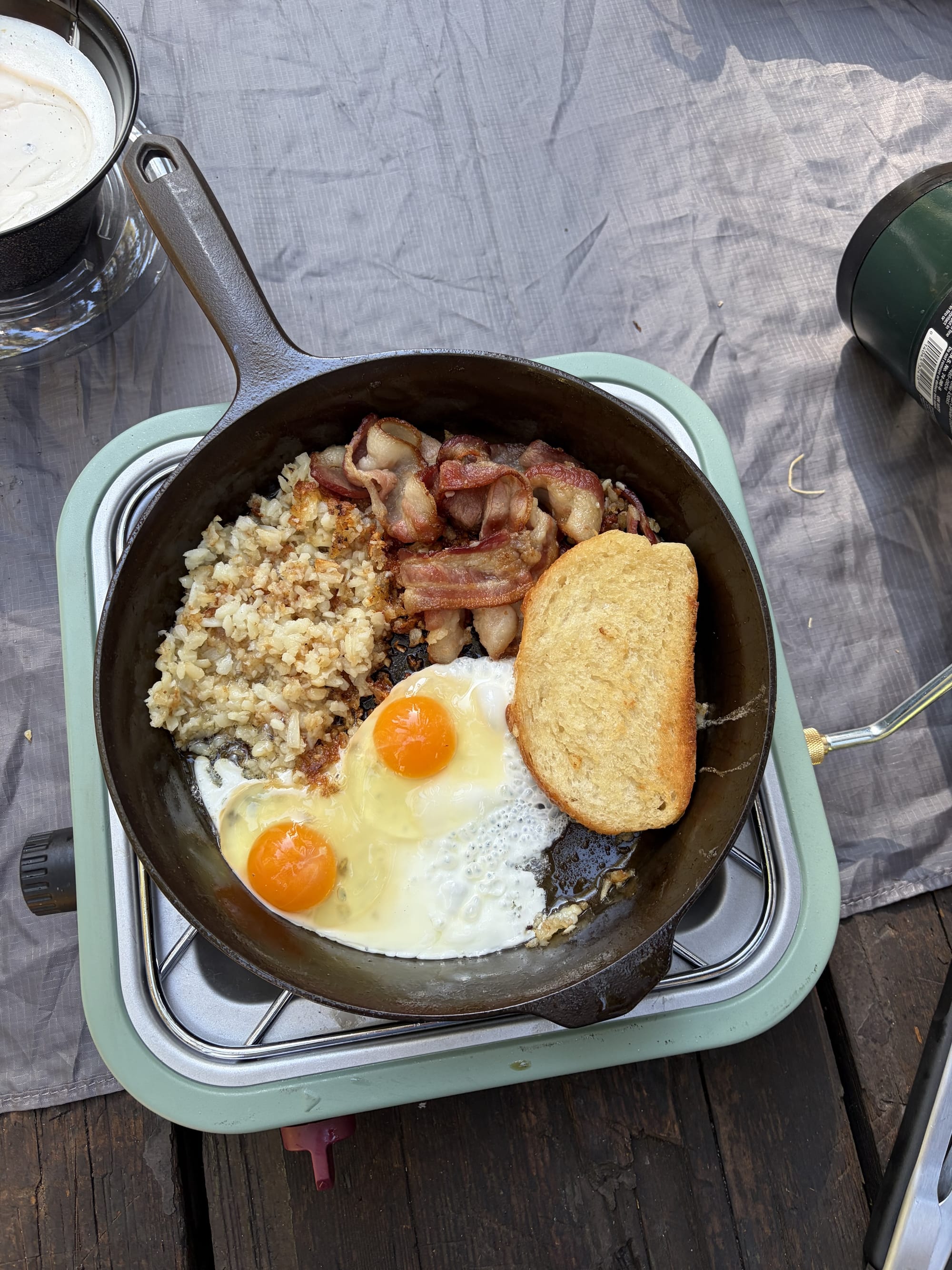
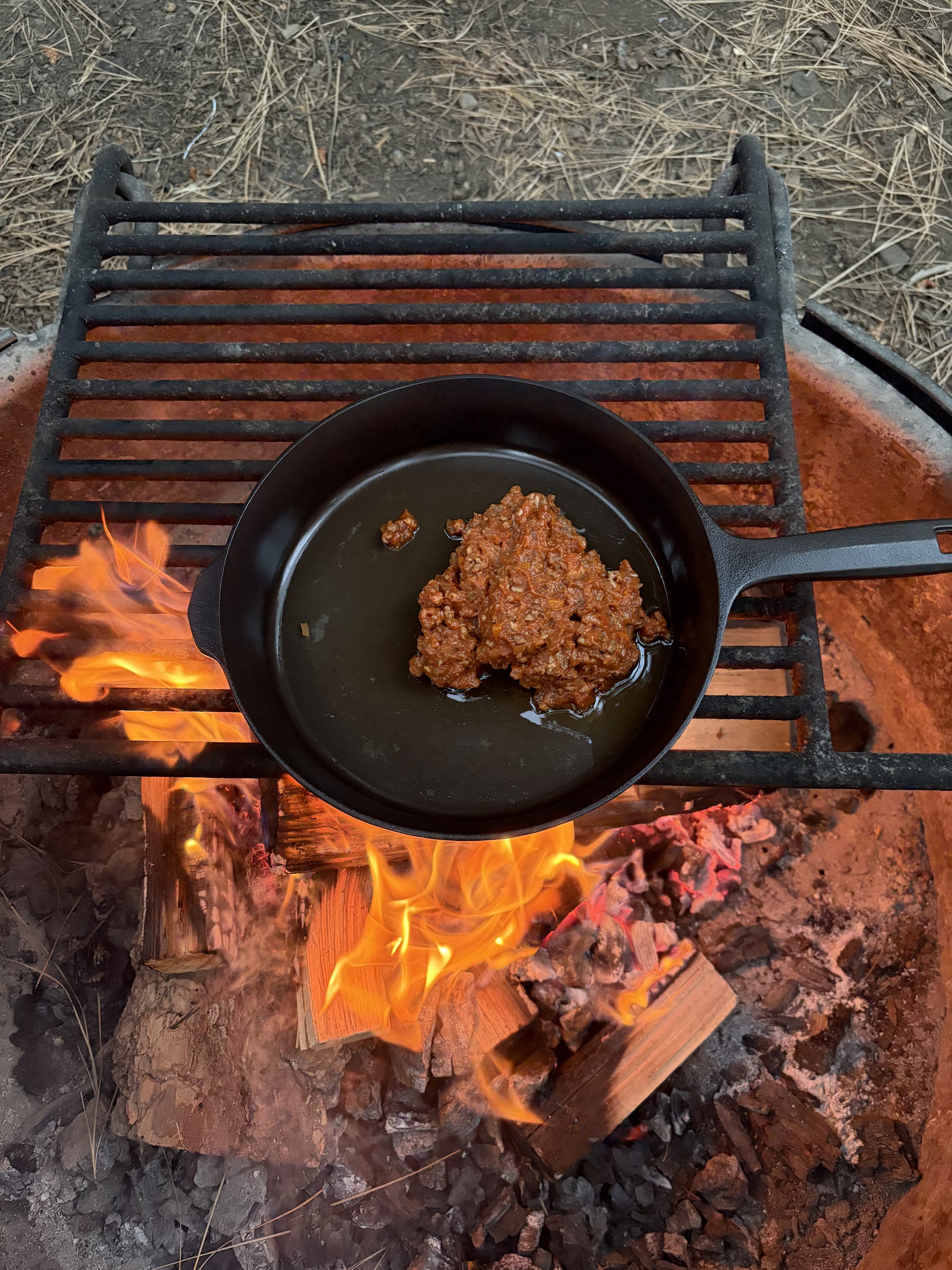
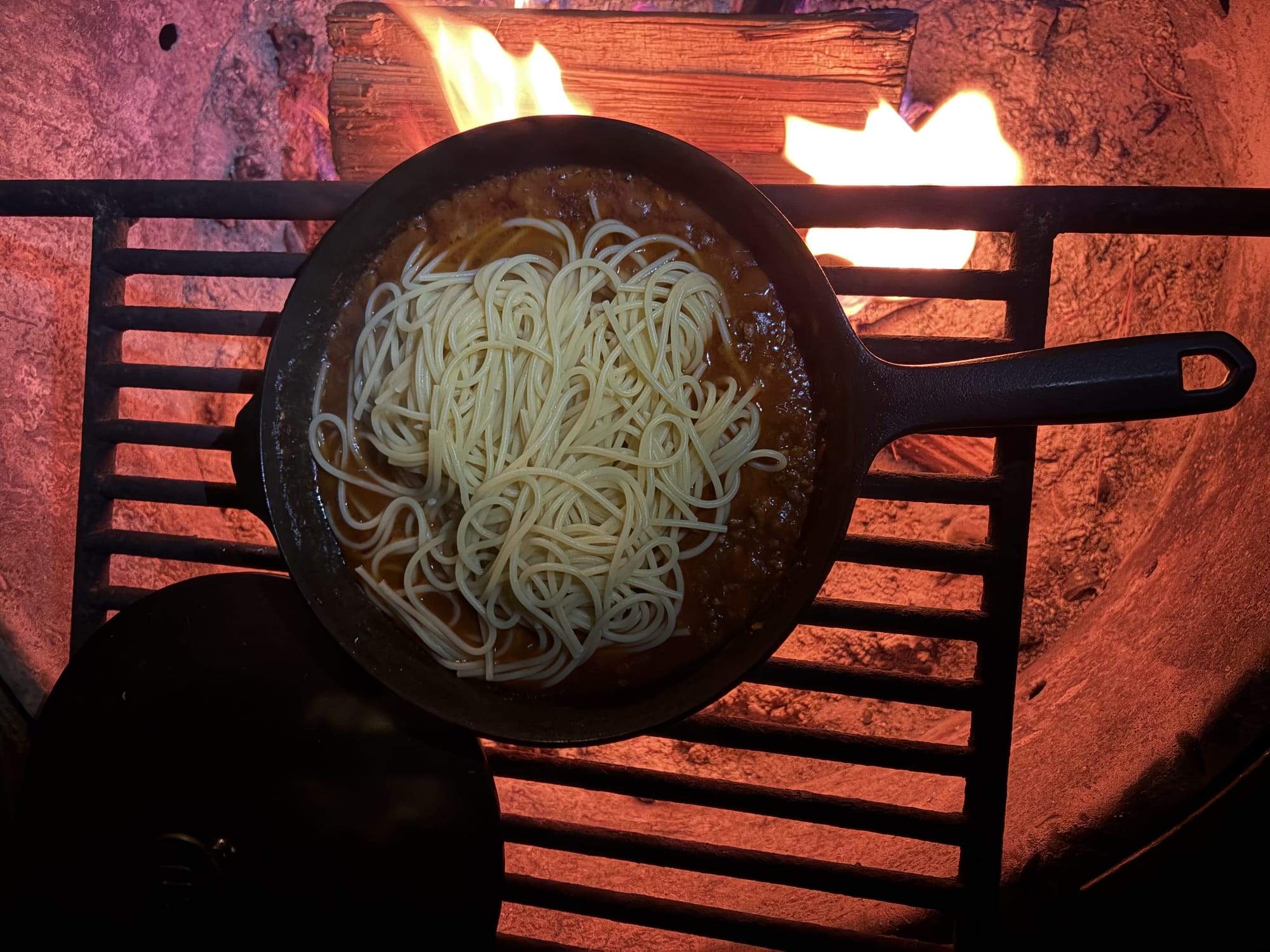
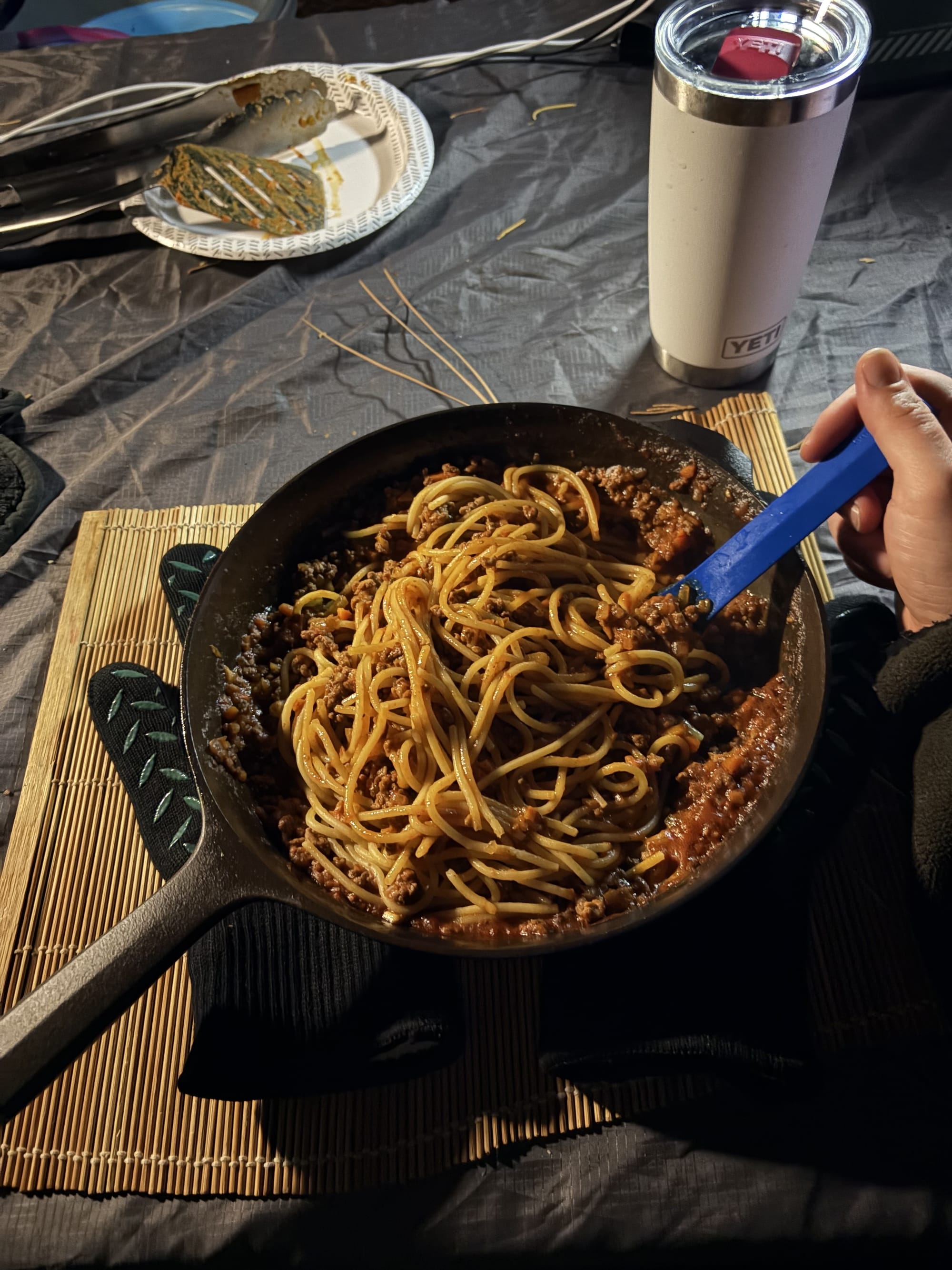
Besides sandwiches, I finally got the pleasure of cooking over the fire with a cast iron skillet—and I must say, this is living. My only complaint about camping was that I eat slow and the food gets cold fast. I don't mind sleeping on the ground in a sleeping bag, I don't mind the lack of showers, I don't even mind the bugs or bears. But hot food is a necessity. I made a big pot of noodles with some spaghetti sauce (thanks Claude the LLM for the recipe and Luigi the human for the hint to use carrots), and created a diabolically good concoction. And it stayed warm for like 30 minutes while I ate in the majesty of nature's grace. For breakfast, I threw eggs, bacon, hash browns, and toast into a skillet and called it good (it was good).

While I was only spending Friday through Sunday, I wanted to make the most of it. I went to bed early for myself (midnight) and woke up quite early (09:00) to get an early rise on the day. I never really touch my phone unless it's for my camera during camping, and this was much of the same. I solely use my Kobo e-reader—this time it was Dragon Ball manga and Game of Thrones: Clash of Kings.

I also managed to get a hike in on the Stanford Rock Trail. Again, my dumbass didn't realize that hiking a bike "rock trail" was going to be rough, but my feet were raw by the time I got back to my site. But I did manage a modest:

  • 3h 35m
  • 13.42km (8.3mi)
  • 1,755 calories
  • 1,014ft elevation gain (309m)
    • 331 flight of stairs equivalent

On Sunday, I had to depart. After one last 1,000-calorie cast iron breakfast and some time of silence, I was back on the road for home. It's interesting how 70 hours of camping can give you the same sad feelings of leaving as a whole week or two-week vacation. Maybe that's the thing about nature—it doesn't count time in hours or days, but in moments where your mind finally stops racing and you remember what quiet actually sounds like.

📸 Photos are courtesy of iPhone Air.

Peg Solitaire

Leave The Last Peg Standing

Removed
0
Remaining
14
Time
0:00
🎉

Achievement

1 Pegs Left
0:00 Time

Tagline here


Peg Solitaire is a classic single-player puzzle game where you jump pegs to remove them from the board, aiming to leave as few pegs as possible.

How To Play

Jump pegs over adjacent pegs to remove them from the board. Your goal is to end with as few pegs as possible - ideally just one.

Basic Rules

  • Click a peg to select it (it will bounce)
  • Click an empty hole to jump there
  • You can only jump over one adjacent peg into an empty hole
  • The jumped peg is removed
  • Jumps must be horizontal or vertical (no diagonals)
  • Game ends when no valid moves remain

Controls

  • Click pegs - Select and move
  • Undo/Redo - Take back or replay moves
    • Ctrl+Z/Y - Keyboard shortcuts for undo/redo
  • Theme Nine color themes: Sapphire, Ocean, Mint, Forest, Sunset, Lavender, Cherry, Slate, Honey
  • Max Score - Shows the best possible outcome from current position
  • Autosolve - Watch the computer find an optimal solution
  • New Game - Start fresh
  • Esc - Stop autosolve or close end screen

Game Modes

Board Types

  • Triangular (15 holes) - Classic Cracker Barrel puzzle
  • English Cross (33 holes) - Traditional European board
  • French/European (37 holes) - Octagonal variant
  • Diamond (41 holes) - Diamond-shaped challenge
  • Wiegleb German (45 holes) - Extended cross pattern
  • Asymmetrical (39 holes) - Unique irregular layout

Starting Positions

Choose where to place the initial empty hole:

  • Center (most common)
  • Corner (varies by board)
  • Edge/Other positions

Note: Some boards have mathematically unsolvable starting positions. The game will warn you.

Achievements

Achievement tiers scale with board complexity, the fewer pegs left standing the better:

  1. Small Boards (15-20 holes)
    • 1 Perfect/Genius
    • 2-3 Excellent
    • 4-5 Good
    • 6+ Keep Trying
  2. Medium Boards (33-37 holes)
    • 1 Perfect
    • 2-5 Excellent to Very Good
    • 6-12 Good to Fair
    • 13+ Need Practice
  3. Large Boards (41-45 holes)
    • 1-2 Master
    • 3-5 Expert
    • 6-14 Advanced to Intermediate
    • 15+ Beginner

Tips

  • Plan ahead - think 2-3 moves in advance
  • Try to avoid isolating pegs in corners
  • Creating long chains of jumps is key to low scores
  • The triangular board has over 6,000 winning sequences
  • Perfect games aren't always possible from every starting position