Interests
The good, unproductive corners of life, and what's worth your time when nothing at all is due.
Meet Zuko
Crowned Prince of the Fire Nation 🔥
I want you to meet the newest addition to our family: Zuko.





Zuko comes to us from The Dancing Cat rescue. They were tremendously knowledgeable and thorough, and we really appreciate how they guided us through the adoption process. He did have to part from his mom, Candy, which made us incredibly sad—we almost walked away with both of them.
The Dancing Cat does something really smart: they offer a trial adoption period of approximately two weeks to ensure everyone's a good fit. After those two weeks, we knew he was right for us and we were right for him. He transformed from a guest in our home to the prince of the castle (though Bodie remains the undisputed king).
If I had to describe Zuko in three words, they would easily be:
- Sweet – because he loves cuddling and being held
- Fiery – because he definitely has an attitude
- Needy – because he has to be around us or Bodie at all times
He's settled into comfortable routines and gets along wonderfully with Bodie—they can often be found playing together throughout the day. Mallory hasn't warmed up to Zuko quite as much, but that's pretty expected for her; she's always been our independent cat.


When he's not wrestling with Bodie, Zuko can be found exploring every corner of our house, swatting his toys around, or chewing on things he shouldn't (like the zippers on our jackets). He's still a kitten, so he's bursting with energy. We try to give him plenty of outlets for all that enthusiasm. He goes crazy for the laser pointer.
Yesterday marked a milestone: we officially took him outside on a leash for the first time, and he did great. I think he's going to love being an outdoor cat.
We're excited for all the years ahead with Zuko. We can't help but smile at how perfectly his name suits him—fiery spirit 🔥 and all. Like the beloved uncle Iroh who never gave up on his nephew, Bodie demonstrates endless patience as Zuko learns that honor isn't about being the fiercest warrior, but about being the best companion.






"I don't need luck; I don't want it. I've had to struggle and fight and that's made me strong. It's made me who I am." — Zuko S1E12

Tea Brewing Guide
If you are cold, tea will warm you; if you are too heated, it will cool you; if you are depressed, it will cheer you; if you are excited, it will calm you.
The gap between a good cup of tea and a bitter one is usually ten degrees of water, or thirty seconds of steeping. People have been drinking tea for thousands of years and most of us still get it wrong: water straight off the boil poured over green leaves, a bag left in long enough to turn the cup to tannin. The leaf is rarely the problem. The water and the clock are.
The tool below handles the part that is just numbers. Pick a tea and it gives you the water temperature, the steeping time, how many times the leaves will keep giving, the caffeine, what it pairs with, and a timer keyed to the steep that chimes when the cup is ready. Toggle between Fahrenheit and Celsius, and, where a tea supports it, between a Western mug and gongfu's short repeated infusions. Start there.
That gets you a correct cup. The rest of this is why the numbers are what they are.
The two things that matter
Temperature and time. Everything else is refinement.
Heat is the bigger lever. Delicate leaves, white and green and yellow, scald in water near boiling: the result is bitter and flat, and no amount of sweetener brings it back. They want water that has come off the boil and rested, somewhere around 175°F. Fully oxidized leaves, black and pu-erh, and every herbal infusion, want the opposite, a hard boil to pull the flavor out at all. Oolong sits in the middle and shifts with the roast.
Time is the lever you keep your hand on. The timer starts at the short end of the recommended range on purpose. Taste it there, then extend. A cup steeped thirty seconds too long cannot be walked back; one pulled early can always go in again.
Why one leaf becomes six teas
White, yellow, green, oolong, black, and pu-erh all come from the same plant, Camellia sinensis. What separates them is oxidation, the slow browning that happens when a picked leaf meets air, the same reaction that darkens a cut apple.
White tea is the leaf barely touched, withered and dried and nothing more. Green tea is heat-fixed within hours of picking, the oxidation stopped before it starts, which is why it stays grassy and bright. Yellow is green tea given an extra sealed, slow yellowing that most producers no longer bother with, which is why you have probably never had it. Oolong is caught in the middle, anywhere from lightly to mostly oxidized, which makes it the widest category of all. Black tea is taken the whole way. Pu-erh is the outlier: not oxidized but fermented, aged for years or decades by live microbes, the only tea that genuinely improves in storage.
Six teas, one bush, one variable turned up by degrees.
Gongfu versus the mug
There are two ways to brew, and the tool will time either.
The Western way is one long steep: a teaspoon of leaf, a full mug, three to five minutes, done. It is simple, and it is most of how tea gets drunk in the world.
Gongfu is the opposite bet. A lot of leaf, a small pot, and a run of very short infusions, the first sometimes only ten seconds. You pour, drink, and pour again, and the tea changes cup to cup as the leaves open. It asks more of you, and it is the right tool for a good oolong or an aged pu-erh, which can give a dozen infusions or more before they are spent. The gongfu mode counts the steeps and adds a little time with each round, the way you would by hand.
Re-steeping, and when a leaf is done
Cheap, broken-leaf tea gives one cup and quits. Whole-leaf tea gives many, and the good ones get more interesting partway through rather than weaker. A quality oolong is often best on its third or fourth infusion; aged pu-erh can run past twenty.
Rolled and compressed teas, ball-rolled oolong and pressed pu-erh cakes, want a quick rinse first: a few seconds of hot water poured over and thrown away, which wakes the leaves and washes off storage. After that, keep going until the cup tastes thin. The leaf will tell you it is finished before any clock does.
Herbal infusions are not tea
Chamomile, rooibos, peppermint, ginger, hibiscus, lavender: none of them contain a tea leaf. They are tisanes, brewed from flowers, leaves, and roots, and the category is older than tea itself. Because there is no Camellia sinensis in the cup, they are all caffeine-free, which is most of the reason people reach for them at night.
They are also forgiving. A full boil and a long steep, five to ten minutes, will not turn them bitter the way it would a green tea, and several hold their heat and flavor long after a true tea would fade. The popular ones are in the tool above, brewed by the same two numbers as everything else.

RSS for the Rest of Us
The feed that feeds your mind.
starikov.co/rss-starter-set.
Over the past decade, I've watched countless services come and go through my daily rotation: Reddit, Twitter X, Mastodon. I used to love these platforms for news, interesting reads, and—if we're being honest—memes and cat photos. But the last few years have brought what I'll diplomatically call "social media turbulence": leadership changes, discontinued third-party app support, shifting priorities, and general fracturing that would make a dropped phone screen jealous.
This chaos has forced me to reconsider what I allow into my daily routine, and more importantly, what I let occupy real estate in my brain. One service has never steered me wrong. There's no algorithmic timeline deciding what you see, no mysterious feed curation, and you'll never encounter accounts you didn't choose to follow.
I'm talking about RSS—Really Simple Syndication. I've been using it since around 2014, carefully curating my feeds for over a decade. For years, it played second fiddle to my other apps, relegated to occasional browsing rather than being my primary information source.
That changed completely over the last year. I've replaced nearly all my daily apps with RSS, and frankly, I should have done it sooner.
What Exactly Is RSS?
RSS stands for Really Simple Syndication (or Rich Site Summary, depending on who you ask). Think of it as a universal language that websites use to announce "Hey, I just published something new!" It's essentially a standardized way for any website to share content updates.
The concept emerged in the late 1990s when people got tired of manually checking dozens of websites for updates—a problem that feels quaint now but was genuinely annoying back then. RSS provided an elegant solution: instead of visiting each site individually, you could subscribe to their RSS feeds and get all new content delivered to a single location—your RSS reader.
Here's how it works: when a website publishes a new article, podcast episode, or blog post, their RSS feed automatically updates with the essentials—title, brief description, publication date, and a link to the full piece. Your RSS reader periodically checks all your subscribed feeds and presents new content in one organized timeline.
What makes RSS special is that it's an open standard—not a product, not a platform, but a specification that belongs to everyone and no one. This is the same technology that powers the entire podcast ecosystem, allowing thousands of apps and services to flourish without any single company holding the keys to the kingdom. It's been developed and refined over decades by the community, which means no corporate overlord can suddenly decide to "pivot" or shut it down. Because it's a standard rather than a service, no company controls what you see, no algorithm decides what's "engaging" enough to show you, and no ads get inserted between articles. It's just the raw content from sources you've chosen to follow, presented chronologically.
Why RSS Might Be Right for You
I've introduced RSS to more and more people lately. For some, it clicks immediately; for others, not so much. After observing these reactions, I've realized why RSS feels so different from other information sources—and why that difference matters.
The Good Stuff
I feel dramatically better informed. I used to think getting news in digestible, tweet-sized chunks was sufficient. After switching primarily to RSS, I realized that while social media gave me impressive breadth, quality publications offer depth to stories that I'd never experienced before. Turns out there's more to most stories than fits in 280 characters.
One inbox to rule them all. I no longer juggle multiple apps throughout the day. I have a single destination for news, videos, social media posts, and yes, even comics. It's like having a personal assistant who sorts all your reading material into one neat pile.
Offline-friendly browsing. Not all feeds provide full-text content (more on this limitation later), but those that do let you download substantial high-quality reading material without needing an internet connection. Perfect for flights, commutes, or those mysterious dead zones your cellular provider swears don't exist.
Lower emotional exhaustion. Social media platforms optimize for engagement, which typically means triggering some kind of emotional response—outrage, excitement, fear, whatever keeps you scrolling. While RSS doesn't eliminate emotional content (I still need to watch my consumption, especially before bed), there's no algorithm actively amplifying the most emotionally charged material. The result feels notably calmer.
Actual competition exists. Don't like your RSS reader? Try another one! Sync service acting up? Switch to a different one! There's a healthy ecosystem of apps and services competing for your attention, unlike the near-monopolistic situations we see with most social platforms.
Privacy by default. RSS operates fundamentally differently from modern websites and social media. When you subscribe to a feed, you're not creating an account that tracks your reading habits, building an advertising profile, or handing over personal data. Your RSS reader simply fetches publicly available content without revealing who you are or what you're reading. No tracking pixels, no analytics cookies, no data brokers selling information about your interests to advertisers.
You're actually in control. With RSS, you decide exactly what enters your information stream. No algorithm hides articles it thinks won't engage you, no promoted posts clutter your timeline, and no "recommended for you" sections push unwanted content. You can organize feeds into folders by topic or priority, and many readers offer powerful filtering to automatically hide articles with certain keywords or highlight ones matching your interests. If a feed becomes too noisy, you can unsubscribe instantly without losing anything else.
The Not-So-Good Stuff
Learning curve ahead. Before you can even start, you need to understand what RSS is and how to use it. This means learning feed mechanics, categorization, different feed formats, discovering which websites offer RSS, and figuring out how readers sync across devices. It's not rocket science, but it's not exactly intuitive either.
High-energy consumption required. You're doing everything yourself—finding feeds to follow, determining quality sources, building structure in your reader. There's minimal hand-holding or automated curation. Think of it as the difference between having a personal chef and shopping for groceries yourself.
Significant upfront investment. Getting an initial collection of quality feeds requires genuine effort. You'll need to research, test, and curate. I recommend starting slowly and building gradually with feeds you know you want, rather than trying to replace your entire information diet overnight.
Inconsistent feed quality. A "full text" RSS feed provides complete articles directly in your reader, including images and formatting. However, many sites only offer "partial" feeds with just the first paragraph or a brief excerpt, forcing you to click through to their website for the full article. Some feeds strip out images, author information, or proper formatting, creating an incomplete reading experience. Others provide only bare-bones summaries that don't give you enough context to decide if the full article is worth your time.
No algorithmic curation. There are starter sets to help you find initial feeds, but there's no recommendation algorithm doing the heavy lifting. All curation falls on you, which can feel overwhelming compared to platforms that serve up endless, personalized content.
Zero social interaction. RSS is fundamentally solitary. No likes to give or receive, no comment sections, no easy way to share articles with friends or see what others are reading. You can't follow interesting people to discover content through their recommendations. There's no community aspect, no discussions, no viral moments. While this can be refreshing for focused reading, you lose the serendipitous discovery that comes from social sharing and the feeling of participating in larger conversations.

How I Use RSS as My Everything App
RSS has become my universal content platform—successfully replacing all my news apps, social media accounts, and video feeds. Since there's no algorithm elevating content for me, I need to create my own structure. My philosophy: always have something interesting to read (mimicking that infinite timeline feeling), but prioritize ruthlessly since I don't have infinite time.
Here's my folder system, numbered intentionally because I read them in this exact order. When I start a reading session, I begin with Priority, then Secondary, then Videos. When I pick up my phone later, I start back at Priority again:
- ⭐️ Priority - Feeds I always read, kept to an absolute minimum. This is exclusively people and blogs I know personally. If someone I actually know wrote it, it gets read.
- 💫 Primary - My daily news diet. This is where I get current events and industry news. I keep high-volume sources to a minimum, but some publications earn their place despite posting frequently. Variety is key here.
- 📺 Videos - Aggregates videos from various platforms. While I still subscribe directly on YouTube and other platforms, this ensures I never miss content from creators I care about.
- 👍 Social - Social media feeds from Mastodon, Twitter, Instagram. More on how this works later.
- 👽 Reddit - Exactly like Social, but... you know, you “Read it”.
- ✨ Volume - High-quality sources that post frequently. These feeds have excellent content but too much volume for my daily folders. Think Hacker News, Product Hunt, Slashdot.
- 💛 More - Feeds that didn't make the daily cut. These are sources I might return to when I have extra time, and occasionally they get promoted to my regular rotation.
- 👍👍 More Socials - For when I'm feeling particularly bingeworthy.
This creates a lot of content—far more than I can read daily. And that's completely intentional.
First, I don't read every article. Instead, I skim headlines and open what genuinely interests me. This gives my brain options and keeps me engaged long-term. Articles in higher-priority folders are more likely to get read, but even Priority articles aren't sacred if they don't grab my attention.
Second, my reading varies dramatically by day, and I think about it in tiers:
"Minimum" is nothing at all. I can take breaks from RSS without FOMO anxiety. When I return from a conscious or unconscious break, I catch up with Priority feeds and call it good. Important news has a way of reaching you regardless.
"Average" covers folders 1-4. Most days, I get 2-3 solid RSS sessions, meaning I need to fit the best content into about 30 minutes total.
"Binge" goes through folders 5-8. Some days I'm glued to my phone anyway. Rather than mindlessly doomscroll social media, I have a surplus of curated content waiting. It's procrastination, but at least it's educational procrastination.
Practical Tips and Tricks
Start with Starter Sets
You probably know your interests but might not know which websites cover them well. These resources offer excellent recommendations:
- star🌻kov's RSS Starter Set
- You Need Feeds Starter Packs
- Feedly's Discovery Tool
- Awesome RSS Feeds on GitHub
- Inoreader's Curation
Embrace Read-Later Services
Sometimes you'll encounter a beautifully long article that deserves focused attention, but you're currently standing in line at the grocery store. Read-later services solve this perfectly.
These apps let you save articles with a single click for later consumption. They typically strip away ads and formatting distractions, presenting clean, readable text when you're ready. Many offer offline reading, highlighting, note-taking, and organization features.
Many RSS readers have this functionality built-in, so you might not need a separate service. But if you do:
- Safari Reading List - Free, built into Safari, syncs across Apple devices. Basic but perfectly functional.
- Pocket - Free tier available, ~$5/month for premium. Mozilla-owned with good parsing and recommendations.
- Instapaper - Free tier, $3/month premium. Excellent typography and highlighting features.
- Matter - Free version, $8/month premium. Modern interface with great text-to-speech and social features.
- Readwise Reader - ~$8/month. Combines read-later with powerful note-taking for knowledge management.
- Raindrop.io - Freemium, $3/month premium. More comprehensive bookmark manager with read-later functionality.
Integrate Social Media Through RSS
Here's something many people don't realize: your RSS reader can natively follow social media accounts from:
- YouTube
- Mastodon
- Bluesky
- Tumblr
This is exactly what fills my Social folders. Instead of opening multiple apps, I see social media updates alongside my news feeds.
Syndicate Almost Any Website
After using RSS for a while, you'll discover that many websites don't offer native RSS feeds. Fortunately, there are workarounds.
RSS.app is the most straightforward solution. It monitors web pages for changes and automatically generates RSS feeds from new content. Simply paste any URL into RSS.app, and it creates a custom feed that updates whenever that page publishes something new.
The service uses AI to intelligently parse different website types—news sites, blogs, social media profiles—and extract relevant information like titles, dates, and descriptions. This means you can follow sites like Reuters or Associated Press through your RSS reader, even though they don't offer native feeds.
You can syndicate almost anything:
- News sites without RSS feeds (looking at you, major news outlets)
- Public social media accounts (Twitter, Instagram, Facebook)
- Basically any regularly updated website
Alternative services include FetchRSS and morss.
Create Custom Google News Feeds
Google News offers RSS feeds for any topic using this URL structure:
https://news.google.com/rss/search?hl=en-US&gl=US&ceid=US%3Aen&oc=11&q=TOPICGOESHERE
Replace TOPICGOESHERE with your search term. This is incredibly useful for monitoring:
- Your family/family-name
- You interests
- Your company
- Yourself
Keep in mind that popular or generic terms will generate lots of headlines, so be specific with your search terms.
Forward Newsletters to RSS
Some RSS services provide anonymous email addresses specifically for subscribing to newsletters. Think about it: would you rather consume newsletters cluttering your email inbox or organized in your RSS reader alongside your other content?
This feature bridges the gap between email-based content and your RSS workflow, creating a truly unified reading experience.
Your Turn to Try RSS
RSS represents the most customizable and flexible way to consume online content—but it's also among the hardest to get started with and maintain. If you can get past the quirks (like inconsistent feed quality), you'll likely fall in love with having complete control over your information diet.
Over the past decade, RSS has kept me connected to my favorite niches. Over the past year, it's proven that I don't need much to get exceptionally high-quality information—I just need the open web.
So, is RSS right for you? And if so, what would you like to read?
RSS Servers and Clients: The Technical Foundation
RSS operates on a simple but powerful model: servers (also called services or sync services) store and manage your feed subscriptions in the cloud, while clients (readers or apps) provide the interface for actually consuming content. This separation means seamless access across devices—read on your phone during your commute, catch up on your laptop at work, and pick up exactly where you left off on your tablet at home.
The server handles the heavy lifting: checking feeds for updates, downloading new content, and tracking what you've read. The client focuses on presenting this information in an enjoyable, readable format. Most people use one server service with multiple client apps across their devices.
RSS Servers/Services
| Service | Key Features | Pricing | Best For |
|---|---|---|---|
| Feedly | Clean interface with boards for saving articles, built-in notes/highlights (paid), AI assistant "Leo" for content filtering, mobile apps and third-party sync support | Free: 100 feeds, 3 folders Pro: ~$72/year, 1,000 feeds, search, highlights Pro+: ~$144/year, 2,500 feeds, AI features |
Most popular choice; excellent for beginners with simple UI, advanced AI curation for power users |
| Inoreader | Supports feeds, newsletters, social media, keyword monitoring, automation rules, full-text retrieval, highly customizable interface | Free: 150 feeds (ads) Pro: $90/year, 2,500 feeds, all features Supporter: $20/year, 500 feeds, no ads |
Power users wanting extensive customization and automation; excellent all-in-one content hub |
| NewsBlur | Open-source with unique "training" system that learns preferences, multiple reading modes, social features, detailed feed statistics | Free: 64 feeds Premium: $36/year, 1,000 feeds, full features |
Users who want adaptive filtering and don't mind a busier interface; great for tinkerers |
| The Old Reader | Simple, Google Reader-style interface, social sharing features, straightforward folder organization | Free: 100 feeds Premium: $25/year, 500 feeds, priority updates |
Those wanting simplicity without extra features; nostalgic Google Reader users |
| Feedbin | Minimalist design, tag-based organization, full-text extraction, newsletter integration, robust third-party app support | No free tier $5/month or $50/year |
Users wanting distraction-free, reliable service with excellent third-party app compatibility |
| Feeder | Easy onboarding with category browsing, multi-column dashboard view (paid), newsletter support, advanced filters and rules | Free: 200 feeds, 30-min updates Plus: ~$96/year, 2,500 feeds, 5-min updates, advanced features |
Beginners and professionals; newsletter support in free tier; real-time monitoring |
| BazQux Reader | Fast, lightweight, retrieves full article text, displays comment threads inline, works with many third-party apps | No free tier (30-day trial) ~$30/year pay-what-you-wish |
Users seeking no-nonsense speed and comprehensive content retrieval |
RSS Clients/Readers
| App | Platform | Key Features | Pricing | Best For |
|---|---|---|---|---|
| Reeder | iOS/Mac | Unified timeline, iCloud sync, multiple service support, built-in read-later with tagging | Free basic features Premium: ~$10/year |
Beautiful, minimalist design with smooth gestures; deep Apple ecosystem integration |
| Unread | iOS/Mac | Text-centric interface, Unread Cloud or third-party sync, automatic full-text retrieval, extensive theming | Free core app Premium: $30/year |
Calm, elegant reading experience with comprehensive accessibility support |
| Fiery Feeds | iOS | Smart Views (Hot Links, frequency filters), offline mode, multiple service support, highly customizable UI, advanced filters | Free basic features Premium: ~$10/year |
Power users wanting extensive customization and filtering capabilities |
| NetNewsWire | iOS/Mac | Open-source, native performance, iCloud sync plus service support, built-in Reader View, import/export | 100% Free | Fast, stable traditional RSS experience without subscriptions or lock-in |
| lire | iOS | Offline-first with full article caching, iCloud or Feedly sync, newsletter conversion to RSS, global full-text search | $9.99 one-time purchase | Ultimate offline reading; perfect for travel or limited connectivity |
| News Explorer | iOS/Mac/Apple TV | iCloud sync across all Apple devices, supports RSS, Reddit, Mastodon, YouTube, automatic Reader Mode, rich filtering | $4.99 one-time purchase | All-in-one solution for users deep in Apple ecosystem |
| Newsify | iOS | Magazine-style display, Feedly/iCloud sync, offline reading, push notifications, customizable themes | Free (ads) Premium: $30/year |
Users preferring visual, newspaper-style layout with optional web access |
| Feedly Mobile | iOS/Android | Native app for Feedly service, cross-platform sync, AI assistant Leo, easy content discovery, third-party integrations | Matches Feedly service pricing | Feedly users wanting the official mobile experience |
| Inoreader Mobile | iOS/Android | Native app for Inoreader service, supports all content types, automation rules, offline reading | Matches Inoreader service pricing | Inoreader users needing mobile access to advanced features |
| NewsBlur Mobile | iOS/Android | Native app for NewsBlur service, intelligence training, social features, offline reading, text view | Matches NewsBlur service pricing | NewsBlur users wanting mobile access to filtering and social features |
The key is finding the right combination of server and client that matches your reading habits, device preferences, and feature needs. Many people start with a free service like Feedly or Inoreader paired with their official mobile apps, then explore third-party clients once they understand their preferences.

RSS: RSS Starter Set
My recommended RSS feeds—thoughtfully curated over a decade of reading.
The skeleton is automatically generated by this script. Import the following OPML into any reader to pull everything at once.
Apple🍎
-
Apple | Developer — RSS
Official notes on software releases, tooling updates and policy changes inside Apple’s developer ecosystem. -
Apple | Newsroom — RSS
Corporate statements covering product launches, financial results and wider initiatives. -
Daring Fireball — RSS
Commentary and link aggregation focused on Apple and the technology industry. -
MacStories — RSS
In‑depth reviews, workflows and analysis for advanced iOS and macOS users. -
Marco.org — RSS
Occasional essays on software development, podcasting and independent publishing. -
Six Colors — RSS
Reporting and analysis on Apple’s hardware, software and services, aimed at enthusiasts and professionals. -
The Sweet Setup — RSS
Recommendations and workflows that enhance productivity across Apple platforms.
Companies🏢
-
Android Developers — RSS
Technical updates and best practices for building, testing and distributing Android applications. -
Apple | ML Research — RSS
Peer‑review‑style summaries of Apple’s research in machine learning and artificial intelligence. -
AWS Machine Learning Blog — RSS
Case studies, tutorials and announcements on applying AI services within Amazon’s cloud. -
Chromium — RSS
Progress reports from the open‑source browser project that underpins Chrome and Edge. -
Facebook | Engineering — RSS
Technical deep dives into infrastructure, data systems and product engineering at Meta. -
Garmin — RSS
Product news and usage guidance for navigation, fitness and outdoor devices. -
GitHub | Engineering — RSS
Insights into scaling and securing the world’s largest code‑hosting platform. -
Instagram | Engineering — RSS
Engineering narratives on delivering social‑media features to a global audience. -
LinkedIn | Engineering — RSS
Articles on large‑scale data processing, relevance ranking and platform reliability. -
Meta — RSS
Corporate news spanning product releases, policy positions and financial updates. -
Meta | Research — RSS
Academic‑style papers exploring computer vision, natural‑language processing and related fields. -
Microsoft Research — RSS
Peer‑reviewed research and technology transfers from Microsoft’s global labs. -
Netflix TechBlog — RSS
Engineering case studies on content delivery, cloud reliability and data analysis. -
NVIDIA — RSS
Updates on graphics, high‑performance computing and AI initiatives. -
OpenAI — RSS
Announcements and research summaries related to language models and AI safety. -
OpenAI News — RSS
Headline feed distilling OpenAI’s key product and policy updates. -
Signal — RSS
Technical and policy discussions on end‑to‑end encryption and secure messaging. -
Stack Overflow — RSS
Reflections on software‑developer culture, community trends and platform improvements. -
TensorFlow — RSS
Release notes, tutorials and ecosystem news for Google’s deep‑learning framework. -
Wolfram — RSS
Essays on computational science, applied mathematics and software innovation.
Computer Science🐛
-
AI Impacts — RSS
Research exploring the economic and societal consequences of advanced AI systems. -
AI Weirdness — RSS
Experiments illustrating both the creativity and the limitations of neural‑network models. -
And now it’s all this — RSS
Practical scripting advice and observations on engineering workflows. -
Andrej Karpathy — RSS
Essays on deep learning, vision models and large‑scale training techniques. -
arg min — RSS
Technical commentary on optimisation, machine learning and data science. -
Berkeley | AI — RSS
Accessible summaries of recent artificial‑intelligence research from UC Berkeley. -
ByteByteGo — RSS
Illustrated guides to system design, scalable architecture and distributed computing. -
C++ Stories — RSS
Modern‑C++ features, guidelines and best practices. -
CodeProject Latest Articles — RSS
Community‑authored tutorials covering a broad spectrum of software topics. -
Coding Horror — RSS
Essays on software craftsmanship, usability and developer culture. -
Columbia | Statistical Modeling — RSS
Discussions on Bayesian statistics, social‑science methods and data communication. -
Eric Jang — RSS
Research notes on robotics, reinforcement learning and applied AI. -
fast.ai — RSS
Practical deep‑learning instruction aimed at software developers. -
Hacker News — RSS
Daily aggregation of technology news, startup announcements and research papers. -
IEEE Spectrum — RSS
Engineering‑centric reporting on emerging technologies and industry trends. -
It Runs Doom! — RSS
Showcases unconventional devices capable of running the classic video game Doom. -
James Stanley — RSS
Personal projects and commentary on security, electronics and software. -
Joel on Software — RSS
Classic essays on software management, product design and programming practice. -
John D. Cook — RSS
Short, accessible reflections linking mathematics, statistics and software development. -
Journal of Artificial Intelligence Research — RSS
Peer‑reviewed papers presenting state‑of‑the‑art advances across all branches of AI. -
Julia Evans — RSS
Illustrated tutorials demystifying Linux, networking and debugging techniques for practitioners. -
Keet — RSS
Research notes on knowledge representation, ontologies and semantic web technologies. -
Krebs on Security — RSS
Investigative reporting on cyber‑crime, data breaches and digital‑fraud trends. -
learnbyexample — RSS
Concise command‑line and text‑processing guides for developers honing Unix skills. -
Lenny's Newsletter — RSS
Product‑management insights distilled from industry data and operator interviews. -
linusakesson.net — RSS
Technical explorations of low‑level electronics, music synthesis and retro computing. -
Luke Salamone — RSS
Essays on graphics programming, game‑engine design and related tooling. -
Machine Intelligence Research Institute — RSS
Analyses of AI alignment challenges and strategies to mitigate long‑term risks. -
ML Mastery — RSS
Hands‑on machine‑learning tutorials emphasising clear code and practical results. -
Newest Python PEPs — RSS
Live feed of proposals shaping the future syntax and semantics of Python. -
sidebits — RSS
Brief technical notes on performance optimisation, systems programming and Rust. -
Simon Willison's Weblog — RSS
Frequent posts on open data, web tooling and practical large‑language‑model experiments. -
Simplify C++! — RSS
Guidelines for writing clearer, safer and more maintainable modern‑C++ code. -
Slashdot — RSS
User‑moderated headlines covering technology policy, hardware and open‑source news. -
Swift.org — RSS
Release notes and evolution proposals for Apple’s open‑source programming language. -
The Gradient — RSS
Editorial essays unpacking recent machine‑learning research for a broad technical audience. -
The Old New Thing — RSS
Historical and technical commentary on Windows APIs and system design. -
The Pragmatic Engineer — RSS
Operational advice on scaling software organisations and engineering careers. -
The Register — RSS
Independent technology journalism tracking industry moves, hardware and cybersecurity. -
Unixmen — RSS
How‑to articles and reviews focused on Linux administration and open‑source tools. -
VimGolf — RSS
Micro‑challenges showcasing efficient command sequences in the Vim editor.
Cooking🧑🍳
-
101 Cookbooks — RSS
Seasonal, whole‑food recipes emphasising natural ingredients and vegetarian cuisine. -
David Lebovitz — RSS
Recipes and culinary observations from a pastry chef living in Paris. -
Drinkhacker — RSS
Spirits reviews, cocktail recipes and industry news for enthusiasts. -
Love and Lemons — RSS
Plant‑forward dishes presented with bright photography and concise instructions. -
Pinch of Yum — RSS
Accessible comfort‑food recipes paired with blogging and photography tips. -
Serious Eats — RSS
Evidence‑based cooking guides, equipment reviews and culinary science. -
smitten kitchen — RSS
Home‑kitchen recipes designed for reliable results and minimal fuss. -
Tartelette — RSS
Pastry and dessert recipes illustrated with professional‑quality photography.
Culture🦠
-
The Substack Post — RSS
Platform news and commentary on the evolving newsletter ecosystem. -
XXL — RSS
Coverage of hip‑hop music, culture and industry developments.
Gaming👾
-
Nintendo Life — RSS
News, reviews and community coverage centred on Nintendo hardware and software. -
Nintendo UK — RSS
Official announcements, release dates and promotional updates for UK audiences. -
PlayStation — RSS
Product news, developer interviews and firmware updates from Sony Interactive. -
Pure Nintendo — RSS
Independent reporting and opinion on Nintendo gaming and related culture.
-
Google | DeepMind — RSS
Research highlights and applications from Alphabet’s advanced‑AI division. -
Google | Developers — RSS
API changes, tooling updates and developer‑centric announcements across Google platforms. -
Google | Security — RSS
Security advisories, vulnerability research and best‑practice guidance from Google. -
Google | Testing — RSS
Methodologies and frameworks for building reliable, well‑tested software at scale. -
Google | Workspace — RSS
Release notes detailing new features and refinements in Google’s productivity suite. -
The Keyword — RSS
Company‑wide announcements spanning consumer, enterprise and research initiatives.
Health⚕️
-
Adjust Services — RSS
Advice on ergonomics, musculoskeletal health and workplace well‑being. -
Different Brains — RSS
News and resources promoting understanding of neurodiversity. -
Exceptional Individuals — RSS
Career guidance and support services for neurodivergent professionals. -
GoodTherapy — RSS
Evidence‑informed articles on mental‑health practices and therapeutic approaches. -
Stronger by Science — RSS
Strength‑training research translated into practical coaching recommendations. -
The Gottman Institute — RSS
Relationship insights grounded in decades of psychological research.
Interest(ing)⌚️💼
-
Atlas Obscura — RSS
Reports on unusual places, histories and cultural phenomena worldwide. -
BOOOOOOOM! — RSS
Contemporary art, illustration and photography features with international scope. -
Europe By Rail — RSS
Practical guidance and commentary on rail travel across the European continent. -
Field Notes — RSS
Dispatches on paper goods, analogue tools and design‑focused manufacturing. -
I Love Typography — RSS
Articles exploring type design, font history and typographic trends. -
Naturally Ella — RSS
Vegetarian recipes highlighting seasonal produce and whole foods. -
Rands in Repose — RSS
Essays on engineering leadership, organisational culture and personal productivity. -
Wait But Why — RSS
Long‑form explorations of technology, psychology and existential questions. -
zen habits — RSS
Minimalist practices aimed at simplifying work, health and daily routines.
News🗞️
-
NATO — RSS
Official statements, operational updates and policy briefings from the alliance. -
ProPublica — RSS
Investigative journalism focused on accountability in public and private sectors. -
The White House — RSS
Executive‑branch announcements, speeches and policy documents. -
United Nations — RSS
Global news and humanitarian updates from UN agencies and missions. -
Economist
A weekly newspaper‑magazine renowned for its dry wit and data‑rich, liberal‑minded analysis of global politics, economics, business, science and culture.- Economist | Asia — RSS
- Economist | Briefing — RSS
- Economist | Asia — RSS
- Economist | Briefing — RSS
- Economist | Asia — RSS
- Economist | Briefing — RSS
- Economist | Business — RSS
- Economist | China — RSS
- Economist | Economic & Financial Indicators —
RSS - Economist | Europe — RSS
- Economist | Explains — RSS
- Economist | Finance & Economics — RSS
- Economist | Graphic Detail — RSS
- Economist | International — RSS
- Economist | Leaders — RSS
- Economist | Middle East & Africa — RSS
- Economist | Science & Technology — RSS
- Economist | The Americas — RSS
- Economist | The World This Week — RSS
- Economist | United States — RSS
Nice🫶
-
Damn Interesting — RSS
Narrative essays revealing overlooked episodes of scientific and historical importance. -
FoxTrot — RSS
Daily comic strip blending family humour with math and technology references. -
Goodreads — RSS
Book‑industry news, author interviews and reading‑list recommendations. -
Longreads — RSS
Curated selection of high‑quality long‑form journalism and essays. -
NASA Image of the Day — RSS
Daily space imagery accompanied by contextual scientific commentary. -
Poorly Drawn Lines — RSS
Single‑panel comics presenting dry humour and absurdist scenarios. -
Saturday Morning Breakfast Cereal — RSS
Comics exploring science, philosophy and contemporary life through satire. -
The Atlantic | In Focus — RSS
Photo‑journalistic essays capturing global events and social issues. -
The Oatmeal — RSS
Humour, storytelling and occasional educational comics. -
Three Panel Soul — RSS
Webcomic art dealing with gaming culture and personal reflection.
ST̶EM🧬🧑🏫💊
-
Big Data, Plainly Spoken — RSS
Statistical commentary translating complex data into everyday insights. -
Construction Physics — RSS
Analytical essays on the economics and engineering of the built environment. -
FlowingData — RSS
Data‑visualisation projects and tutorials illustrating societal trends. -
Girls' Angle — RSS
Mathematics outreach content aimed at encouraging young women in STEM. -
In the Dark — RSS
Commentary from an astrophysicist on cosmology, academia and science policy. -
Infinity Plus One — RSS
Expositions on advanced mathematics, including category theory and algebra. -
Inframethodology — RSS
Reflections on scholarly writing practices and research methodology. -
Luca Marx — RSS
Interdisciplinary essays bridging physics, technology and philosophy. -
M‑Phi — RSS
Academic posts on mathematical logic, philosophy of mathematics and related topics. -
Math ∩ Programming — RSS
In‑depth articles connecting theoretical mathematics with practical algorithms. -
NASA — RSS
Agency news covering missions, scientific discoveries and aerospace policy. -
Quanta Magazine — RSS
Explanatory journalism on fundamental research in physics, mathematics and biology. -
Sabine Hossenfelder: Backreaction — RSS
Critical analyses of theoretical‑physics claims and broader science communication. -
What If? — RSS
Scientific answers to hypothetical questions, presented with rigorous humour. -
xkcd — RSS
Webcomic offering concise observations on science, technology and relationships. -
Your Local Epidemiologist — RSS
Public‑health analysis interpreting epidemiological data for a general readership.
San Francisco🌉
-
CalMatters — RSS
Non‑profit journalism examining California policy, politics and social issues. -
Eater SF — RSS
Restaurant openings, closures and dining trends in the Bay Area. -
Mountain View Post — RSS
Local news and community updates from the heart of Silicon Valley. -
SF Funcheap — RSS
Listings of free and low‑cost events across San Francisco. -
SF Weekly — RSS
Alternative weekly covering local politics, culture and entertainment. -
SFGATE — RSS
Regional news, culture and lifestyle reporting for the broader Bay Area. -
SFist — RSS
City‑focused news briefs spanning transit, weather and civic affairs. -
The SF Standard — RSS
Data‑driven journalism addressing urban change and local governance.
Tech📲
-
Have I Been Pwned — RSS
Alerts on newly disclosed data breaches and compromised account details. -
Internal Tech Emails — RSS
Curated internal memos offering insight into strategy debates at major tech firms. -
No Mercy / No Malice — RSS
Market analysis and commentary on technology, media and economics. -
Official Android Blog — RSS
Product releases, operating‑system updates and ecosystem developments for Android. -
Platformer — RSS
Independent reporting on social‑media governance and content‑moderation policy. -
Product Hunt — RSS
Daily digest of new software tools, hardware gadgets and startup launches. -
Sandofsky — RSS
Insights on mobile photography, software design and indie development. -
Source Code in TV and Films — RSS
Screenshots highlighting real or spoofed code snippets in visual media. -
Spotify — RSS
Company announcements on audio streaming, podcasting and platform expansion. -
Stratechery — RSS
Strategic analysis of technology business models and competitive dynamics. -
The Waving Cat — RSS
Commentary on the societal impact of connected devices and digital policy.
Україна🇺🇦
-
Euromaidan Press — RSS
English‑language coverage of Ukrainian politics, reforms and the ongoing conflict. -
European Pravda — RSS
Reporting on Ukraine’s diplomatic relations with the EU and neighbouring states. -
Kyiv Post — RSS
Independent journalism addressing business, society and security in Ukraine. -
President of Ukraine | Speeches — RSS
Official transcripts of presidential addresses and policy announcements. -
President of Ukraine | Videos — RSS
Recorded statements and event coverage from the Office of the President. -
The Kyiv Independent — RSS
Startup newsroom delivering investigative reports and on‑the‑ground updates. -
Thinking about... — RSS
Historian Timothy Snyder’s essays on Eastern Europe and democratic resilience. -
Ukrayinska Pravda — RSS
National news outlet covering politics, corruption inquiries and social issues. -
ukrinform — RSS
State news agency providing wire‑style updates on national and international events.


Bookmarked Books
So many books, so little time.
The following are my favorite books I’ve read. I’ve added them here in the hopes you might like some of them too. For a full list, check out my Goodreads.
Fiction



- The Harry Potter series 1 2 3 4 5 6 7
- And Then There Were None
- The Great Gatsby
- Treasure Island
Non-Fiction


- Red Famine: Stalin's War on Ukraine
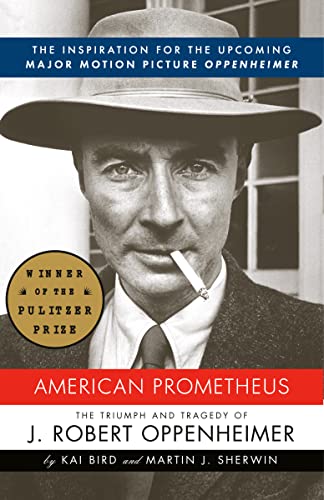
- American Prometheus
- Getting Things Done: The Art of Stress-Free Productivity
- I'm Glad My Mom Died
- Kitchen Confidential: Adventures in the Culinary Underbelly
- The Antidote: Happiness for People Who Can't Stand Positive Thinking
- The Gates of Europe: A History of Ukraine
- Masters of Doom: How Two Guys Created an Empire and Transformed Pop Culture
- The Hidden Brain: How Our Unconscious Minds Elect Presidents, Control Markets, Wage Wars, and Save Our Lives
- Hold Me Tight: Seven Conversations for a Lifetime of Love
- How Google Works
- The Theory of Poker: A Professional Poker Player Teaches You How To Think Like One
Textbooks