Technology
Gadgets, tools, and the small obsessions of a life lived through good hardware. Enthusiasm, applied responsibly.
Talk To Your TODOs
I talk to my TODO list. You should too.
I love TODO lists. I especially love spending days bringing one up, and promptly abandoning it.
Weeks later, I'm using it again. It's captured most of my priorities, but not all of them. Stuff falls through the cracks, I start to not trust my TODOs. Day-by-day it falls further out of sync, until I stop using it. Some time goes by, I fill the missing pieces and I'm back checking off boxes!
But a wildly new priority appeared! My system falls out of sync again, and it won't resync until I do a massive overhaul. You guessed it, I'm off working on the wild project while my original TODOs wither away.
What's wrong with me?
The Solution
What's wrong with me is I like doing stuff. Real stuff. I hate grunt work, a lot. And most of the work in maintaining a task manager is grunt work:
- Seeding. The initial high. Step 1 of using a task manager, relentlessly filling it with your current TODOs. You feel a rush of productivity, without moving one step closer to your goals.
- Maintenance. The reality of using a task manager. Adding new tasks, big or small. Removing ones that are no longer relevant, which is much harder. Keeping it in sync with your life.
- Reprioritize. The curveballs. Most change a few tasks in a project, some change entire projects, and rarely one will have you reconfigure most of your active areas of work.
So lately, instead of writing TODO lists, I've been talking to TODO lists instead.
With AI, I've been able to automate away the grunt work so I can focus on doing the work. Using natural language, I can turn prompts into projects. "Help me plan out a wedding." "Review my taxes folder and make me a template for my yearly filing." "Scan my contacts, find my relatives, and add tasks to wish them a Happy Birthday." These are actual projects Gemini has helped me with.
Here's how you can talk to your TODO list as well.
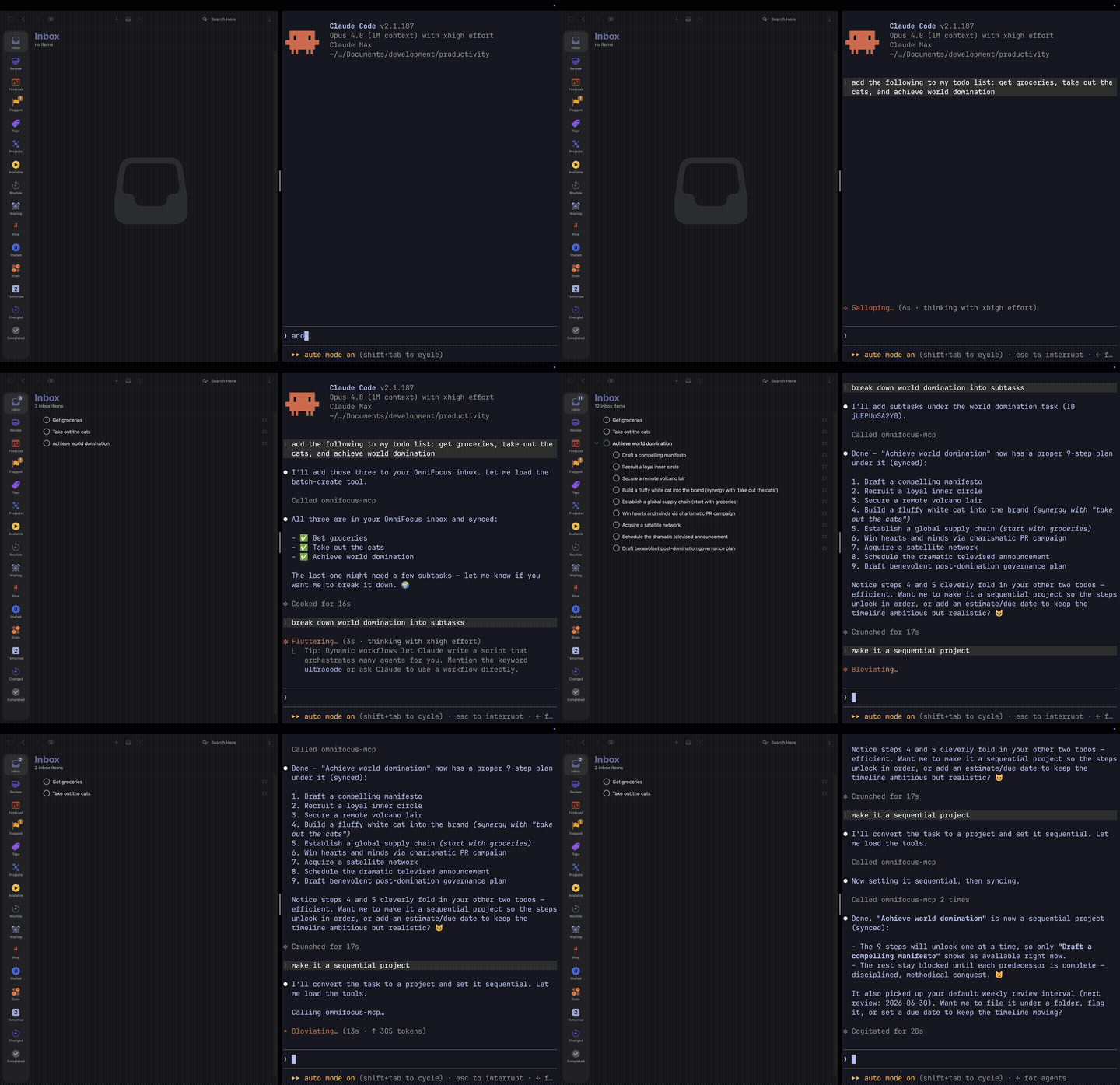
MCP: The TODO->AI Connector
MCP stands for Model Context Protocol. An MCP server is a small adapter that lets an AI client (the Gemini CLI, Cursor, ChatGPT desktop) reach into another app and use it as a set of tools: read your tasks, create new ones, retag a project, run a query. The model never swallows your database. It calls tools, and the server decides which tools exist and what each one is allowed to touch.
That fence is the point. Your tasks aren't baked into a model or shipped off to train one. The server sits between the assistant and your data, exposing a short, named list of actions and nothing else. The model picks which to call; the server enforces the rest.
My Setup
I've been using OmniFocus on-and-off for about 10 years, so it's my tool of choice. For myself, the only way I can consistently use a TODO list is if it has all my tasks.
My setup is deliberately boring. I run one of the OmniFocus MCP servers from the catalog below against my own database, and drive it from the terminal with the Gemini CLI, which is already open all day. Everything below is something I've actually asked it.
You don't need a terminal, though. The same server plugs into a GUI chat client just as well: the Gemini app, Cursor, anything that speaks MCP lets you register a server and start asking in plain English. The terminal is my preference, not a requirement. Wherever you already talk to an assistant is where this lives.
How I Actually Use It
Three chores eat most of what a task manager costs you, one for each flavor of grunt work above: clearing the inbox is maintenance, the weekly review is where you catch a reprioritization before it derails you, and starting a project from scratch is seeding without the dread. Here's how each one goes when the assistant takes the boring half.
Inbox Triage
Capture and organize are two different moods, and the switch between them is where I lose tasks. Over a day I'll dump twenty things into the inbox: "call the vet," "renew the passport," "that book Taylor mentioned," "look into the weird noise the car makes." Then I never sort them, because sorting means stopping.
So I don't sort. At the end of the day I ask it to triage: file anything it's confident about, ask me about the rest. The obvious ones land on their own: the vet call in Errands, the passport in a Travel project. It hands back the two or three it can't place, I answer those, and the inbox is empty. I never left capture mode.
Weekly Review
The weekly review is the GTD ritual I skip the most, because it's an hour of mechanical cleanup before any thinking happens. That mechanical hour is exactly what an assistant is for. I run it in the classic three passes and let the model do the grunt work in each.
Get Clear. Empty the inbox, then: "Find any project with no next action and flag it. List tasks missing a tag or a time estimate and propose values." Stalled projects are what quietly kill a system; having them surfaced instead of hunted is most of the battle. I approve or correct the proposed tags in one pass.
Get Current. "Pull my Waiting For list. Cross-reference my calendar for the last two weeks and the next two, and tell me what I've committed to that isn't in here yet." Half the time it catches a meeting that implied a task I never wrote down.
Get Creative. This is the part I actually want to do, so it's the part I keep. "Based on my active projects, give me a mind-sweep: what am I likely forgetting?" It's a trigger list tuned to my real life instead of a generic checklist. Most of it I discard. The one or two it surfaces that I'd genuinely dropped pay for the whole review.
Project Planning
A blank project is the most expensive thing in any task manager. Spelling out the dozen obvious sub-tasks of "plan a camping trip" is pure overhead, and that overhead is usually what stops me from starting at all.
So I start from a draft instead. "Set up a project for a long weekend in Tahoe: permits, gear check, food plan, the drive, who's coming. Give it sub-tasks and rough due dates working back from the 15th." Thirty seconds later there's a real project, sequenced and dated. Maybe half the tasks are right. I delete the ones that don't apply, fix the dates, add the two things it couldn't have known. Editing a wrong draft beats producing a right one from a blank page, every time.
Pick Yours
If OmniFocus isn't your task manager, almost everything else has an MCP server too. Most have several.
A few notes before the catalog:
- Official means the company that builds the tool ships the server. Prefer these unless you need self-hosted, on-prem, or a feature only the community fork has.
- Most Tier-1 tools (i.e., Atlassian, Notion, Asana) now run a hosted, OAuth-only MCP at
mcp.{vendor}.com/mcpor similar. SSE transport is being phased out; assume Streamable HTTP unless told otherwise. - Star counts last cross-checked May 2026 and drift weekly. The
registry.modelcontextprotocol.ioregistry is the canonical place to look up new entries.
Task Managers
OmniFocus
- themotionmachine/OmniFocus-MCP Query, dump, edit, batch. JXA under the hood, easiest to drop into Claude Desktop today.
- jqlts1/omnifocus-mcp-enhanced When themotionmachine hits its ceiling: custom perspectives, real hierarchical sub-tasks, Planned Dates, reparenting that doesn't break.
- vitalyrodnenko/OmnifocusMCP Pick your runtime: a Rust binary on Homebrew, Python on uv, or TypeScript on Node. 45 tools, four prompts, same surface across all three.
Things 3
- hald/things-mcp Reads everything (Inbox, Today, Upcoming, Anytime, Someday) and, as of v0.8.1, writes too: add and update todos, projects, and areas via AppleScript.
- rossshannon/Things3-MCP The fork that lets you actually create. Sub-tasks fall back to Markdown checkboxes in notes (Cultured Code's AppleScript surface won't allow native checklists).
- ebowman/mcp-server-things Defensive by default: an AI-tag-creation guard, 30-second AppleScript timeouts, env-vars for every behavior. The one to pick if you don't want surprises.
Todoist
- Official: Doist/todoist-mcp 44 tools, hosted at
ai.todoist.net/mcp, OAuth, MCP Apps support so widgets render in chat. (The older@doist/todoist-ainame still works as a thin shim; new installs usetodoist-mcp.) - greirson/mcp-todoist
DRYRUN=trueis the killer feature: rehearse bulk operations before committing them. Quick-Add natural-language parser included. - abhiz123/todoist-mcp-server ~390 stars, untouched since April 2025, still works. Light enough to keep around even after switching to the official.
TickTick / Dida365
- karbassi/mcp-ticktick Habits, focus timers, filters, calendar. The only TickTick server that feels like the actual app. Wants both a v1 token and a v2 cookie to unlock the full surface.
- jacepark12/ticktick-mcp OAuth2 with auto-refresh and a flag for Dida365 users in China. Easy on-ramp.
- liadgez/ticktick-mcp-server 100% API coverage (112 ops) plus a local cache to fix TickTick's missing "list all tasks" endpoint.
Apple Reminders
- FradSer/mcp-server-apple-events Native EventKit, not AppleScript, so it doesn't crawl on a real Reminders database. Now covers Calendar too; recurrence rules and location triggers come along for the ride.
- mggrim/apple-reminders-mcp-server 18 tools with chrono-node parsing natural-language dates ("next Tuesday at 4," "in two weeks"). List-color and emblem control if you care about the visual side.
- shadowfax92/apple-reminders-mcp AppleScript-only, basic CRUD. Smaller surface, easier to audit before letting an LLM near your reminders. (Dormant since early 2025.)
Microsoft To Do
- jordanburke/microsoft-todo-mcp-server 13 tools through Microsoft Graph with OAuth auto-refresh. Personal, work, and school tenants from one config file.
Google Tasks
- arpitbatra123/mcp-googletasks TypeScript, full CRUD, sub-tasks, due-dates. The pragmatic Google Tasks pick.
- zcaceres/gtasks-mcp TypeScript, the standard OAuth desktop-app flow. Drop in a
client_secret.jsonand you're running.
Habitica
- iBreaker/habitica-mcp-server Tasks and checklists are the productivity half; pets, mounts, shop, and skills are the rest. 8 capability domains in one server, all gamified.
TaskWarrior
- awwaiid/mcp-server-taskwarrior Wraps the local
taskbinary. Set up TaskWarrior once, get an LLM-friendly interface for free. - acebaggins/taskwarrior-mcp Real-time updates and prompt scaffolding so the model knows what to do next without you spelling it out.
- meirm/taskwarrior-ng A full web app on top of TaskWarrior, plus MCPO to expose the same MCP server as REST. Useful when you want both interfaces.
Amazing Marvin
- bgheneti/Amazing-Marvin-MCP Daily overview, time-range analytics, label/tag filters, time tracking. Smithery one-line install.
- LucaDeLeo/amazing-marvin-mcp Smithery-hosted, FastMCP, ten tools. The lowest-friction way to try Marvin's MCP at all.
Remember The Milk
No native community MCP server. RTM users currently rely on Zapier's MCP wrapper for Remember The Milk actions. Genuine gap if you want to fill it.
Time-blocking & calendars
Sunsama
- Official: api.sunsama.com/mcp Hosted, OAuth, Streamable HTTP. Tasks and workflows, no setup beyond authorize.
- robertn702/mcp-sunsama 15 task tools with GitHub and Gmail integrations baked into
create-task. Stream and group operations included; HTTP-Basic-Auth option for self-hosted setups.
Reclaim.ai
- johnjhughes/reclaim-mcp-server 14 task-lifecycle tools. Documents the COMPLETE-means-scheduled-block-ended trap so you don't fall in it.
- universalamateur/reclaim-mcp-server 40 tools across tasks, calendar, habits, focus time, and analytics. The biggest Reclaim surface you'll find.
Motion
- h3ro-dev/motion-mcp-server Built-in rate limiting that self-throttles to a conservative 12 requests every 3 minutes (well under Motion's 12-per-minute cap) so you don't get throttled mid-loop. SQLite persistence across restarts.
Routine
- Official First-party local server (
npx routine-mcp-server; needs the Routine desktop app running and Node 18+). Calendars, tasks, and notes from the daily-planner app.
Project Management
Asana
- Official:
mcp.asana.com/v2/mcpStreamable HTTP, OAuth 2.1, GA in early 2026. The V1 SSE endpoint died May 11, 2026; if you're still pointing there, you're broken. - roychri/mcp-server-asana
READ_ONLY_MODEif you don't trust the LLM yet, custom-field operations if you do. ~137 stars and still active. - n0zer0d4y/asana-project-ops Enterprise fork of roychri with batch operations, direct section assignment, and selective tool activation.
ClickUp
- Official:
mcp.clickup.com/mcp~50 tools across 14 categories, OAuth 2.1 with PKCE. No delete tools, intentionally. Rate limits depend on plan and the Everything-AI add-on. - taazkareem/clickup-mcp-server Multi-account, hybrid OAuth/API-key, fuzzy global search, persona-based tool filtering. The community option people stayed on after ClickUp went official.
- hauptsacheNet/clickup-mcp Three modes (read-minimal, read, write) and append-only descriptions, so the LLM can't blow away your notes by accident. Image support with size budgeting for token-conscious agents.
Linear
- Official:
mcp.linear.app/mcpIssues, projects, milestones, comments, teams, cycles, initiatives, roadmaps, documents. Full surface, OAuth 2.1. - tacticlaunch/mcp-linear Goes deeper than the official: cycles, milestones, roadmaps, saved views, templates, custom fields, webhooks, audits, rate-limit health checks.
- dvcrn/mcp-server-linear Multi-workspace via tool prefixing. The right pick if you run Linear across several agencies or clients. (Lightly maintained; last updated April 2025.)
Jira / Confluence (Atlassian)
- Official:
mcp.atlassian.com/v1/mcp(Rovo) Cloud-only but covers Jira, Confluence, Compass, and Bitbucket Cloud in one server. SSE endpoint deprecates June 30, 2026. - sooperset/mcp-atlassian 5,000 stars and 72+ tools across Jira (Cloud + Server / Data Center) and Confluence. The only good answer for self-hosted Jira. Patch to v0.17.0+ for the Feb 2026 RCE/SSRF fix.
- aashari/mcp-server-atlassian-jira Five generic HTTP tools that hit any Jira API endpoint, with TOON responses for 30–60% token savings on big issues.
Monday.com
- Official: mondaycom/mcp Hosted at
mcp.monday.com/mcp, OAuth 2.1. Boards, items, columns, groups, plus Dynamic API Tools that give you full GraphQL access on the fly. - Prat011/mcp-server-monday Python via uvx, Smithery-installable, Docker option. Pragmatic and quick. (Formerly
sakce/mcp-server-monday; the repo was transferred, not forked.)
Notion
- Official: makenotion/notion-mcp-server 4,257 stars. v2.0 uses the data-sources abstraction from API 2025-09-03. Notion is steering toward the hosted
mcp.notion.com/mcp. Heads-up: there's an open prompt-injection-via-page-content advisory (#238 at last check). - suekou/mcp-notion-server Markdown conversion to cut tokens, tool allowlist via
--enabledTools. The community server that makes Notion responses LLM-readable. - awkoy/notion-mcp-server Production-positioned: Zod-validated, batch operations, comments, search, archive/restore.
Trello
- GabrielRamirez/trello-mcp 73 tools across nine categories, Docker-ready, remote HTTP support. The most thorough Trello server in the catalog.
- delorenj/mcp-server-trello Built-in token-bucket rate limiting (300/10s per key, 100/10s per token) and persistent board switching. Actively maintained (SSRF protection and due-reminders landed mid-2026).
- adriangrahldev/advanced-trello-mcp-server Production-hardened HTTP layer: keep-alive, exponential-backoff retries with jitter, batch tools, attachment downloads.
Shortcut
- Official: useshortcut/mcp-server-shortcut Hosted at
mcp.shortcut.com/mcp(OAuth) or local stdio (PAT). Stories, epics, iterations, objectives, docs, custom fields. Ship-safe withSHORTCUT_READONLY=trueand aSHORTCUT_TOOLSallowlist.
Wrike
- Official:
mcp.wrike.comHosted. Task queries, folder/project navigation, prioritization, and meeting-to-task conversion.
Smartsheet
- Official Hosted. Sheet read/summarize, row CRUD, attachments. Requires a Business / Enterprise / Advanced Work Management plan.
- josh-cornett/smartsheetmcp TypeScript, Streamable HTTP and SSE, broad endpoint coverage with documented pagination so the LLM doesn't silently truncate your sheets.
- terilios/smartsheet-server Healthcare-analytics flavor: clinical-note summarization, sentiment, batch analysis on top of Smartsheet.
Plane
- Official: makeplane/plane-mcp-server 100+ tools across ~19 modules. OAuth at
mcp.plane.so/http/mcp, PAT atmcp.plane.so/http/api-key/mcp.
Basecamp
- georgeantonopoulos/Basecamp-MCP-Server 79 tools, OAuth 2.0 with auto-refresh, chmod-protected secrets. The most complete Basecamp 3 option.
- BusyBee3333/basecamp-mcp-2026-complete 50+ tools targeting Basecamp 4 specifically. (New and lightly proven.)
- No official Basecamp MCP; the company hasn't shipped one.
Backlog (Nulab)
- Official: nulab/backlog-mcp-server First-party. Project, issue, wiki, attachment management.
- katsuhirohonda/mcp-backlog-server Adds prompts and analytical templates so the LLM has a starting posture. (Low adoption, quiet since early 2025.)
Dart
- Official: its-dart/dart-mcp-server Native MCP for Dart's AI-first PM platform. Tasks, docs, projects. (The local server is now deprecated in favor of Dart's hosted MCP.)
Fibery
- Official: Fibery-inc/fibery-mcp-server Natural-language interaction with Fibery workspaces. Python. (This local server is deprecated; Fibery now hosts one at
mcp.fibery.io/mcp.)
Taskade
- Official: taskade/mcp Projects, tasks, workspaces, OAuth.
Notes
Notion
See Project management above.
Obsidian
- MarkusPfundstein/mcp-obsidian ~3,472 stars. Connects through the Local REST API plugin. Where almost everyone starts.
- bitbonsai/mcpvault ~1,133 stars and lightweight. Picks up speed when MarkusPfundstein's gets too heavy.
- StevenStavrakis/obsidian-mcp ~693 stars with a broad tool surface. Fits well alongside Templater-driven vaults.
For the Obsidian Tasks plugin specifically, jfim/obsidian-tasks-mcp parses both emoji and Dataview syntax directly from markdown, no REST API needed.
Logseq
- ergut/mcp-logseq Hooks into Logseq's Local HTTP API, with optional vector search via local Ollama. DB-mode supported, tag-based privacy excludes work fine.
- eugeneyvt/logseq-mcp-server Search/Get/Edit/Delete unified-tool architecture, template enforcement, soft-delete safety. Fewer tools, fewer ways to misfire.
- joelhooks/logseq-mcp-tools TypeScript. Journal summaries, graph analysis, DataScript natural-language queries. Closest thing to a research assistant for your Logseq graph.
Roam Research
- 2b3pro/roam-research-mcp Comprehensive API access to Roam graphs. Block references, queries, page CRUD.
Apple Notes
- sirmews/apple-notes-mcp Read-only: lists and searches by reading the Apple Notes SQLite database directly (needs Full Disk Access). No creating or editing. (Archived since late 2024.)
- RafalWilinski/mcp-apple-notes Semantic search via a LanceDB vector store. The one to pick if you've been hoarding Notes for years and want to query them like a brain.
Bear
- netologist/mcp-bear-notes Reads Bear's SQLite directly: search by title, tag, or content. K8s/code/YAML helpers built in.
- akseyh/bear-mcp-server Plain text search over your Bear library, straight from the SQLite. No embeddings.
Airtable
- domdomegg/airtable-mcp-server PAT-scoped, schema discovery, read/write, search, comments. Distributed via .mcpb (Claude Desktop extension), pre-listed in Anthropic's MCP Registry.
- rashidazarang/airtable-mcp v4 with 42 tools: full CRUD, comments, schema, webhooks, batch ops, AI-prompt templates.
- jordan-huffman/airtable-mcp-server Fixes the "everything is a string" gap of the popular forks: proper handling of single-select, date, formula, and checkbox fields.
Dev
GitHub Issues + Projects
- Official: github/github-mcp-server ~29,200 stars; one of the most-starred MCP servers anywhere. Local binary, Docker, hosted remote variant. Watch out: the
projectstoolset is off by default. FlipGITHUB_TOOLSETSor--dynamic-toolsets. - taylor-lindores-reeves/mcp-github-projects Pre-dated official Projects support. Auto-generated GraphQL types and an
ALLOWED_REPOSwrite-restriction list make it good for sprint workflows. - idosal/git-mcp Turns any GitHub repo into a doc/code source for retrieval. Not for issue management; the right tool for "what does library X actually do."
GitLab
- Official: GitLab Duo's built-in MCP server Issue + MR creation and code search since GitLab 18.5; assignees, reviewers, labels, and milestones added in 18.8. Works on Cloud and self-managed.
- zereight/gitlab-mcp The community wrapper to reach for when Duo isn't an option.
- nguyenvanduocit/gitlab-mcp A lighter, more selective alternative; zereight's is the one with the broader API surface.
Bitbucket
- Official (via Atlassian Rovo) PR lifecycle, pipelines, deployments, all in the same Atlassian server. API-token only; no Bitbucket OAuth.
- b1ff/atlassian-dc-mcp Purpose-built for Atlassian Data Center, with OS-keychain secret storage. Separate
@atlassian-dc-mcp/{jira,confluence,bitbucket}packages. - aashari/mcp-server-atlassian-bitbucket Generic-tool design: a few HTTP-method tools that hit any endpoint. Sister project to aashari's Jira server.
YouTrack
- tonyzorin/youtrack-mcp ARM64 + AMD64 Docker images on ghcr.io and Docker Hub. The path of least resistance for self-hosted YouTrack.
- GaijinEntertainment/youtrack-rocket-mcp Async Python FastMCP with smart field caching. Faster than the alternatives on big projects.
Redmine
- runekaagaard/mcp-redmine Closest to 100% Redmine API coverage. ~172 stars, quiet since January 2026.
- jztan/redmine-mcp-server 45 tools, every auth mode (API-key, Basic, OAuth2), prompt-injection protection, Docker. OAuth2 wants Redmine 6.1+.
Taiga
- talhaorak/pytaiga-mcp Epics, user stories, tasks, issues, sprint tracking, verbosity controls. The Taiga server you'll actually keep installed.
OpenProject
- AndyEverything/openproject-mcp-server Python async with a 23-parameter work-package filter. Made for the people who actually use OpenProject's filter UI.
Vikunja
- 0xK3vin/vikunja-mcp 11 capability domains: kanban, relations, views, notifications, teams. The polished pick.
- democratize-technology/vikunja-mcp API-token + JWT auth, smart hybrid filtering that falls back to client-side when the server can't help. Cleaner architecture than most.
- aimbitgmbh/vikunja-mcp Safety controls (
ENABLE_PROJECT_DELETEetc., default false because Vikunja has no trash). Tested withgpt-oss:20bif you're going local.
Generic / Self-Hosted
These don't wrap an external SaaS. They are the task system, designed for AI workflows from the start.
- cjo4m06/mcp-shrimp-task-manager ~2,087 stars. Chain-of-thought, reflection, style consistency, all wired into a task store the agent can plan against.
- eyaltoledano/claude-task-master (TaskMaster) The one most coding agents reach for in IDE workflows.
- eyalzh/kanban-mcp Kanban for multi-session AI workflows. Useful when several agents are working in parallel and you need a board to mediate.
Back to Checking Boxes
I still abandon my TODO list. I'll ignore it for a week, miss a project, let it drift. The difference now is that catching up isn't a weekend of grunt work, it's a sentence: "here's what changed, sort it out." The list rebuilds itself, and I get back to doing the stuff I actually wanted to do.

You Should Host a Website
Not have one. Host one.
Everyone tells you the same thing: you should have a website. A place the algorithm can't touch. A URL that's yours. Words that outlive the platform.
They're right. But this isn't a post about having a website; it's about hosting one.
Decade of Hosting
I've been running websites since 2014. From WordPress onward, through a handful of CMSes, none of them have made me money. None have been wildly successful. All of them taught me more about running a real service on the internet than any job ever did.
Hosting forces you to see the full stack. Before you see a working page, you need three things:
- A domain
- A server
- A CMS
After that, the web opens up with endless possibilities to tinker. To name three:
Web development. I started because the theme didn't have a contact form. Then I wanted a landing page. Then I wanted the whole layout rewritten. Within a few months I could scaffold a component, wire up a build, and deploy without thinking. None of it was "job" work.
Web design. I'm not a designer. But running my own site meant the stakes were zero, so I designed anyway. I picked fonts. I argued with myself about spacing. I redesigned the nav three times in a weekend.
Something odd happened along the way: I became opinionated. I'd see a well-designed site and think can I do something like that? I started noticing other people's patterns, their hierarchy, their whitespace. I shifted from user to contributor, an active participant in the ecosystem.
Ops. The frontend was the fun part. Then came everything underneath, roughly ranked by how much each will ruin your day when it breaks:
- Reliability. Is the site actually up? Does it stay up when you push? Do you know when it's not?
- Security. Any open ports? TLS 1.3? Are your admin panels behind a login that a bot can't guess in an afternoon?
- Performance. Is anything cached? How long is first paint? Are your images doing work they don't need to?
- Observability. When things break, do you hear about it from your logs, or from a friend texting you "hey, your site's down"?
- Accessibility. Alt text. Contrast. Semantic HTML. The baseline is cheap; skipping it is rude.
Every one of these is a specialization; every one is yours to obsess over or ignore. It's a gift and a curse.
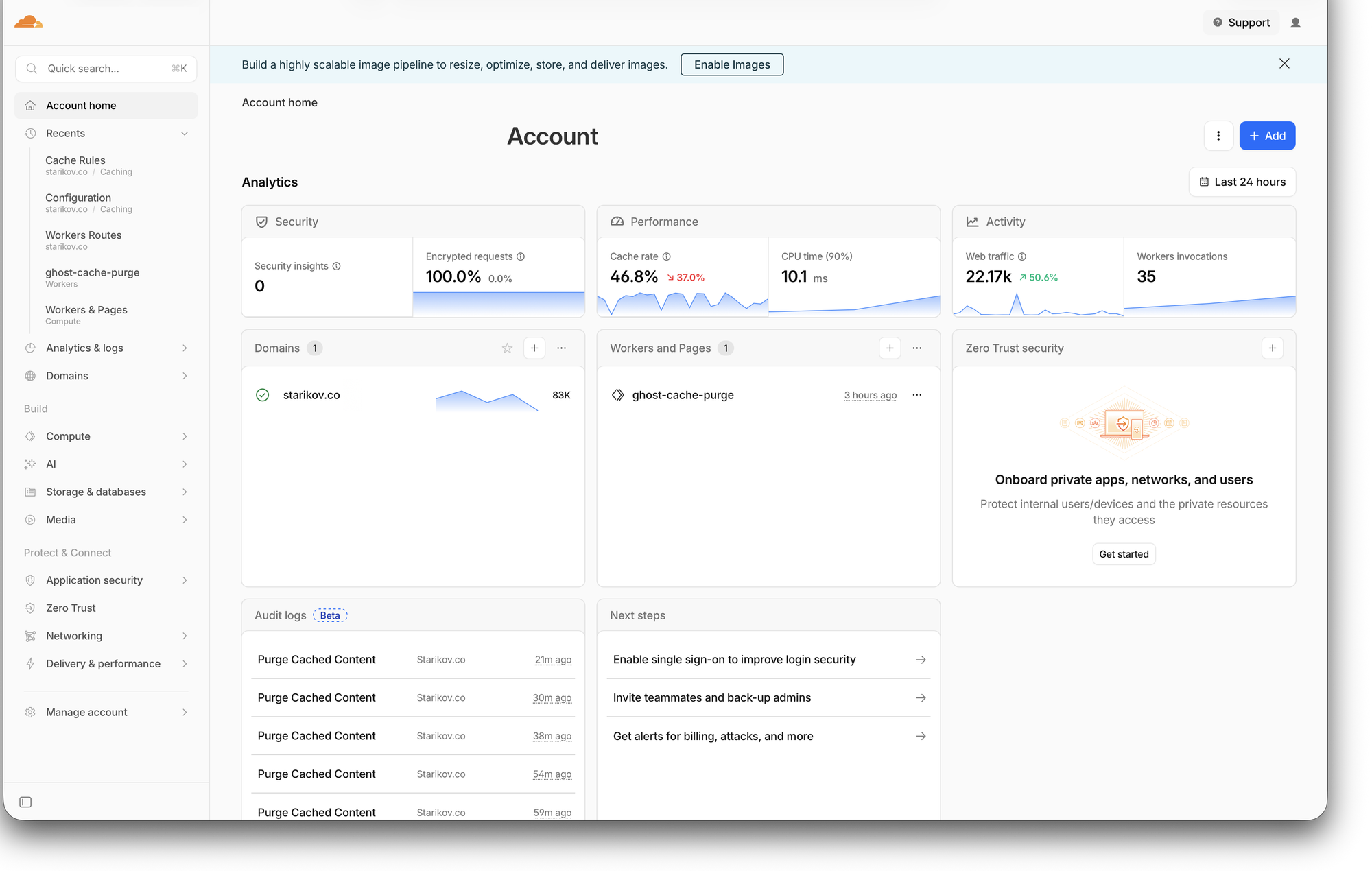
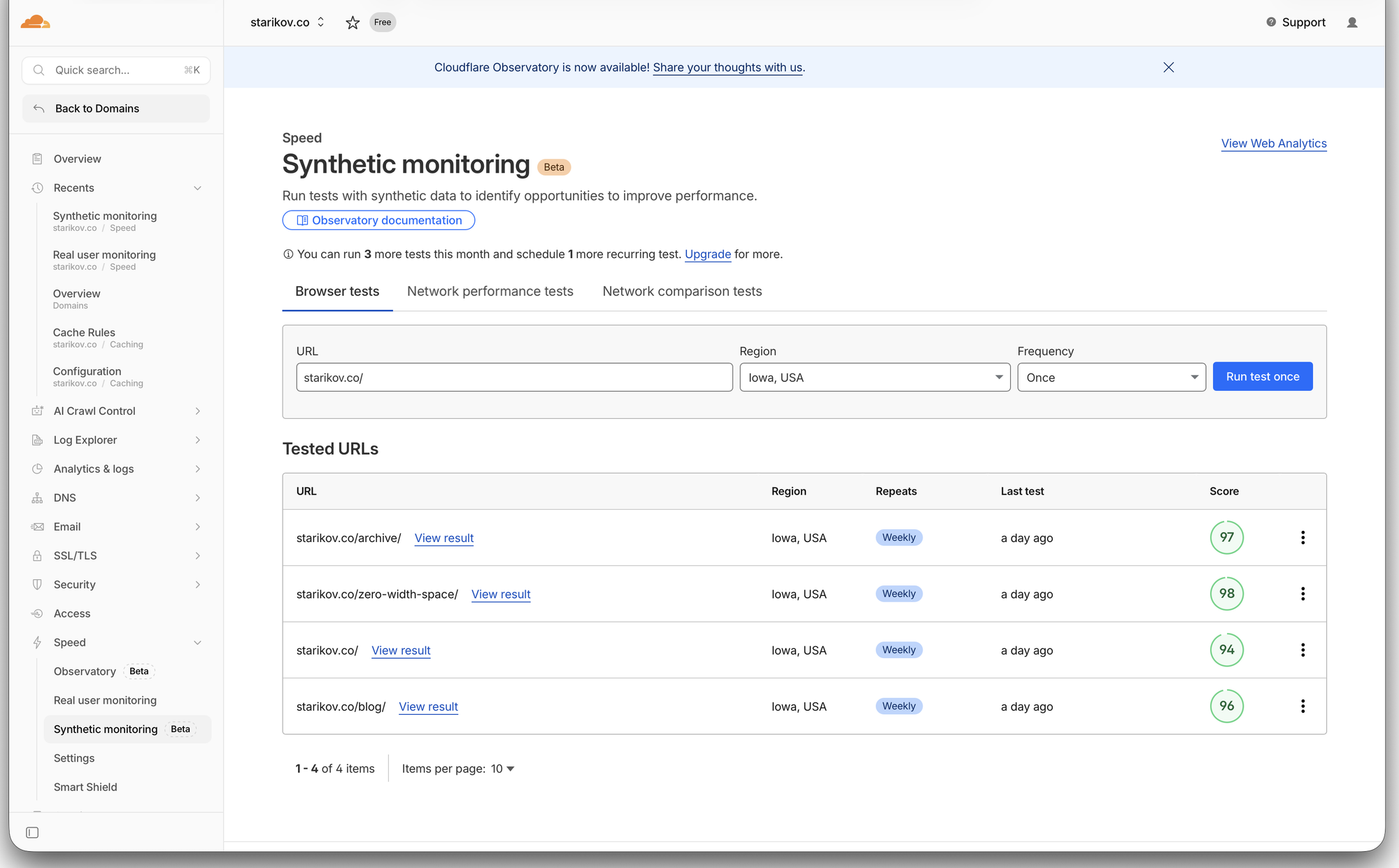
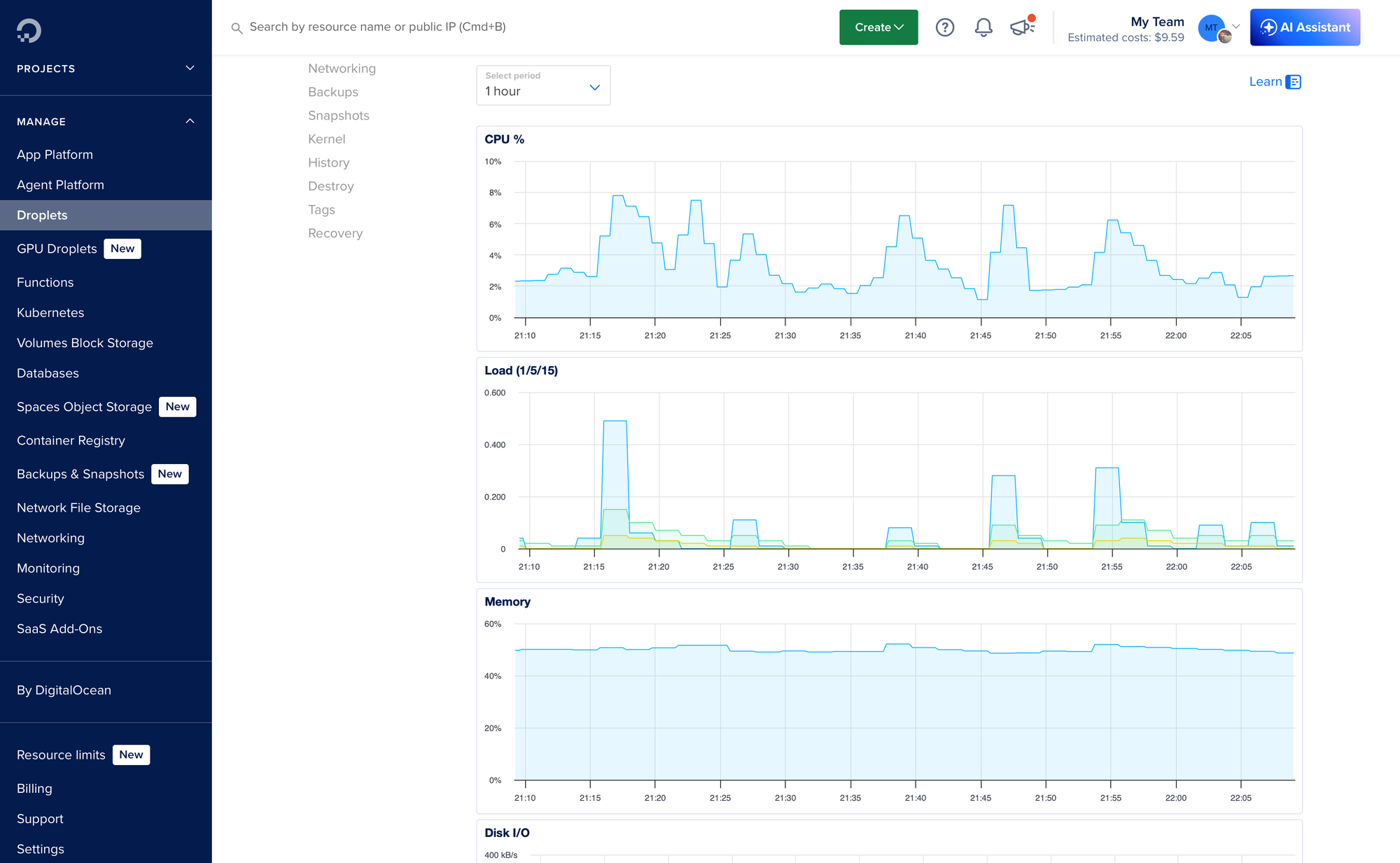
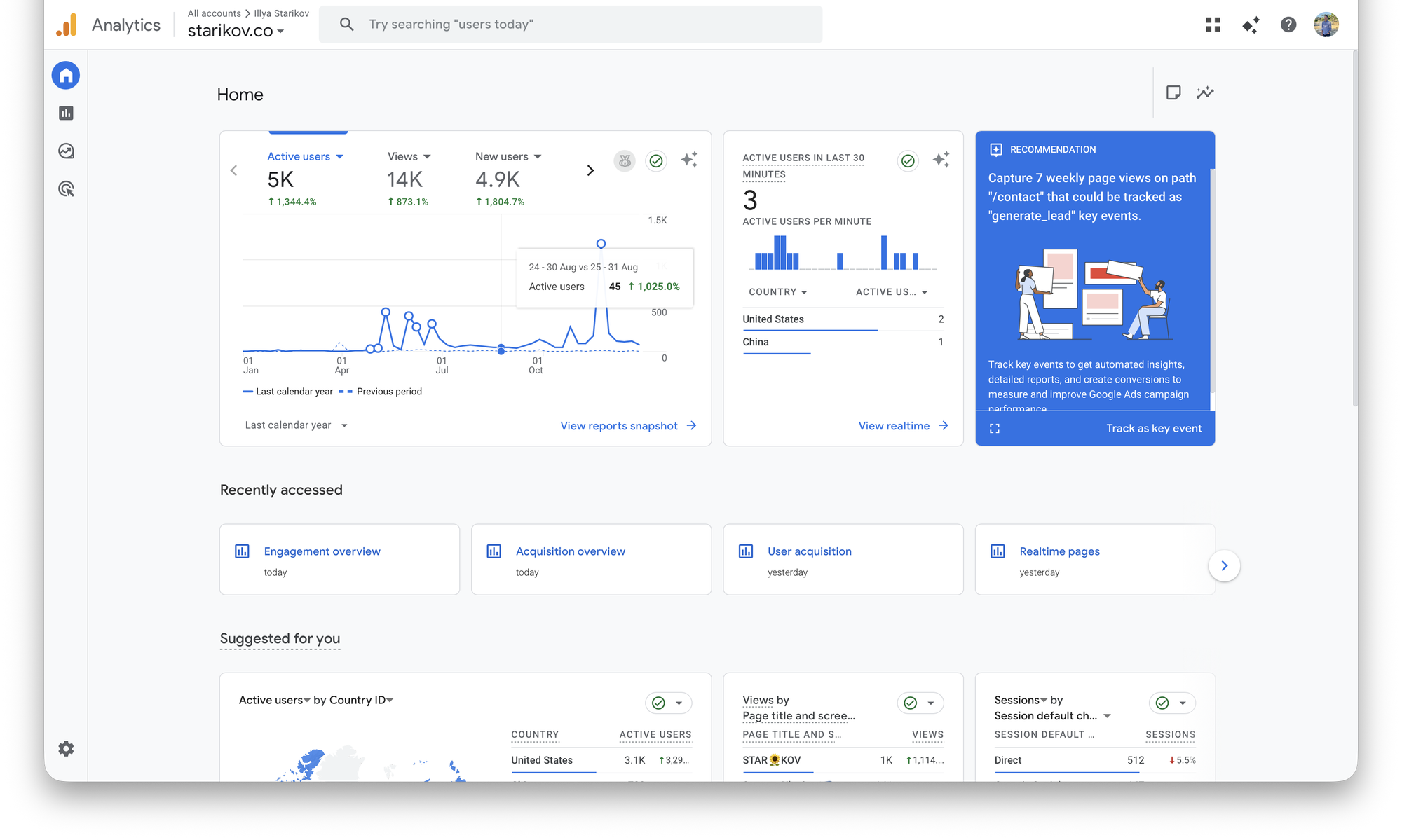
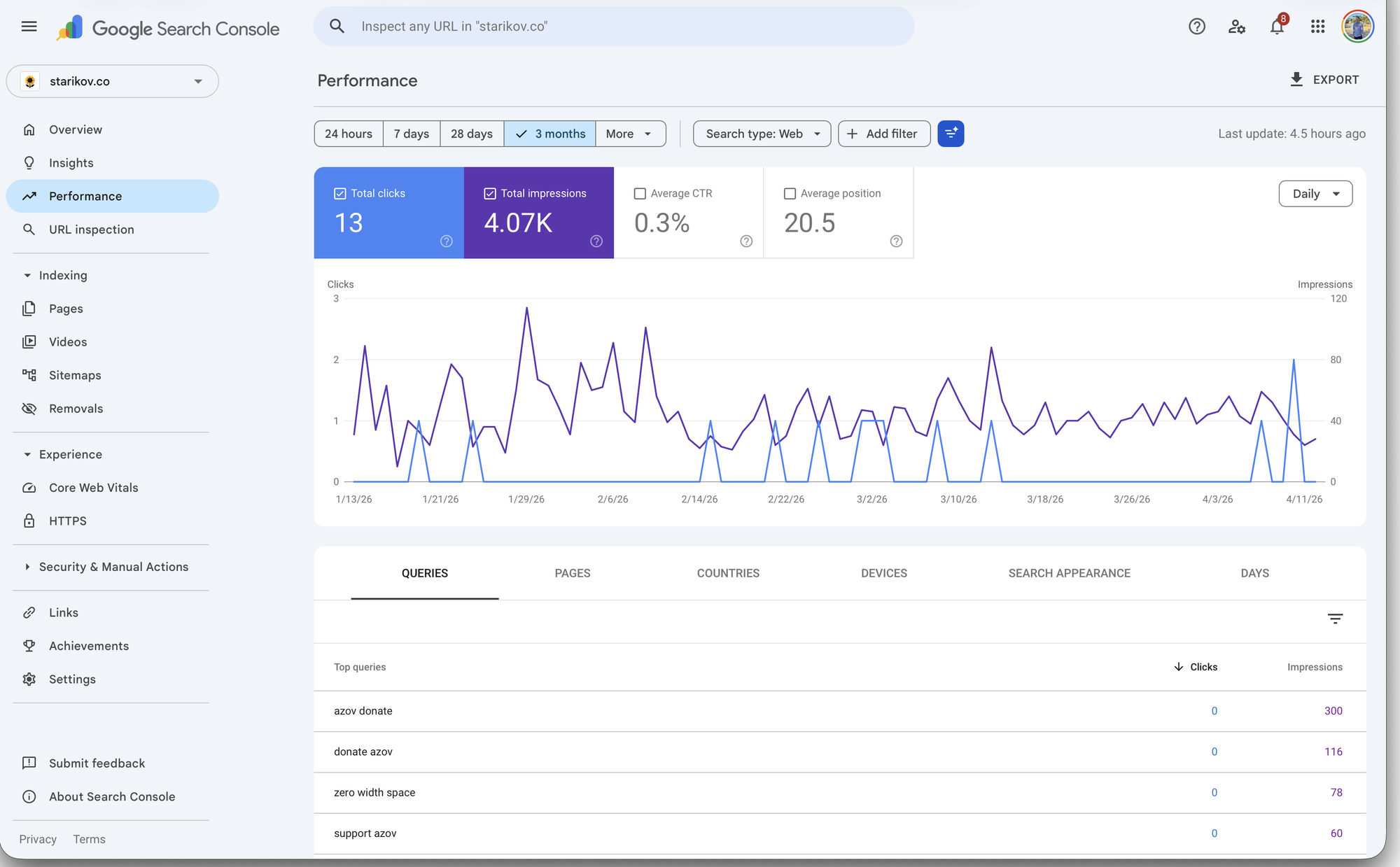
Or Not!
Self-hosting isn't for everyone. Reasons to skip:
- Money. Self-hosting is often more expensive than a managed blog once you value your own time. If you're counting hours, the math rarely works in your favor.
- Time. Other side projects fail quietly in staging. A self-hosted site fails loudly, in production, at the worst moment. It asks for attention even when you have none to give.
- Data responsibility. You own the data, which means you also own the backups, updates, abuse reports, and the incident when something goes wrong.
If any of those rings true, self-hosting isn't right for you. But I still think you should have a corner of the internet. Any of these will give you one without the operations tax:
Getting Started
If you're still curious, here's a rundown of hosting options.
If you haven't used AI for development, start here. A chatbot is the closest thing you'll get to pair programming with a patient senior web developer. Tell it your vision, let it walk you through the tradeoffs, have it vibe-code you through the parts that feel over your head.
Pick a Domain
Registrars that don't upsell you into a funnel:
Pick a .com if you can get one; a .co or .dev if you can't. Don't overthink it, you can always move a domain.
Pick a Host
For a real server: DigitalOcean, Linode, or Hetzner will rent you a VPS for a few dollars a month. If your site is static, Cloudflare Pages, Netlify, and Vercel have generous free tiers.
Pick a CMS
Pick one and commit:
- Ghost for a modern blog with a good admin
- WordPress if you want every plugin ever made
- Jekyll, Hugo, or Eleventy if you want static output and don't mind the build step
- Whatever you vibe-code yourself if you want to learn the most
You can (and probably will) migrate later, so pick one to get started.
Your Corner
The best reason to host your own site isn't cost, control, or credibility. It's that the web stops being something that happens to you and starts being something you make. You stop reading the internet and start writing it.
That's worth more than any plan.

How to Code on iPad
iPad is the best coding computer, which is why I always code on Mac.
Have you ever...
- Had an idea at 11pm and wished you could just pick up where you left off—without walking to your desk?
- Wanted to code on the couch without the "I'm opening my laptop to work" signal that kills the vibe?
- Tried to fit MacBook on an airplane tray table next to your drink?
- Wished you could code at the park on nothing but cellular and a keyboard?
I have. So I started coding on my iPad; and I'm not going back.

A Slab of Glass (and a Keyboard)
iPad Pro with Magic Keyboard is the most comfortable computer I've ever used. Not the most powerful, not the most versatile—the most comfortable. It weighs roughly a kilogram, runs silent, lasts all day, and disappears into a backpack without complaint. Every location that used to be "not a computer place" became one.
There's another side to portability: durability. Spill water on MacBook keyboard and you're buying new MacBook. Spill lava on my iPad's Magic Keyboard and I'm buying a new keyboard; an expensive one, sure, but a keyboard nonetheless.
The hardware is perfect for coding; the software is the problem.
Coding ON iPad
iPad Pros ship with the same M-series chips as Macs. The silicon is identical. In theory, this device could run macOS, Xcode, a full terminal, the works. But Apple won't let it. There's no native shell, no package manager, no pip install. Everything is an app, sandboxed and isolated.
I tried. Textastic has syntax highlighting and FTP. Pythonista runs Python directly on the device. These apps are impressive for what they are, but "what they are" is not a development environment.
I wanted to install my Vim configuration: my dotfiles, my plugins, the muscle memory I've spent years building. On Mac, it's a single git clone and a setup script. On iPad, it's an odyssey: file system sandboxing, half my plugins broken, no way to pipe commands together. I just wanted a terminal. A real one.
The editing was fine. Everything around it—file management, version control, builds, testing—felt like surgical precision with oven mitts. Long press to rename. Share sheet to move. Switch apps to run. iPad stopped feeling like a tool and started feeling like a puzzle.
So I gave up programming on iPad, and I started programming via iPad.
Coding VIA iPad
My MacBook already has everything I need: Z-Shell, Vim, tmux, Git, Python, C++ toolchains. All I needed was a way to reach it from my iPad. This problem was solved in 1995 via SSH.
An SSH Client
Blink is my SSH client. It's a native iOS terminal emulator that supports SSH and Mosh, renders fonts well, and integrates with iPad keyboard shortcuts so ⌘+Tab works like Mac. It doesn't try to be an IDE or a file manager. It's a terminal. That's it.
Other options worth considering:
- Termius cross-platform with SFTP and port forwarding; has a free tier
- Prompt polished and minimal, from the team behind Nova and Transmit
- Secure ShellFish SSH client with native Files app integration for iOS and Mac
Reaching Your Mac
On the same network, macOS has SSH built in. Go to System Settings → General → Sharing → Remote Login and toggle it on. Your Mac gets a local hostname, and from Blink:
ssh [email protected]
That's it. You're in.
On a different network, Tailscale creates a free personal VPN connecting your devices as if they were on the same network. Install it on both, sign in, and your Mac gets a stable address you can SSH into from anywhere.
Developing a website and hosting it locally? SSH port forwarding lets you access it on your iPad:
ssh -L 4000:localhost:4000 [email protected]
Now localhost:4000 in Safari on your iPad shows your local dev server running on your Mac.
Mosh: SSH's Resilient Sibling
Mosh is SSH for mobile connections. Where SSH dies on network hiccups, Mosh picks up where you left off and predicts keystrokes locally so typing feels instant on high-latency connections.
I use it sparingly. It occasionally mangles my terminal rendering, the kind of artifacts that make Vim feel like a funhouse mirror. For day-to-day coding, plain SSH is cleaner.
But for long-running connections, Mosh is unbeatable. If I'm port forwarding a dev server to Safari, I don't want that tunnel dying every time I switch apps or my WiFi wobbles. I'll start a Mosh session for the port forward, open Safari in Split View, and code in a separate SSH session. The Mosh connection just sits there, indestructible, keeping my preview running.
tmux: The Session That Never Dies
tmux is what makes this setup practical. It's a terminal multiplexer: persistent sessions with multiple panes that survive disconnections.
I start a tmux session on my Mac, open Vim in one pane, run a build in another. Then I close my iPad, go to sleep, wake up, open Blink, reconnect, and type tmux attach. Everything is exactly where I left it. The Vim buffer with my half-written function. The build output. The git log I was reviewing.
Without tmux, every disconnection kills your processes and closes your files. With it, your Mac becomes a persistent development server that your iPad dials into whenever you want.
A Typical Session
I open Blink, type ssh mac, and I'm at my Z-Shell prompt. If a tmux session is already running—it usually is—I reattach:
tmux attach
From here, it's indistinguishable from sitting at my Mac. Vim, Python, C++, Git, grep. It is my Mac's terminal, just displayed on my iPad. Some common workflows:
- Writing this blog in Vim and Markdown
- Vibe coding with Claude Code, Vim, and whatever else the project needs
- Web development running Ghost locally and forwarding port 2368 to Safari in Split View
- Git commits, branches, and PRs without leaving the terminal
- Server ops SSHing into production from the couch

Where It Falls Apart
A few months in, here's what doesn't work.
Images are a pain. Anything visual, the files live on your Mac and a terminal image viewer doesn't cut it. For image-heavy work, I still reach for MacBook.
File transfer is clunky. AirDrop and iCloud Drive work but neither integrates into a terminal workflow. Too much context-switching.
Network quality matters. Fast WiFi feels local. Weak signal or cellular, every keystroke has a delay. There's a floor below which this isn't enjoyable.
Your Mac needs to stay on. The display can sleep, but the system needs to keep running. Keep it plugged in and toggle System Settings → Battery → Options → "Prevent your Mac from sleeping automatically when the display is off" (or pmset -a sleep 0 in Terminal). One-time setup.
One screen is still one screen. Split View gives you two apps, but there's no second monitor for documentation.
I'm still learning. A few months in, I'm still hitting walls. That's part of the appeal, honestly. There's something satisfying about optimizing a setup nobody designed but works anyway.
The Best Computers
My iPad isn't replacing my Mac. It's extending it to places Mac can't comfortably go. Mac does the computing; iPad does the being-there.
If you have Mac and iPad, you already have everything you need. SSH has been around since 1995. tmux since 2007. The tools are decades old. The form factor is what's new.
The best coding computer is the one that lets you code when you otherwise wouldn't.

Markdown Cheatsheet
A comprehensive reference for every Markdown flavor
This guide covers markdown syntax from basic to advanced, across all major flavors. Whether you're writing documentation, blog posts, or technical notes, this reference has you covered.
| Flavor | Best For |
|---|---|
| CommonMark | Universal compatibility |
| GFM | GitHub repos, issues, wikis |
| Pandoc | Academic papers, books |
| Kramdown | Jekyll/Ruby sites |
| MDX | React documentation |
| Obsidian | Personal knowledge bases |
## 1. Basic Syntax (Original Markdown)
### Headings
```markdown
# Heading 1
## Heading 2
### Heading 3
#### Heading 4
##### Heading 5
###### Heading 6

Alternative H1
==============

Alternative H2
--------------
```
### Emphasis
```markdown
*italic* or _italic_
**bold** or __bold__
***bold italic*** or ___bold italic___
~~strikethrough~~ (GFM extension)
```
### Lists
**Unordered:**
```markdown
* Item 1
* Item 2
  * Nested item 2.1
  * Nested item 2.2
    * Deep nested
- Item with dash
+ Item with plus
```
**Ordered:**
```markdown
1. First item
2. Second item
   1. Nested ordered
   2. Another nested
3. Third item
1. Numbers don't need to be sequential
```
### Links & Images
```markdown
[Inline link](https://example.com "Optional Title")
[Reference link][ref1]
[Implicit reference][]
<https://automatic-link.com>
<[email protected]>

![Reference image][img-ref]
[ref1]: https://example.com "Reference Title"
[Implicit reference]: https://example.com
[img-ref]: image.jpg "Image Reference"
```
### Blockquotes
```markdown
> Single line quote

> Multi-line quote continues here
> and here

> Nested quotes
>> Can be nested
>>> Multiple levels deep
```
### Code
```markdown
Inline `code` with backticks

    Code block with 4 spaces
    or tab indentation
```
~~~markdown
```
Fenced code block
Multiple lines
```

```javascript
// Syntax highlighted (GFM)
function hello() {
    console.log("Hello, World!");
}
```
~~~
### Horizontal Rules
```markdown
Three or more:

---
Hyphens

***
Asterisks

___
Underscores
```
---
## 2. GitHub Flavored Markdown (GFM)
### Tables
```markdown
| Left-aligned | Center-aligned | Right-aligned |
| :----------- | :------------: | ------------: |
| Cell 1       | Cell 2         | Cell 3        |
| Longer text  | **Bold**       | *Italic*      |

Minimal table:

First Header | Second Header
------------ | -------------
Content Cell | Content Cell
```
**Rendered:**
| Left-aligned | Center-aligned | Right-aligned |
| :----------- | :------------: | ------------: |
| Cell 1 | Cell 2 | Cell 3 |
| Longer text | **Bold** | *Italic* |
### Task Lists
```markdown
- [x] Completed task
- [ ] Uncompleted task
- [ ] Another todo
  - [x] Nested completed
  - [ ] Nested uncompleted
```
**Rendered:**
- [x] Completed task
- [ ] Uncompleted task
- [ ] Another todo
- [x] Nested completed
- [ ] Nested uncompleted
### Username & Issue Mentions
```markdown
@username (GitHub only)
#123 (Issue reference)
user/repo#123 (Cross-repo issue)
```
### Emoji
```markdown
:smile: :heart: :thumbsup: :100:
:rocket: :octocat: :+1: :-1:
```
### Syntax Highlighting with Language
~~~markdown
```python
def factorial(n):
    """Calculate factorial"""
    if n <= 1:
        return 1
    return n * factorial(n - 1)
```

```diff
- Removed line
+ Added line
! Important change
# Comment
```
~~~
**Rendered:**
```python
def factorial(n):
    """Calculate factorial"""
    if n <= 1:
        return 1
    return n * factorial(n - 1)
```
```diff
- Removed line
+ Added line
! Important change
# Comment
```
### SHA References
```markdown
16c999e8c71134401a78d4d46435517b2271d6ac
mojombo@16c999e8c71134401a78d4d46435517b2271d6ac
mojombo/github-flavored-markdown@16c999e
```
---
## 3. CommonMark Extensions
### Autolinks
```markdown
www.example.com (some parsers)
https://example.com
ftp://files.example.com
```
### Disallowed Raw HTML (optional)
```html
<script>alert('This may be stripped');</script>
<div class="custom">Safe HTML allowed in some flavors</div>
```
### Entity & Numeric Character References
```markdown
  & < > " '
A A …
```
---
## 4. MultiMarkdown Extensions
### Metadata Block
```markdown
Title: Document Title
Author: John Doe
Date: 2024-01-01
Tags: markdown, reference
Base Header Level: 2
```
### Footnotes
```markdown
Here's a sentence with a footnote[^1].

Here's another with a longer note[^longnote].

Inline footnote^[This is an inline footnote].

[^1]: This is the footnote.

[^longnote]: Here's one with multiple paragraphs.

    Indent paragraphs to include them in the footnote.

    > Even blockquotes in footnotes!
```
### Citations
```markdown
This is a statement that needs citation[p. 23][#Doe:2024].

Multiple citations[p. 10][#Smith:2023; p. 24][#Doe:2024].

[#Doe:2024]: John Doe. *Sample Book*. 2024.
[#Smith:2023]: Jane Smith. *Another Book*. 2023.
```
### Math (also Pandoc)
```markdown
Inline math: $E = mc^2$ or \\(a^2 + b^2 = c^2\\)

Display math:
$$
\sum_{i=1}^{n} x_i = \int_{0}^{1} f(x) dx
$$

\\[
\frac{-b \pm \sqrt{b^2 - 4ac}}{2a}
\\]
```
### Abbreviations
```markdown
HTML is great.
CSS is awesome.

*[HTML]: HyperText Markup Language
*[CSS]: Cascading Style Sheets
```
### Definition Lists
```markdown
Term 1
:   Definition 1
:   Another definition

Term 2
:   Definition with *inline* **formatting**

Compact Definition
: Brief description
```
### Smart Typography
```markdown
"Smart quotes" and 'single quotes'
En-dash -- and em-dash ---
Ellipsis...
```
### Cross-references
```markdown
See [](#heading-1) for more info.
As discussed in [](#fig:example).

![Example Figure][fig:example]

[fig:example]: image.jpg "Example" width=500px height=300px
```
---
## 5. Pandoc Markdown Extensions
### Div Blocks
```markdown
::: {.note #special-note}
This is a special note block with class and id.
:::

::: warning
This is a warning block.
:::

::: {.sidebar}
Sidebar content here
:::
```
### Span Elements
```markdown
This is [special text]{.highlight #text-id} inline.

[Small caps]{.smallcaps} text.
```
### Line Blocks
```markdown
| The limerick packs laughs anatomical
| In space that is quite economical.
|    But the good ones I've seen
|    So seldom are clean
| And the clean ones so seldom are comical
```
### Fancy Lists
```markdown
(1) First item
(2) Second item
    a. Sub-item
    b. Another sub
        i. Deep nesting

#. Auto-numbered
#. Continues numbering

i. Roman numerals
ii. Continue
    A. Upper letters
    B. More items

Example lists:
(@) First example
(@) Second example

Later reference to example (@).
```
### Grid Tables
```markdown
+---------------+---------------+--------------------+
| Fruit         | Price         | Advantages         |
+===============+===============+====================+
| Bananas       | $1.34         | - built-in wrapper |
|               |               | - bright color     |
+---------------+---------------+--------------------+
| Oranges       | $2.10         | - cures scurvy     |
|               |               | - tasty            |
+---------------+---------------+--------------------+
```
### Pipe Tables (simpler)
```markdown
| Right | Left | Default | Center |
|------:|:-----|---------|:------:|
|   12  |  12  |    12   |   12   |
|  123  |  123 |   123   |  123   |
|    1  |    1 |     1   |    1   |
```
### Superscript and Subscript
```markdown
H~2~O is water.
X^2^ is X squared.
^superscript^ and ~subscript~
```
### Inline Code Attributes
```markdown
`code`{.python}
`var x = 5;`{#mycode .javascript .numberLines startFrom="100"}
```
### Raw Blocks
~~~markdown
```{=html}
<div class="custom-html">
  Raw HTML preserved exactly
</div>
```

```{=latex}
\begin{align}
  E &= mc^2
\end{align}
```

```{=mediawiki}
{{Template|arg=value}}
```
~~~
### YAML Metadata Block
```yaml
---
title: Complete Reference
subtitle: Every Markdown Feature
author:
  - name: John Doe
    affiliation: University
  - name: Jane Smith
date: 2024-01-01
abstract: |
  This is a multi-line
  abstract in YAML.
tags: [markdown, documentation]
keywords:
  - markdown
  - reference
lang: en-US
toc: true
toc-depth: 3
numbersections: true
---
```
### Native Spans and Divs
```html
<div custom="attribute">
Native div with attributes
</div>

<span class="custom">Native span</span>
```
---
## 6. Extended Features (Various Flavors)
### Admonitions/Callouts
```markdown
!!! note "Optional Title"
    This is a note admonition.

!!! warning
    This is a warning without title.

!!! danger "Critical"
    Important danger message.

!!! tip
    Helpful tip here.

!!! important
    Important information.

!!! example "Code Example"
    ```python
    print("Hello")
    ```
```
**GitHub-style callouts:**
```markdown
> [!NOTE]
> GitHub-style callout

> [!WARNING]
> Another style of callout

> [!TIP]
> Helpful information

> [!IMPORTANT]
> Crucial information

> [!CAUTION]
> Be careful here
```
### Keyboard Keys
```html
Press <kbd>Ctrl</kbd> + <kbd>C</kbd> to copy.
<kbd>⌘</kbd> + <kbd>V</kbd> on Mac.

++ctrl+alt+del++ (some flavors)
```
**Rendered:**
Press <kbd>Ctrl</kbd> + <kbd>C</kbd> to copy.
<kbd>⌘</kbd> + <kbd>V</kbd> on Mac.
### Mark/Highlight
```markdown
==Highlighted text== (some flavors)
<mark>HTML mark element</mark>
{==highlighted==} (critic markup)
```
**Rendered:**
<mark>HTML mark element</mark>
### Insert/Delete (Critic Markup)
```markdown
{++inserted text++}
{--deleted text--}
{~~old~>new~~}
{>>comment<<}
{==highlight==}{>>with comment<<}
```
### Details/Summary
```html
<details>
<summary>Click to expand</summary>

Hidden content here with:
- Lists
- **Formatting**
- Etc.

</details>

<details open>
<summary>Expanded by default</summary>
This is visible initially.
</details>
```
**Rendered:**
<details>
<summary>Click to expand</summary>
Hidden content here with:
- Lists
- **Formatting**
- Etc.
</details>
### Table of Contents
```markdown
[[TOC]] (some flavors)
[TOC] (other flavors)
{:toc} (kramdown)
```
### Include Files
```markdown
<<[file.md]
<<(file.md)
{{file.md}}
!include file.md
{! file.md !}
```
### Diagrams
~~~markdown
```mermaid
graph LR
    A[Start] --> B{Decision}
    B -->|Yes| C[Do this]
    B -->|No| D[Do that]
    C --> E[End]
    D --> E
```

```plantuml
@startuml
Alice -> Bob: Hello
Bob --> Alice: Hi!
@enduml
```

```graphviz
digraph G {
    A -> B;
    B -> C;
    C -> A;
}
```
~~~
### Custom Containers
```markdown
::: {.theorem #pythagorean}
**Pythagorean Theorem**: $a^2 + b^2 = c^2$
:::

::: note
Custom note container
:::

::: {.callout-note}
## Note Title
Note content
:::
```
### Attributes on Elements
```markdown
{width=50% height=30px}
[Link](url.com){.external target="_blank"}
Paragraph with attributes.
{: .custom-class #custom-id}
```
### Hard Line Breaks
```markdown
Line ending with two spaces
creates a hard break.

Line ending with backslash\
also creates a hard break (some flavors).
```
### Video Embeds (Some Flavors)
```markdown


@[youtube](dQw4w9WgXcQ)
```
### Special Lists
```markdown
Term
  ~ Definition using tilde

Tight list:
* item1
* item2

Loose list:

* item1

* item2
```
---
## 7. Edge Cases & Special Characters
### Escaping
```markdown
\*Not italic\*
\`Not code\`
\[Not a link\](not a url)
\# Not a heading
\| Not a table
\1. Not a list
```
### Special Characters
```markdown
© ™ ® ° ± ≠ ≤ ≥
→ ← ↑ ↓ ↔
½ ¾ ∞ ∑ ∏
```
**Rendered:**
© ™ ® ° ± ≠ ≤ ≥
→ ← ↑ ↓ ↔
½ ¾ ∞ ∑ ∏
### Zero-Width Characters
```markdown
Zero​Width​Space
Word­Break­Hint
```
### Nested Structures
```markdown
> Blockquote with:
> - List item 1
> - List item 2
>   ```python
>   # code in list in quote
>   print("nested")
>   ```
>   > Nested quote in list
>
> 1. Ordered in quote
> 2. More ordered
>
> | Table | In | Quote |
> |-------|----|----|
> | Works | In | Some |
```
### Complex Nesting
```markdown
1. List with paragraph

   Multiple paragraph in list item.

   > Quote in list
```
code in list
```
2. Another item
- [ ] Task in ordered list
- [x] Completed
```
### Unicode & Emoji
```markdown
📝 ✨ 🚀 💻 🎯 ⚡ 🔥 ✅ ❌ ⚠️
α β γ δ ε ζ η θ
© ® ™ • · × ÷ ±
```
### Comments
```markdown
<!-- HTML comment -->
[//]: # (This is also a comment)
[//]: <> (Another comment style)
[comment]: <> (Yet another)
```
---
## 8. Kramdown Specific
### Block Attributes
```markdown
{: .class #id key="value"}
This paragraph has attributes.

> Block quote with attributes.
{: .pullquote}
```
### Options
```markdown
{::options parse_block_html="true" /}
{::options auto_ids="false" /}
```
### No Markdown
```markdown
{::nomarkdown}
This *won't* be **parsed**.
{:/}
```
### Comments
```markdown
{::comment}
This is a kramdown comment.
{:/comment}
```
---
## 9. Markdown Extra
### Special Attributes
```markdown
Header {#header-id .header-class}
================================

[link](url){#link-id .link-class}
```
### Fenced Code Attributes
~~~markdown
~~~ {.python #mycode .numberLines startFrom="10"}
def hello():
    print("Hi")
~~~
~~~
### Markdown Inside HTML

```html
<div markdown="1">
This is *markdown* inside **HTML**.
</div>

<div markdown="block">
- List inside HTML
- Another item
</div>
```

### Backslash Escapes

```markdown
\\ \` \* \_ \{ \} \[ \] \( \) \# \+ \- \. \!
```

---

## 10. R Markdown / Quarto

### Code Chunks

~~~markdown
```{r setup, include=FALSE}
knitr::opts_chunk$set(echo = TRUE)
```

```{python}
#| label: fig-plot
#| fig-cap: "Sample Plot"
import matplotlib.pyplot as plt
plt.plot([1, 2, 3], [1, 4, 9])
```
~~~
### Inline R Code
```markdown
The mean is `r mean(c(1,2,3))`.
```
### Chunk Options
~~~markdown
```{r, echo=FALSE, fig.width=6, fig.height=4}
plot(cars)
```
~~~
---
## 11. Wiki-Style Links & Knowledge Base Features
### Wiki Links (Obsidian/Roam/Foam)
```markdown
[[Page Name]]
[[Page Name|Custom Display Text]]
[[Page Name#Heading]]
[[Page Name^block-id]]
![[Embedded Page]]
![[image.png|300x200]]
```
### Block References
```markdown
^unique-block-id

Reference to [[Page#^unique-block-id]]
```
### Tags
```markdown
#tag #multi-word-tag #nested/tag #2024/01/projects
#[[Complex Tag Name]]
```
### Dataview (Obsidian)
~~~markdown
```dataview
TABLE author, rating, finished
FROM #books
WHERE rating > 4
SORT finished DESC
```

`= this.file.name`
`= date(now)`
~~~
---
## 12. MDX (Markdown + JSX)
```jsx
import Button from './Button'
import { Chart } from './Chart'

export const meta = {
  title: 'MDX Document',
  author: 'John'
}

# {meta.title}

<Button onClick={() => alert('Clicked!')}>
  Click me
</Button>

<Chart data={[1, 2, 3]} />

Regular markdown with *React components*.
```
---
## 13. AsciiDoc-Influenced Features
### Admonition Blocks (Alternative Syntax)
```markdown
NOTE: This is a note.

TIP: Helpful tip here.

IMPORTANT: Don't forget this.

WARNING: Be careful!

CAUTION: Critical warning.
```
### Include Directives
```markdown
include::chapter1.md[]
include::code.js[lines=5..10]
```
### Conditional Directives
```markdown
ifdef::env-github[]
This only shows on GitHub.
endif::[]

ifndef::env-github[]
This shows everywhere except GitHub.
endif::[]
```
---
## 14. Mathematical Notation (Extended)
### Display Math Environments
```latex
$$
\begin{align}
a &= b + c \\
d &= e + f + g \\
h &= i
\end{align}
$$

$$
\begin{matrix}
a & b & c \\
d & e & f \\
g & h & i
\end{matrix}
$$

$$
\begin{cases}
x + y = 5 \\
2x - y = 1
\end{cases}
$$
```
### Chemical Equations
```latex
$\ce{2H2 + O2 -> 2H2O}$

$\ce{SO4^2- + Ba^2+ -> BaSO4 v}$
```
### Physics Notation
```latex
$\ket{\psi} = \alpha\ket{0} + \beta\ket{1}$

$\bra{\phi}\ket{\psi}$
```
---
## 15. Diagram Extensions
### PlantUML
~~~markdown
```plantuml
@startuml
!theme plain
actor User
participant "Web Browser" as Browser
participant "Web Server" as Server
database "Database" as DB

User -> Browser: Enter URL
Browser -> Server: HTTP Request
Server -> DB: Query
DB -> Server: Results
Server -> Browser: HTTP Response
Browser -> User: Display Page
@enduml
```
~~~
### Ditaa
~~~markdown
```ditaa
    +--------+   +-------+    +-------+
    |        | --+ ditaa +--> |       |
    |  Text  |   +-------+    |diagram|
    |Document|   |!magic!|    |       |
    |     {d}|   |       |    |       |
    +---+----+   +-------+    +-------+
        :                         ^
        |       Lots of work      |
        +-------------------------+
```
~~~
### Graphviz DOT
~~~markdown
```dot
digraph finite_state_machine {
    rankdir=LR;
    size="8,5"

    node [shape = doublecircle]; S;
    node [shape = point ]; qi

    node [shape = circle];
    qi -> S;
    S  -> q1 [ label = "a" ];
    S  -> S  [ label = "a" ];
    q1 -> S  [ label = "a" ];
    q1 -> q2 [ label = "b" ];
    q2 -> q1 [ label = "b" ];
    q2 -> q2 [ label = "b" ];
}
```
~~~
### Vega-Lite
~~~markdown
```vega-lite
{
  "$schema": "https://vega.github.io/schema/vega-lite/v5.json",
  "data": {"url": "data.csv"},
  "mark": "bar",
  "encoding": {
    "x": {"field": "category", "type": "nominal"},
    "y": {"field": "value", "type": "quantitative"}
  }
}
```
~~~
---
## 16. Scholarly Markdown
### Abstract Block
```markdown
{abstract}
This paper presents a comprehensive overview of markdown
flavors and their features. We examine standard syntax
and extended capabilities across implementations.
{/abstract}
```
### Author Block
```markdown
{authors}
John Doe^1^, Jane Smith^2^

^1^ University of Examples
^2^ Institute of Documentation
{/authors}
```
### Keywords
```markdown
{keywords}
markdown, documentation, syntax, reference
{/keywords}
```
### DOI/Bibliography
```markdown
[@doi:10.1000/xyz123] shows that markdown is effective.

See [@smith2024; @doe2023] for more information.
```
### Glossary
```markdown
{glossary}
GFM
: GitHub Flavored Markdown

MMD
: MultiMarkdown
{/glossary}
```
---
## 17. Hugo/Jekyll/Static Site Features
### Front Matter (TOML)
```toml
+++
title = "Post Title"
date = 2024-01-01T10:00:00Z
draft = false
tags = ["markdown", "hugo"]
categories = ["documentation"]
+++
```
### Shortcodes
```markdown
{{</* youtube w7Ft2ymGmfc */>}}
{{</* tweet user="xxx" id="xxx" */>}}
{{</* gist user="xxx" id="xxx" */>}}
{{</* figure src="image.jpg" title="Figure 1" */>}}
{{</* highlight go "linenos=table" */>}}
package main
import "fmt"
func main() {
    fmt.Println("Hello")
}
{{</* /highlight */>}}
```
### Jekyll Includes
```liquid
{% include header.html %}
{% include_relative file.md %}
```
### Liquid Templates
```liquid
{% for post in site.posts %}
- [{{ post.title }}]({{ post.url }})
{% endfor %}

{% if page.comments %}
  {% include comments.html %}
{% endif %}
```
---
## 18. Markua (LeanPub)
### Aside
```markdown
A> This is an aside (sidebar).
A> It can span multiple lines.
```
### Blurb
```markdown
B> This is a blurb - a textbox with special styling.
```
### Discussion
```markdown
D> This is a discussion box for exercises or questions.
```
### Error/Warning/Information
```markdown
E> This is an error message.

W> This is a warning.

I> This is an information box.
```
### Quiz
```markdown
{quiz, id: quiz1}
? What is 2 + 2?

a) 3
B) 4
c) 5
d) 6

? Which are markdown flavors?

[X] GFM
[X] CommonMark
[ ] XML
[X] Pandoc
{/quiz}
```
---
## 19. Advanced Table Features
### Column Spanning (some flavors)
```markdown
| Column 1 | Column 2 | Column 3 |
|----------|:--------:|---------:|
| span=2   |          | Right    |
| Left     | Center   | Right    |
```
### MultiMarkdown Tables
```markdown
|             |          Grouping           ||
| First Header | Second Header | Third Header |
| ------------ | :-----------: | -----------: |
| Content      |   *Long Cell*               ||
| Content      |   **Cell**    |         Cell |
| New section  |     More      |         Data |
| And more     | With an escaped '\|'        ||
[Table caption, works in MD Extra too]
```
### Grid Table with Alignment
```markdown
+:-----+:-----:+-----:+
| Left |Center |Right |
+======+=======+======+
| L    |   C   |    R |
+------+-------+------+
| Left |Center |Right |
+------+-------+------+
```
---
## 20. Custom HTML with Markdown
### Details with Markdown
```html
<details markdown="1">
<summary>Click for markdown content</summary>

- This is a **list**
- With _formatting_
- Inside HTML details

```python
# Even code blocks work
print("Hello from details")
```
</details>
```
### Ruby Annotations
```html
<ruby>
漢字<rt>かんじ</rt>
</ruby>

<ruby>
WWW<rt>World Wide Web</rt>
</ruby>
```
### Progress Bars
```html
<progress value="70" max="100">70%</progress>

<meter value="6" min="0" max="10">6 out of 10</meter>
```
---
## 21. Extended Link Features
### Link Attributes
```markdown
[External Link](https://example.com){:target="_blank" rel="noopener"}

[Download](file.pdf){:download="filename.pdf"}
```
### Anchor Links with IDs
```markdown
{#custom-anchor}
### Heading with Custom ID

Jump to [custom anchor](#custom-anchor)
```
### Protocol Links
```markdown
[Email](mailto:[email protected]?subject=Hello)
[Phone](tel:+1234567890)
[SMS](sms:+1234567890?body=Hello)
[FTP](ftp://files.example.com)
```
---
## 22. Typography Extensions
### Small Caps
```html
<span style="font-variant: small-caps;">Small Caps Text</span>
```
```markdown
%{Small Caps}% (some flavors)
```
### Fractions
```markdown
1/2 1/3 2/3 1/4 3/4 1/8 3/8 5/8 7/8
```
### Ordinals
```markdown
1st 2nd 3rd 4th 21st 42nd
```
### Smart Punctuation
```markdown
"Curly quotes" and 'apostrophes'...
— Em dash and – en dash
(C) (R) (TM) (P) +-
```
---
## 23. Metadata & Processing Instructions
### Processing Instructions
```markdown
{frontmatter}
toc: true
numbered: true
lang: en
{/frontmatter}

{mainmatter}

{backmatter}
```
### Parser Directives
~~~markdown
~~~~~~~~~~~~~~~~~~~~~{.python .numberLines startFrom="100"}
def process():
    return "Code with attributes"
~~~~~~~~~~~~~~~~~~~~~
~~~
### Raw LaTeX
```latex
\newpage
\tableofcontents
\listoffigures
\listoftables
```
---
## 24. List Extensions
### Alphabetical Lists
```markdown
a. First item
b. Second item
c. Third item
A. Upper case
B. Continues
C. Through alphabet
```
### Definition Lists (Extended)
```markdown
Apple
: A fruit
: A company
- Makes phones
- Makes computers
: A symbolic object
Orange
Citrus
: Multiple terms, one definition
```
### Interrupted Lists
```markdown
1. First item
<!-- comment breaks list -->
1. New list starts
1. First item
{:.continue}
2. Continues previous list
```
---
## 25. Special Blocks & Environments
### Theorem Environment
```markdown
::: theorem
Let $f$ be a continuous function on $[a,b]$. Then $f$
attains its maximum and minimum values.
:::
::: proof
By the extreme value theorem...
:::
::: lemma
Supporting result here.
:::
::: corollary
Following from the theorem...
:::
```
### Exercise Blocks
```markdown
::: exercise
Prove that $\sqrt{2}$ is irrational.
:::
::: solution
Assume $\sqrt{2} = p/q$ where $p,q$ are integers...
:::
```
---
## 26. Accessibility Features
### Image Descriptions
```markdown
{longdesc="Extended description for screen readers"}
```
### Abbreviation Definitions
```markdown
The HTML specification is maintained by W3C.
*[HTML]: HyperText Markup Language
*[W3C]: World Wide Web Consortium
```
### Language Marking
```html
This is English text. <span lang="es">Esto es español.</span>
<span lang="ja">これは日本語です。</span>
```
---
## 27. Version Control Integration
### Diff Syntax
~~~markdown
```diff
@@ -1,3 +1,3 @@
Line 1
-Line 2 (removed)
+Line 2 (added)
Line 3
```
~~~
### Merge Conflicts
```
<<<<<<< HEAD
Current change
=======
Incoming change
>>>>>>> branch-name
```
### Blame Annotations
```
e83c516 (John 2024-01-01) Initial commit
a4f9b32 (Jane 2024-01-02) Fix typo
```
---
## 28. Additional Special Characters
### Box Drawing
```
┌─────────┬─────────┐
│ Cell 1  │ Cell 2  │
├─────────┼─────────┤
│ Cell 3  │ Cell 4  │
└─────────┴─────────┘
```
### Arrows & Symbols
```
← → ↑ ↓ ↔ ↕ ⇐ ⇒ ⇑ ⇓ ⇔ ⇕
✓ ✗ ✔ ✖ ✚ ★ ☆ ♠ ♣ ♥ ♦
① ② ③ ④ ⑤ ⑥ ⑦ ⑧ ⑨ ⑩
```
### Math Symbols
```
∀ ∃ ∅ ∇ ∈ ∉ ∋ ∏ ∑ ∞
⊂ ⊃ ⊆ ⊇ ∪ ∩ ∧ ∨ ¬ ⊕
```
---
## Summary: Feature Support by Flavor
| Feature | Original | CommonMark | GFM | MMD | Pandoc | Kramdown |
|---------|:--------:|:----------:|:---:|:---:|:------:|:--------:|
| Headings | ✓ | ✓ | ✓ | ✓ | ✓ | ✓ |
| Emphasis | ✓ | ✓ | ✓ | ✓ | ✓ | ✓ |
| Lists | ✓ | ✓ | ✓ | ✓ | ✓ | ✓ |
| Links | ✓ | ✓ | ✓ | ✓ | ✓ | ✓ |
| Images | ✓ | ✓ | ✓ | ✓ | ✓ | ✓ |
| Code blocks | ✓ | ✓ | ✓ | ✓ | ✓ | ✓ |
| Tables | – | – | ✓ | ✓ | ✓ | ✓ |
| Task lists | – | – | ✓ | – | ✓ | – |
| Strikethrough | – | – | ✓ | ✓ | ✓ | ✓ |
| Footnotes | – | – | – | ✓ | ✓ | ✓ |
| Math | – | – | – | ✓ | ✓ | ✓ |
| Definition lists | – | – | – | ✓ | ✓ | ✓ |
| Abbreviations | – | – | – | ✓ | ✓ | ✓ |
| Attributes | – | – | – | ✓ | ✓ | ✓ |
| Div blocks | – | – | – | – | ✓ | – |
| Span elements | – | – | – | – | ✓ | – |
| Superscript | – | – | – | ✓ | ✓ | – |
| Subscript | – | – | – | ✓ | ✓ | – |
---
## Quick Reference Card
| Category | Syntax | Result |
|----------|--------|--------|
| **Headings** | `# H1` `## H2` `### H3` | Heading levels 1-6 |
| **Bold** | `**text**` or `__text__` | **text** |
| **Italic** | `*text*` or `_text_` | *text* |
| **Bold + Italic** | `***text***` | ***text*** |
| **Strikethrough** | `~~text~~` | ~~text~~ |
| **Inline code** | `` `code` `` | `code` |
| **Link** | `[text](url)` | [text](https://example.com) |
| **Image** | `` | Embedded image |
| **Blockquote** | `> quote` | Indented quote |
| **Unordered list** | `- item` or `* item` | Bullet list |
| **Ordered list** | `1. item` | Numbered list |
| **Task list** | `- [ ]` / `- [x]` | Checkbox |
| **Horizontal rule** | `---` or `***` | Divider line |
| **Code block** | ` ``` ` or indent 4 spaces | Code block |
| **Table** | `\| col \| col \|` | Table |
| **Footnote** | `[^1]` | Superscript reference |
---
**The golden rule:** Headings, emphasis, lists, links, images, code blocks, and blockquotes work everywhere. Everything else depends on your processor.
1. Basic Syntax (Original Markdown)
Headings
# Heading 1
## Heading 2
### Heading 3
#### Heading 4
##### Heading 5
###### Heading 6
Alternative H1
==============
Alternative H2
--------------
Emphasis
*italic* or _italic_
**bold** or __bold__
***bold italic*** or ___bold italic___
~~strikethrough~~ (GFM extension)
Lists
Unordered:
* Item 1
* Item 2
* Nested item 2.1
* Nested item 2.2
* Deep nested
- Item with dash
+ Item with plus
Ordered:
1. First item
2. Second item
1. Nested ordered
2. Another nested
3. Third item
1. Numbers don't need to be sequential
Links & Images
[Inline link](https://example.com "Optional Title")
[Reference link][ref1]
[Implicit reference][]
<https://automatic-link.com>
<[email protected]>

![Reference image][img-ref]
[ref1]: https://example.com "Reference Title"
[Implicit reference]: https://example.com
[img-ref]: image.jpg "Image Reference"
Blockquotes
> Single line quote
> Multi-line quote continues here
> and here
> Nested quotes
>> Can be nested
>>> Multiple levels deep
Code
Inline `code` with backticks
Code block with 4 spaces
or tab indentation
```
Fenced code block
Multiple lines
```
```javascript
// Syntax highlighted (GFM)
function hello() {
console.log("Hello, World!");
}
```
Horizontal Rules
Three or more:
---
Hyphens
***
Asterisks
___
Underscores
2. GitHub Flavored Markdown (GFM)
Tables
| Left-aligned | Center-aligned | Right-aligned |
| :----------- | :------------: | ------------: |
| Cell 1 | Cell 2 | Cell 3 |
| Longer text | **Bold** | *Italic* |
Minimal table:
First Header | Second Header
------------ | -------------
Content Cell | Content Cell
Rendered:
| Left-aligned | Center-aligned | Right-aligned |
|---|---|---|
| Cell 1 | Cell 2 | Cell 3 |
| Longer text | Bold | Italic |
Task Lists
- [x] Completed task
- [ ] Uncompleted task
- [ ] Another todo
- [x] Nested completed
- [ ] Nested uncompleted
Rendered:
- [x] Completed task
- [ ] Uncompleted task
- [ ] Another todo
- [x] Nested completed
- [ ] Nested uncompleted
Username & Issue Mentions
@username (GitHub only)
#123 (Issue reference)
user/repo#123 (Cross-repo issue)
Emoji
:smile: :heart: :thumbsup: :100:
:rocket: :octocat: :+1: :-1:
Syntax Highlighting with Language
```python
def factorial(n):
"""Calculate factorial"""
if n <= 1:
return 1
return n * factorial(n - 1)
```
```diff
- Removed line
+ Added line
! Important change
# Comment
```
Rendered:
def factorial(n):
"""Calculate factorial"""
if n <= 1:
return 1
return n * factorial(n - 1)
- Removed line
+ Added line
! Important change
# Comment
SHA References
16c999e8c71134401a78d4d46435517b2271d6ac
mojombo@16c999e8c71134401a78d4d46435517b2271d6ac
mojombo/github-flavored-markdown@16c999e
3. CommonMark Extensions
Autolinks
www.example.com (some parsers)
https://example.com
ftp://files.example.com
Disallowed Raw HTML (optional)
<script>alert('This may be stripped');</script>
<div class="custom">Safe HTML allowed in some flavors</div>
Entity & Numeric Character References
& < > " '
A A …
4. MultiMarkdown Extensions
Metadata Block
Title: Document Title
Author: John Doe
Date: 2024-01-01
Tags: markdown, reference
Base Header Level: 2
Footnotes
Here's a sentence with a footnote[^1].
Here's another with a longer note[^longnote].
Inline footnote^[This is an inline footnote].
[^1]: This is the footnote.
[^longnote]: Here's one with multiple paragraphs.
Indent paragraphs to include them in the footnote.
> Even blockquotes in footnotes!
Citations
This is a statement that needs citation[p. 23][#Doe:2024].
Multiple citations[p. 10][#Smith:2023; p. 24][#Doe:2024].
[#Doe:2024]: John Doe. *Sample Book*. 2024.
[#Smith:2023]: Jane Smith. *Another Book*. 2023.
Math (also Pandoc)
Inline math: $E = mc^2$ or \\(a^2 + b^2 = c^2\\)
Display math:
$$
\sum_{i=1}^{n} x_i = \int_{0}^{1} f(x) dx
$$
\\[
\frac{-b \pm \sqrt{b^2 - 4ac}}{2a}
\\]
Abbreviations
HTML is great.
CSS is awesome.
*[HTML]: HyperText Markup Language
*[CSS]: Cascading Style Sheets
Definition Lists
Term 1
: Definition 1
: Another definition
Term 2
: Definition with *inline* **formatting**
Compact Definition
: Brief description
Smart Typography
"Smart quotes" and 'single quotes'
En-dash -- and em-dash ---
Ellipsis...
Cross-references
See [](#heading-1) for more info.
As discussed in [](#fig:example).
![Example Figure][fig:example]
[fig:example]: image.jpg "Example" width=500px height=300px
5. Pandoc Markdown Extensions
Div Blocks
::: {.note #special-note}
This is a special note block with class and id.
:::
::: warning
This is a warning block.
:::
::: {.sidebar}
Sidebar content here
:::
Span Elements
This is [special text]{.highlight #text-id} inline.
[Small caps]{.smallcaps} text.
Line Blocks
| The limerick packs laughs anatomical
| In space that is quite economical.
| But the good ones I've seen
| So seldom are clean
| And the clean ones so seldom are comical
Fancy Lists
(1) First item
(2) Second item
a. Sub-item
b. Another sub
i. Deep nesting
#. Auto-numbered
#. Continues numbering
i. Roman numerals
ii. Continue
A. Upper letters
B. More items
Example lists:
(@) First example
(@) Second example
Later reference to example (@).
Grid Tables
+---------------+---------------+--------------------+
| Fruit | Price | Advantages |
+===============+===============+====================+
| Bananas | $1.34 | - built-in wrapper |
| | | - bright color |
+---------------+---------------+--------------------+
| Oranges | $2.10 | - cures scurvy |
| | | - tasty |
+---------------+---------------+--------------------+
Pipe Tables (simpler)
| Right | Left | Default | Center |
|------:|:-----|---------|:------:|
| 12 | 12 | 12 | 12 |
| 123 | 123 | 123 | 123 |
| 1 | 1 | 1 | 1 |
Superscript and Subscript
H~2~O is water.
X^2^ is X squared.
^superscript^ and ~subscript~
Inline Code Attributes
`code`{.python}
`var x = 5;`{#mycode .javascript .numberLines startFrom="100"}
Raw Blocks
```{=html}
<div class="custom-html">
Raw HTML preserved exactly
</div>
```
```{=latex}
\begin{align}
E &= mc^2
\end{align}
```
```{=mediawiki}
{{Template|arg=value}}
```
YAML Metadata Block
---
title: Complete Reference
subtitle: Every Markdown Feature
author:
- name: John Doe
affiliation: University
- name: Jane Smith
date: 2024-01-01
abstract: |
This is a multi-line
abstract in YAML.
tags: [markdown, documentation]
keywords:
- markdown
- reference
lang: en-US
toc: true
toc-depth: 3
numbersections: true
---
Native Spans and Divs
<div custom="attribute">
Native div with attributes
</div>
<span class="custom">Native span</span>
6. Extended Features (Various Flavors)
Admonitions/Callouts
!!! note "Optional Title"
This is a note admonition.
!!! warning
This is a warning without title.
!!! danger "Critical"
Important danger message.
!!! tip
Helpful tip here.
!!! important
Important information.
!!! example "Code Example"
```python
print("Hello")
```
GitHub-style callouts:
> [!NOTE]
> GitHub-style callout
> [!WARNING]
> Another style of callout
> [!TIP]
> Helpful information
> [!IMPORTANT]
> Crucial information
> [!CAUTION]
> Be careful here
Keyboard Keys
Press <kbd>Ctrl</kbd> + <kbd>C</kbd> to copy.
<kbd>⌘</kbd> + <kbd>V</kbd> on Mac.
++ctrl+alt+del++ (some flavors)
Rendered:
Press Ctrl + C to copy.
⌘ + V on Mac.
Mark/Highlight
==Highlighted text== (some flavors)
<mark>HTML mark element</mark>
{==highlighted==} (critic markup)
Rendered:
HTML mark element
Insert/Delete (Critic Markup)
{++inserted text++}
{--deleted text--}
{~~old~>new~~}
{>>comment<<}
{==highlight==}{>>with comment<<}
Details/Summary
<details>
<summary>Click to expand</summary>
Hidden content here with:
- Lists
- **Formatting**
- Etc.
</details>
<details open>
<summary>Expanded by default</summary>
This is visible initially.
</details>
Rendered:
Click to expand
Hidden content here with:
- Lists
- Formatting
- Etc.
Table of Contents
[[TOC]] (some flavors)
[TOC] (other flavors)
{:toc} (kramdown)
Include Files
<<[file.md]
<<(file.md)
{{file.md}}
!include file.md
{! file.md !}
Diagrams
```mermaid
graph LR
A[Start] --> B{Decision}
B -->|Yes| C[Do this]
B -->|No| D[Do that]
C --> E[End]
D --> E
```
```plantuml
@startuml
Alice -> Bob: Hello
Bob --> Alice: Hi!
@enduml
```
```graphviz
digraph G {
A -> B;
B -> C;
C -> A;
}
```
Custom Containers
::: {.theorem #pythagorean}
**Pythagorean Theorem**: $a^2 + b^2 = c^2$
:::
::: note
Custom note container
:::
::: {.callout-note}
## Note Title
Note content
:::
Attributes on Elements
{width=50% height=30px}
[Link](url.com){.external target="_blank"}
Paragraph with attributes.
{: .custom-class #custom-id}
Hard Line Breaks
Line ending with two spaces
creates a hard break.
Line ending with backslash\
also creates a hard break (some flavors).
Video Embeds (Some Flavors)


@[youtube](dQw4w9WgXcQ)
Special Lists
Term
~ Definition using tilde
Tight list:
* item1
* item2
Loose list:
* item1
* item2
7. Edge Cases & Special Characters
Escaping
\*Not italic\*
\`Not code\`
\[Not a link\](not a url)
\# Not a heading
\| Not a table
\1. Not a list
Special Characters
© ™ ® ° ± ≠ ≤ ≥
→ ← ↑ ↓ ↔
½ ¾ ∞ ∑ ∏
Rendered:
© ™ ® ° ± ≠ ≤ ≥
→ ← ↑ ↓ ↔
½ ¾ ∞ ∑ ∏
Zero-Width Characters
Zero​Width​Space
Word­Break­Hint
Nested Structures
> Blockquote with:
> - List item 1
> - List item 2
> ```python
> # code in list in quote
> print("nested")
> ```
> > Nested quote in list
>
> 1. Ordered in quote
> 2. More ordered
>
> | Table | In | Quote |
> |-------|----|----|
> | Works | In | Some |
Complex Nesting
1. List with paragraph
Multiple paragraph in list item.
> Quote in list
code in list
2. Another item
- [ ] Task in ordered list
- [x] Completed
Unicode & Emoji
📝 ✨ 🚀 💻 🎯 ⚡ 🔥 ✅ ❌ ⚠️
α β γ δ ε ζ η θ
© ® ™ • · × ÷ ±
Comments
<!-- HTML comment -->
[//]: # (This is also a comment)
[//]: <> (Another comment style)
[comment]: <> (Yet another)
8. Kramdown Specific
Block Attributes
{: .class #id key="value"}
This paragraph has attributes.
> Block quote with attributes.
{: .pullquote}
Options
{::options parse_block_html="true" /}
{::options auto_ids="false" /}
No Markdown
{::nomarkdown}
This *won't* be **parsed**.
{:/}
Comments
{::comment}
This is a kramdown comment.
{:/comment}
9. Markdown Extra
Special Attributes
Header {#header-id .header-class}
================================
[link](url){#link-id .link-class}
Fenced Code Attributes
~~~ {.python #mycode .numberLines startFrom="10"}
def hello():
print("Hi")
### Markdown Inside HTML
```html
<div markdown="1">
This is *markdown* inside **HTML**.
</div>
<div markdown="block">
- List inside HTML
- Another item
</div>
```
### Backslash Escapes
```markdown
\\ \` \* \_ \{ \} \[ \] \( \) \# \+ \- \. \!
```
---
## 10. R Markdown / Quarto
### Code Chunks
~~~markdown
```{r setup, include=FALSE}
knitr::opts_chunk$set(echo = TRUE)
```
```{python}
#| label: fig-plot
#| fig-cap: "Sample Plot"
import matplotlib.pyplot as plt
plt.plot([1, 2, 3], [1, 4, 9])
```
Inline R Code
The mean is `r mean(c(1,2,3))`.
Chunk Options
```{r, echo=FALSE, fig.width=6, fig.height=4}
plot(cars)
```
11. Wiki-Style Links & Knowledge Base Features
Wiki Links (Obsidian/Roam/Foam)
[[Page Name]]
[[Page Name|Custom Display Text]]
[[Page Name#Heading]]
[[Page Name^block-id]]
![[Embedded Page]]
![[image.png|300x200]]
Block References
^unique-block-id
Reference to [[Page#^unique-block-id]]
Tags
#tag #multi-word-tag #nested/tag #2024/01/projects
#[[Complex Tag Name]]
Dataview (Obsidian)
```dataview
TABLE author, rating, finished
FROM #books
WHERE rating > 4
SORT finished DESC
```
`= this.file.name`
`= date(now)`
12. MDX (Markdown + JSX)
import Button from './Button'
import { Chart } from './Chart'
export const meta = {
title: 'MDX Document',
author: 'John'
}
# {meta.title}
<Button onClick={() => alert('Clicked!')}>
Click me
</Button>
<Chart data={[1, 2, 3]} />
Regular markdown with *React components*.
13. AsciiDoc-Influenced Features
Admonition Blocks (Alternative Syntax)
NOTE: This is a note.
TIP: Helpful tip here.
IMPORTANT: Don't forget this.
WARNING: Be careful!
CAUTION: Critical warning.
Include Directives
include::chapter1.md[]
include::code.js[lines=5..10]
Conditional Directives
ifdef::env-github[]
This only shows on GitHub.
endif::[]
ifndef::env-github[]
This shows everywhere except GitHub.
endif::[]
14. Mathematical Notation (Extended)
Display Math Environments
$$
\begin{align}
a &= b + c \\
d &= e + f + g \\
h &= i
\end{align}
$$
$$
\begin{matrix}
a & b & c \\
d & e & f \\
g & h & i
\end{matrix}
$$
$$
\begin{cases}
x + y = 5 \\
2x - y = 1
\end{cases}
$$
Chemical Equations
$\ce{2H2 + O2 -> 2H2O}$
$\ce{SO4^2- + Ba^2+ -> BaSO4 v}$
Physics Notation
$\ket{\psi} = \alpha\ket{0} + \beta\ket{1}$
$\bra{\phi}\ket{\psi}$
15. Diagram Extensions
PlantUML
```plantuml
@startuml
!theme plain
actor User
participant "Web Browser" as Browser
participant "Web Server" as Server
database "Database" as DB
User -> Browser: Enter URL
Browser -> Server: HTTP Request
Server -> DB: Query
DB -> Server: Results
Server -> Browser: HTTP Response
Browser -> User: Display Page
@enduml
```
Ditaa
```ditaa
+--------+ +-------+ +-------+
| | --+ ditaa +--> | |
| Text | +-------+ |diagram|
|Document| |!magic!| | |
| {d}| | | | |
+---+----+ +-------+ +-------+
: ^
| Lots of work |
+-------------------------+
```
Graphviz DOT
```dot
digraph finite_state_machine {
rankdir=LR;
size="8,5"
node [shape = doublecircle]; S;
node [shape = point ]; qi
node [shape = circle];
qi -> S;
S -> q1 [ label = "a" ];
S -> S [ label = "a" ];
q1 -> S [ label = "a" ];
q1 -> q2 [ label = "b" ];
q2 -> q1 [ label = "b" ];
q2 -> q2 [ label = "b" ];
}
```
Vega-Lite
```vega-lite
{
"$schema": "https://vega.github.io/schema/vega-lite/v5.json",
"data": {"url": "data.csv"},
"mark": "bar",
"encoding": {
"x": {"field": "category", "type": "nominal"},
"y": {"field": "value", "type": "quantitative"}
}
}
```
16. Scholarly Markdown
Abstract Block
{abstract}
This paper presents a comprehensive overview of markdown
flavors and their features. We examine standard syntax
and extended capabilities across implementations.
{/abstract}
Author Block
{authors}
John Doe^1^, Jane Smith^2^
^1^ University of Examples
^2^ Institute of Documentation
{/authors}
Keywords
{keywords}
markdown, documentation, syntax, reference
{/keywords}
DOI/Bibliography
[@doi:10.1000/xyz123] shows that markdown is effective.
See [@smith2024; @doe2023] for more information.
Glossary
{glossary}
GFM
: GitHub Flavored Markdown
MMD
: MultiMarkdown
{/glossary}
17. Hugo/Jekyll/Static Site Features
Front Matter (TOML)
+++
title = "Post Title"
date = 2024-01-01T10:00:00Z
draft = false
tags = ["markdown", "hugo"]
categories = ["documentation"]
+++
Shortcodes
{{</* youtube w7Ft2ymGmfc */>}}
{{</* tweet user="xxx" id="xxx" */>}}
{{</* gist user="xxx" id="xxx" */>}}
{{</* figure src="image.jpg" title="Figure 1" */>}}
{{</* highlight go "linenos=table" */>}}
package main
import "fmt"
func main() {
fmt.Println("Hello")
}
{{</* /highlight */>}}
Jekyll Includes
{% include header.html %}
{% include_relative file.md %}
Liquid Templates
{% for post in site.posts %}
- [{{ post.title }}]({{ post.url }})
{% endfor %}
{% if page.comments %}
{% include comments.html %}
{% endif %}
18. Markua (LeanPub)
Aside
A> This is an aside (sidebar).
A> It can span multiple lines.
Blurb
B> This is a blurb - a textbox with special styling.
Discussion
D> This is a discussion box for exercises or questions.
Error/Warning/Information
E> This is an error message.
W> This is a warning.
I> This is an information box.
Quiz
{quiz, id: quiz1}
? What is 2 + 2?
a) 3
B) 4
c) 5
d) 6
? Which are markdown flavors?
[X] GFM
[X] CommonMark
[ ] XML
[X] Pandoc
{/quiz}
19. Advanced Table Features
Column Spanning (some flavors)
| Column 1 | Column 2 | Column 3 |
|----------|:--------:|---------:|
| span=2 | | Right |
| Left | Center | Right |
MultiMarkdown Tables
| | Grouping ||
| First Header | Second Header | Third Header |
| ------------ | :-----------: | -----------: |
| Content | *Long Cell* ||
| Content | **Cell** | Cell |
| New section | More | Data |
| And more | With an escaped '\|' ||
[Table caption, works in MD Extra too]
Grid Table with Alignment
+:-----+:-----:+-----:+
| Left |Center |Right |
+======+=======+======+
| L | C | R |
+------+-------+------+
| Left |Center |Right |
+------+-------+------+
20. Custom HTML with Markdown
Details with Markdown
<details markdown="1">
<summary>Click for markdown content</summary>
- This is a **list**
- With _formatting_
- Inside HTML details
```python
# Even code blocks work
print("Hello from details")
Ruby Annotations
<ruby>
漢字<rt>かんじ</rt>
</ruby>
<ruby>
WWW<rt>World Wide Web</rt>
</ruby>
Progress Bars
<progress value="70" max="100">70%</progress>
<meter value="6" min="0" max="10">6 out of 10</meter>
21. Extended Link Features
Link Attributes
[External Link](https://example.com){:target="_blank" rel="noopener"}
[Download](file.pdf){:download="filename.pdf"}
Anchor Links with IDs
{#custom-anchor}
### Heading with Custom ID
Jump to [custom anchor](#custom-anchor)
Protocol Links
[Email](mailto:[email protected]?subject=Hello)
[Phone](tel:+1234567890)
[SMS](sms:+1234567890?body=Hello)
[FTP](ftp://files.example.com)
22. Typography Extensions
Small Caps
<span style="font-variant: small-caps;">Small Caps Text</span>
%{Small Caps}% (some flavors)
Fractions
1/2 1/3 2/3 1/4 3/4 1/8 3/8 5/8 7/8
Ordinals
1st 2nd 3rd 4th 21st 42nd
Smart Punctuation
"Curly quotes" and 'apostrophes'...
— Em dash and – en dash
(C) (R) (TM) (P) +-
23. Metadata & Processing Instructions
Processing Instructions
{frontmatter}
toc: true
numbered: true
lang: en
{/frontmatter}
{mainmatter}
{backmatter}
Parser Directives
~~~~~~~~~~~~~~~~~~~~~{.python .numberLines startFrom="100"}
def process():
return "Code with attributes"
### Raw LaTeX
```latex
\newpage
\tableofcontents
\listoffigures
\listoftables
```
---
## 24. List Extensions
### Alphabetical Lists
```markdown
a. First item
b. Second item
c. Third item
A. Upper case
B. Continues
C. Through alphabet
```
### Definition Lists (Extended)
```markdown
Apple
: A fruit
: A company
- Makes phones
- Makes computers
: A symbolic object
Orange
Citrus
: Multiple terms, one definition
```
### Interrupted Lists
```markdown
1. First item
<!-- comment breaks list -->
1. New list starts
1. First item
{:.continue}
2. Continues previous list
```
---
## 25. Special Blocks & Environments
### Theorem Environment
```markdown
::: theorem
Let $f$ be a continuous function on $[a,b]$. Then $f$
attains its maximum and minimum values.
:::
::: proof
By the extreme value theorem...
:::
::: lemma
Supporting result here.
:::
::: corollary
Following from the theorem...
:::
```
### Exercise Blocks
```markdown
::: exercise
Prove that $\sqrt{2}$ is irrational.
:::
::: solution
Assume $\sqrt{2} = p/q$ where $p,q$ are integers...
:::
```
---
## 26. Accessibility Features
### Image Descriptions
```markdown
{longdesc="Extended description for screen readers"}
```
### Abbreviation Definitions
```markdown
The HTML specification is maintained by W3C.
*[HTML]: HyperText Markup Language
*[W3C]: World Wide Web Consortium
```
### Language Marking
```html
This is English text. <span lang="es">Esto es español.</span>
<span lang="ja">これは日本語です。</span>
```
---
## 27. Version Control Integration
### Diff Syntax
~~~markdown
```diff
@@ -1,3 +1,3 @@
Line 1
-Line 2 (removed)
+Line 2 (added)
Line 3
```
Merge Conflicts
<<<<<<< HEAD
Current change
=======
Incoming change
>>>>>>> branch-name
Blame Annotations
e83c516 (John 2024-01-01) Initial commit
a4f9b32 (Jane 2024-01-02) Fix typo
28. Additional Special Characters
Box Drawing
┌─────────┬─────────┐
│ Cell 1 │ Cell 2 │
├─────────┼─────────┤
│ Cell 3 │ Cell 4 │
└─────────┴─────────┘
Arrows & Symbols
← → ↑ ↓ ↔ ↕ ⇐ ⇒ ⇑ ⇓ ⇔ ⇕
✓ ✗ ✔ ✖ ✚ ★ ☆ ♠ ♣ ♥ ♦
① ② ③ ④ ⑤ ⑥ ⑦ ⑧ ⑨ ⑩
Math Symbols
∀ ∃ ∅ ∇ ∈ ∉ ∋ ∏ ∑ ∞
⊂ ⊃ ⊆ ⊇ ∪ ∩ ∧ ∨ ¬ ⊕
Summary: Feature Support by Flavor
| Feature | Original | CommonMark | GFM | MMD | Pandoc | Kramdown |
|---|---|---|---|---|---|---|
| Headings | ✓ | ✓ | ✓ | ✓ | ✓ | ✓ |
| Emphasis | ✓ | ✓ | ✓ | ✓ | ✓ | ✓ |
| Lists | ✓ | ✓ | ✓ | ✓ | ✓ | ✓ |
| Links | ✓ | ✓ | ✓ | ✓ | ✓ | ✓ |
| Images | ✓ | ✓ | ✓ | ✓ | ✓ | ✓ |
| Code blocks | ✓ | ✓ | ✓ | ✓ | ✓ | ✓ |
| Tables | – | – | ✓ | ✓ | ✓ | ✓ |
| Task lists | – | – | ✓ | – | ✓ | – |
| Strikethrough | – | – | ✓ | ✓ | ✓ | ✓ |
| Footnotes | – | – | – | ✓ | ✓ | ✓ |
| Math | – | – | – | ✓ | ✓ | ✓ |
| Definition lists | – | – | – | ✓ | ✓ | ✓ |
| Abbreviations | – | – | – | ✓ | ✓ | ✓ |
| Attributes | – | – | – | ✓ | ✓ | ✓ |
| Div blocks | – | – | – | – | ✓ | – |
| Span elements | – | – | – | – | ✓ | – |
| Superscript | – | – | – | ✓ | ✓ | – |
| Subscript | – | – | – | ✓ | ✓ | – |
Quick Reference Card
| Category | Syntax | Result |
|---|---|---|
| Headings | # H1 ## H2 ### H3 |
Heading levels 1-6 |
| Bold | **text** or __text__ |
text |
| Italic | *text* or _text_ |
text |
| Bold + Italic | ***text*** |
text |
| Strikethrough | ~~text~~ |
|
| Inline code | `code` |
code |
| Link | [text](url) |
text |
| Image |  |
Embedded image |
| Blockquote | > quote |
Indented quote |
| Unordered list | - item or * item |
Bullet list |
| Ordered list | 1. item |
Numbered list |
| Task list | - [ ] / - [x] |
Checkbox |
| Horizontal rule | --- or *** |
Divider line |
| Code block | ``` or indent 4 spaces |
Code block |
| Table | | col | col | |
Table |
| Footnote | [^1] |
Superscript reference |
The golden rule: Headings, emphasis, lists, links, images, code blocks, and blockquotes work everywhere. Everything else depends on your processor.

Home Row
112 WPM. Take that, typing teacher!
I managed a new high score in TypeRacer today: 112WPM.
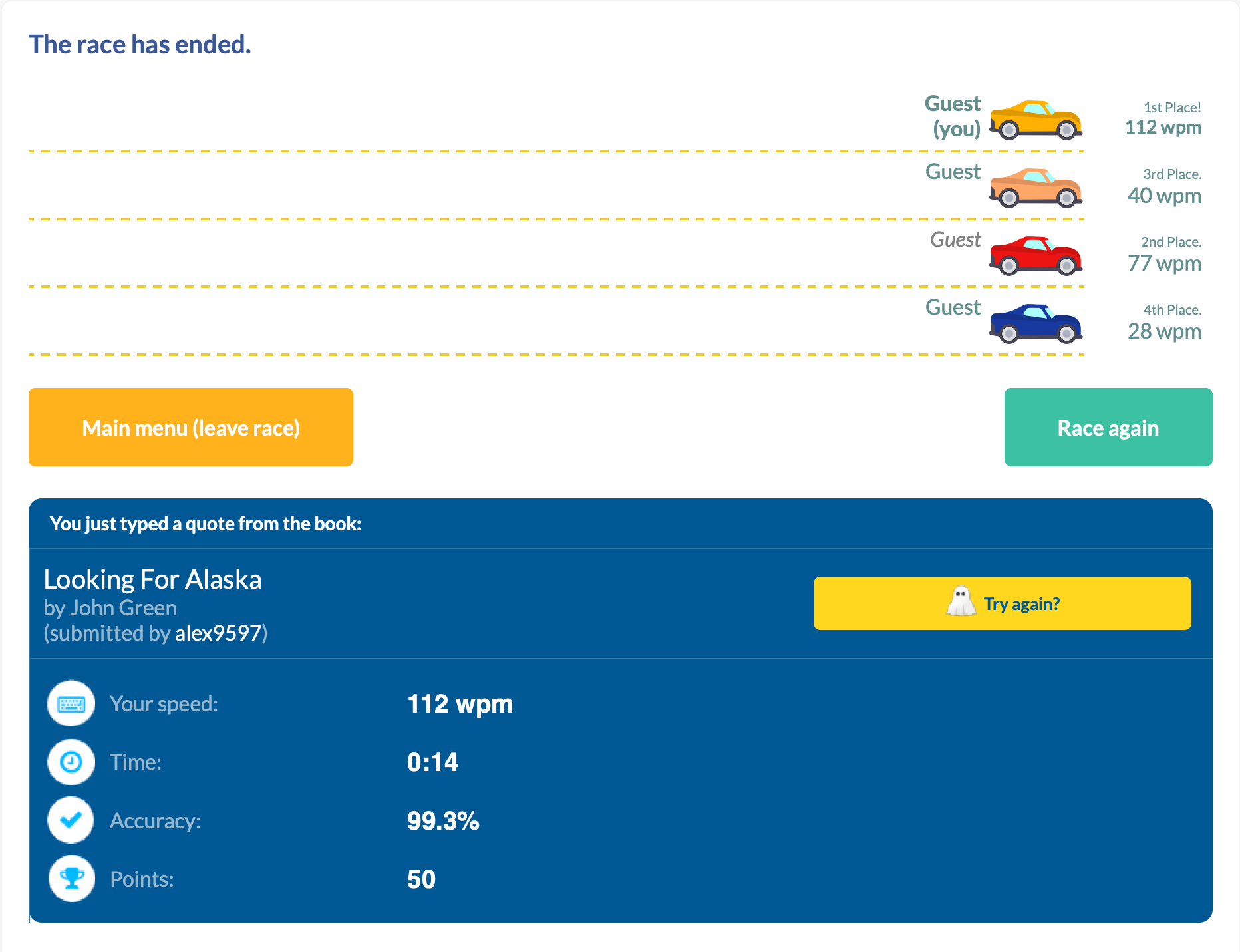
With this article, I wanted to share my journey here, and how I would recommend someone to start.
My Typing Story
I have an interesting history with typing.
I started "typing" at age of five years old to learn the controls of Quake. While the keyboard was a different language with different characters, the muscle memory was the same keyboard-to-keyboard. Upon moving to the states, I changed to an English QWERTY keyboard, and continued playing Doom.
In middle school, before beginning typing class, I clocked in at 35-40 WPM. As I progressed throughout the class, I got familiar with more of the "weird" keys (symbols, numbers, q/z/v) and what a proper "home-row" hand positioning looked like. Midway through the class, I made a discovery about our typing software: you were allowed to make two mistakes, with one word misspell counting as one mistake, and at the end the software took the number of characters you had finished and divided it by 5 (the average word length). So I typed a few words, then held down a random key until the timer expired. And scored 230 WPM.
I thought I was going to get credit for finding a bug our school's software; while my teacher did call my parents that night, it was accuse me of hacking the typing software and changing my score. After explaining to her what I did, her first remedy suggested was a generous failing grade and suspension, but after apologizing to her and the staff, I was only forbidden from being crowned best typist at the school assembly. I may have not gotten an award, but I kept typing skills, reaching 55-65 WPM consistently.
In high school, it was more of the same classes, so I didn't see my typing speed increase drastically—I hovered in the 60-70 WPM range. Even in college, I plateaued around this range.
That is, until I got a mechanical keyboard. I didn't see the results immediately, but with consistent use I bumped my numbers to 65-80 WPM. And this is where I hovered for 5 years; this is where I felt like I had maxed out given the same environment.
I couldn't get any better, because my hand movement prohibited it. While my core fingers mostly stayed in home-row, to achieve my top speed I had developed bad habits to maintain it. Habits such as using right (dominant) index finger to go 3 keys over to the left or using my ring finger in-place of my little finger. While I always returned to home-row, I could feel the excess movement taking its toll, both on my efficiency and general hand strain. During the pandemic, I was working on my computer a lot, and my hands just could not keep up.
So for the first time since I started typing I had to try. It's hard to rewire muscle memory, especially at 30. I tried perfecting every keystroke, getting a massive dopamine hit as I consistently landed the ones I use most often. However, that last 20% feels much harder than the first 20%.
Today, I still try to perfect my craft. I still struggle with my little finger movement. I still catch myself trying to regress some of my old ways when I am trying to compensate and type fast. But today I also typed 112 WPM, and that's cause to celebrate. Take that, typing teacher.
You Too Can Improve
While I can't teach touch typing in a single blog post, I can give a pretty decent summary of it. The following are things I recommend doing in order to become a better typist.
Keyboard
I'll just state it outright: there's no conclusive evidence that ergonomic keyboards actually prevent RSI. Keyboards measurably improve your posture, just not necessarily your health outcomes:
- Alice layouts (Keychron V10, Epomaker Alice) reduce ulnar deviation with 10-degree inward tilt, 2-4 week learning curve
- Fully split keyboards (ErgoDox EZ, ZSA Moonlander) offer maximum adjustability including 0-60 degree tenting, 2-6 weeks to adapt
- Column-staggered designs (Corne, Kyria, Dactyl Manuform) optimize for finger lengths, brutal 1-3 month adaptation
- Kinesis Advantage2 reduces muscle activity in key flexor/extensor muscles, 2 weeks to full mastery
- Traditional ergonomic boards (Microsoft Sculpt, Logitech ERGO K860) offer gentle splits with fixed angles, ~1 month learning curve
- Alternative layouts (Dvorak, Colemak) claim reduced finger travel but have zero clinical trials and 1-3 months of productivity loss
The biomechanical improvements are real and measurable; the clinical benefits remain frustratingly theoretical.
But here's the thing: you don't need empirical evidence on the health benefits if you enjoy typing that much more. Think of it as fun with benefits (FwB, for short...). If you enjoy sitting down at your desk and typing, and it's something you do several hours a day, a keyboard you enjoy could be the push you need to improve other parts of your typing too.
Home Row
Touch typing technique centers on the home row position—ASDF for the left hand and JKL; for the right hand. The F and J keys contain tactile bumps that allow positioning without visual confirmation. This central position minimizes finger travel distance, with proper technique requiring only 0.76-1.5 key distances per character compared to 3.5+ for hunt-and-peck typing.
Each finger has specific responsibilities:
| Hand | Finger | Home Row | Keys Covered |
|---|---|---|---|
| Left | Pinky | A |
Q, A, Z, Tab, Caps Lock, Shift, ` |
| Left | Ring | S |
W, S, X, 2 |
| Left | Middle | D |
E, D, C, 3 |
| Left | Index | F |
R, F, V, T, G, B, 4, 5 |
| Right | Index | J |
Y, H, N, U, J, M, 6, 7 |
| Right | Middle | K |
I, K, ,, 8 |
| Right | Ring | L |
O, L, ., 9 |
| Right | Pinky | ; |
P, ;, /, 0, -, =, [, ], ,, ', Enter, Backspace |
| Both | Thumbs | Space |
Space only |
The index fingers cover the most keys (two columns each), while pinkies cover their column plus all outer keys. After striking any key, fingers must return to home row position—this maintains spatial orientation and prevents positional drift that increases error rates.
Ergonomics
Wrists should remain in neutral position: straight in alignment with forearms, neither bent upward (extension), downward (flexion), nor sideways. During active typing, wrists should float 1-2 inches above the keyboard surface, not resting on the desk or wrist rest. Resting creates contact stress and forces non-neutral positions. Wrist rests serve only for pauses between typing bursts.
Fingers should curve gently, similar to holding a tennis ball. This natural curve allows fingertips to strike keys perpendicularly with optimal mechanical advantage. Palms stay raised above the keyboard while hands maintain this curved posture. The biomechanics of each keystroke involve three distinct muscle activation bursts: extensor muscles lift the finger, flexor muscles drive it downward against keyswitch resistance, and extensors again remove the fingertip. Collision with the end of key travel stops downward motion, not muscle action—meaning excessive force provides no benefit and increases cumulative joint stress.
Arms should hang naturally at the sides with elbows forming 90-110 degree angles. This open angle promotes blood circulation and prevents nerve compression at the elbow. Shoulders remain relaxed and slightly externally rotated, not hunched or rolled forward.
Strength Training
Strength training shows what ergonomic keyboards can't: actual evidence. Research suggests it can significantly reduce injury risk, with clear biological reasons why—it strengthens tendons, improves tissue resilience, and builds endurance in the muscles you use for typing. The formula is simple: use weights or resistance bands (not just bodyweight), train 2-3 times weekly with rest days between, and focus on your forearms, grip, and upper back. Just be patient—tendons adapt slower than muscles, so it takes months to see results.
Conclusion
There's a learning curve to typing. In the beginning you'll see gains with minimal effort, just by knowing roughly where the keys are. As you progress and focus more on your speed, you might sacrifice hand placement (accuracy) for quickly hitting the correct key (speed). As you plateau, it will take more and more focus to correct the muscle memory. And along the way, your typing teacher may try to expel you.
All that matters is fixing your fingers, one key at a time.
