Work
The day job, told honestly: the projects, the people, and the quiet pleasure of shipping something real.
Google Beam
Feel like you're there, together.
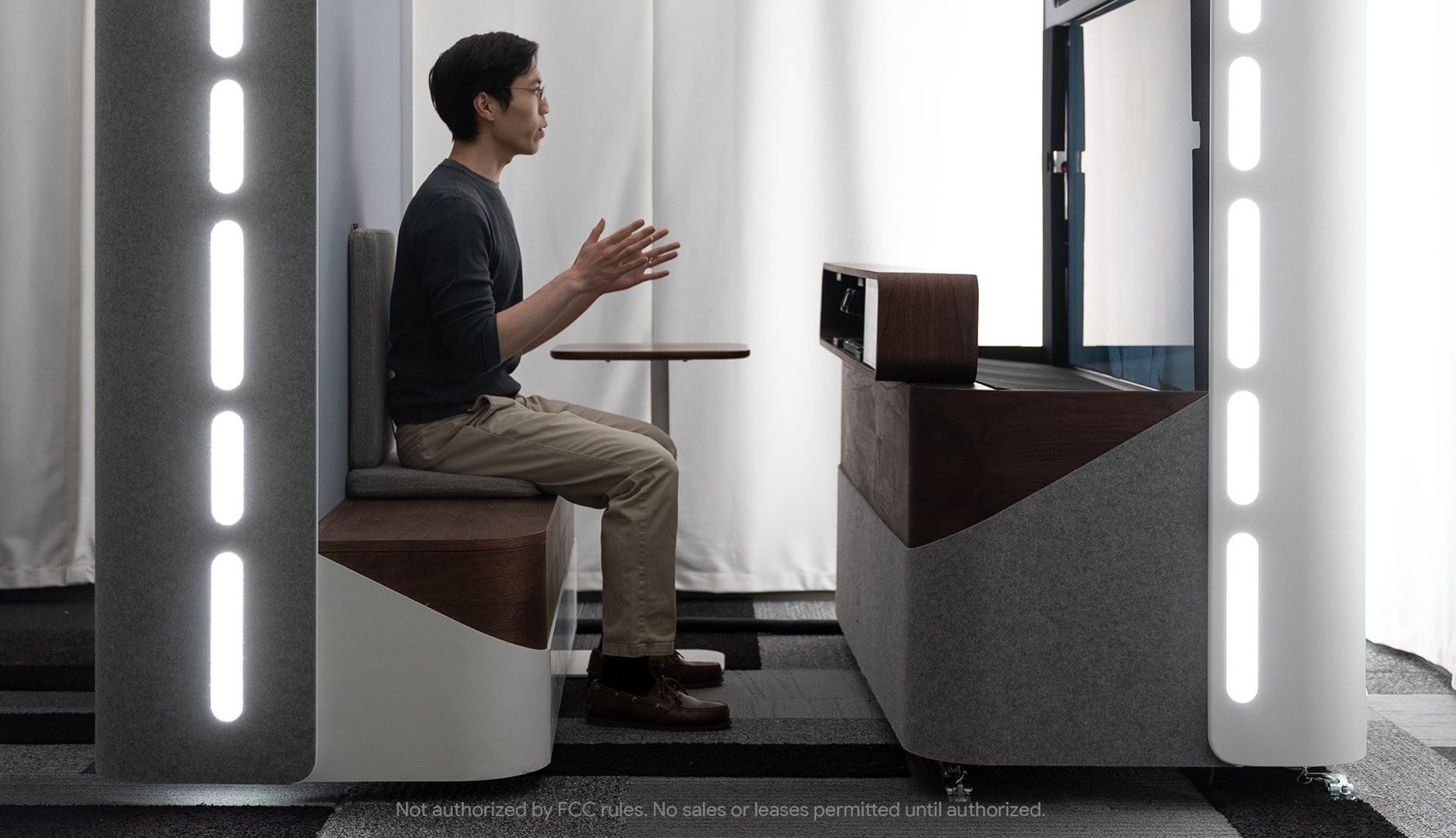
When MKBHD reviewed Project Starline in 2023, he set the bar high right out of the gate: "this might be the most impressive tech demo I've ever seen." His video was how a lot of people, me included, first saw the technology. Little did I know that within six months of watching it, I would get my own demo. And I would learn firsthand Marques was correct: it's the most impressive tech demo I've ever seen.
Something is truly special when you remember your first encounter. Your first toy, first phone, first computer. Almost three years after my first Beam call, I still remember where it was and who it was with. I remember my first words: "Holy shit".
Beam is Google's 3D video-calling platform, the product that grew out of Project Starline, the research demo Google first showed in 2021. The pitch: a call where the person on the other end looks like they're in the room with you, life-sized and in three dimensions, no headset or glasses required. The trick is six cameras and an AI volumetric video model that turn ordinary 2D video into a 3D image, rendered on a light field display. Google renamed Starline to Beam at I/O 2025; the first device, HP's Dimension, runs $24,999 and is built for enterprises.
Google Beam doesn't feel like a better screen, it feels like no screen. Every other video call keeps reminding you it's a video call: the flat image, the missing eye contact, the half-second lag. Beam takes those reminders away. Name another product where "holy shit" is the most common first review.
Read what Beam's been up to:
- 4 highlights from Google Beam in 2025
- Google Beam is working with the USO to support military families
- Google Beam: Our AI-first 3D video communication platform
- Google I/O 2025: From research to reality
A few years in, it still gets me, and so does watching it get everyone else. The eyebrows go up, the sentence stops halfway, and somewhere in there is a word they didn't plan to say.

GDL-60
Streamline your flight prep, and enjoy your aircraft more with the GDL 60 datalink and PlaneSync™ technology.
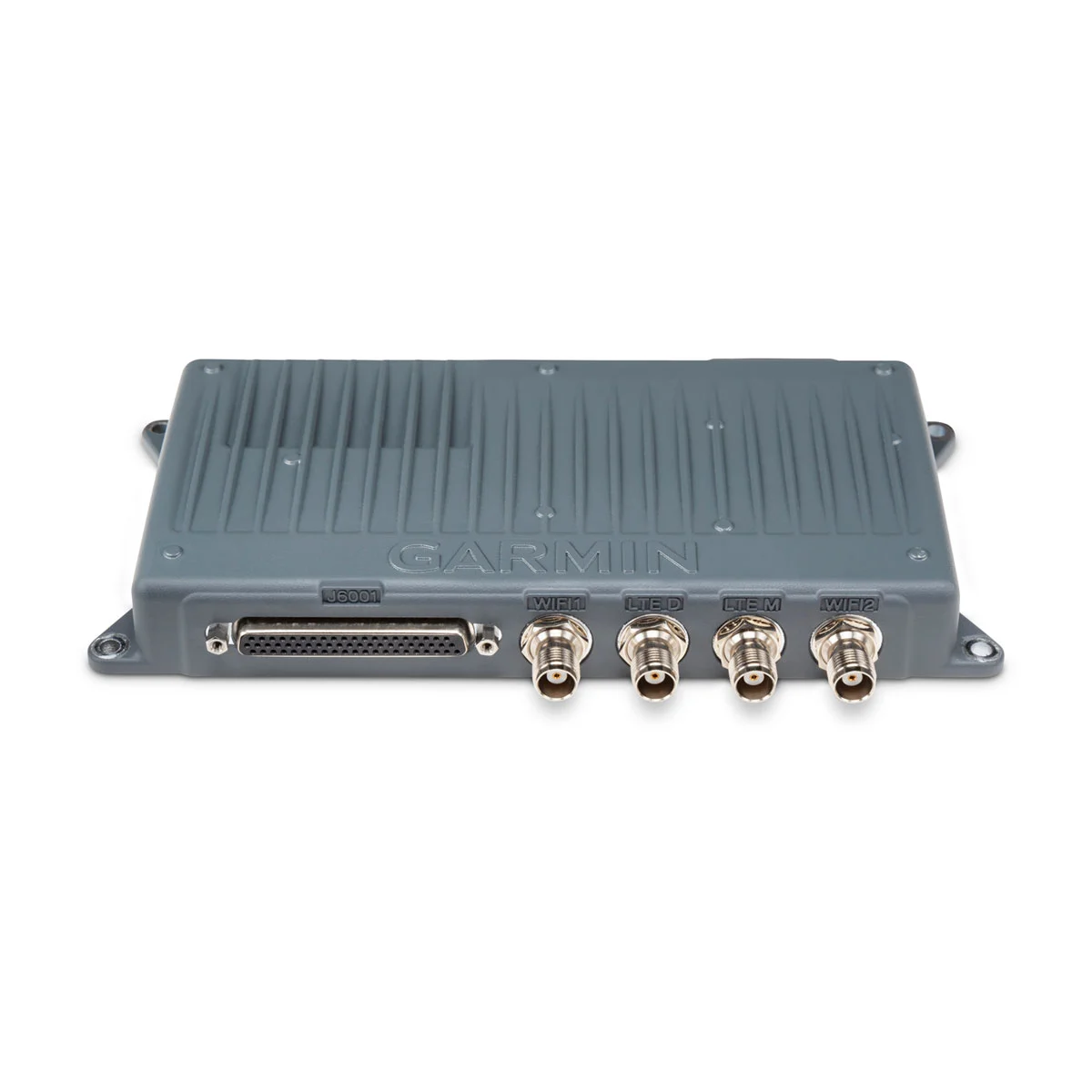
The Garmin GDL-60 is a small panel-mounted datalink module that brings wireless connectivity to an aircraft’s avionics suite. It is part of Garmin’s PlaneSync “connected cockpit” system and works with Garmin avionics (such as GTN™ Xi navigators and G1000®/G1000 NXi flight decks) to connect the aircraft to the outside world. In practice the GDL-60 acts like an onboard “internet box,” using both a built-in 4G LTE cellular modem and Wi‑Fi radio to link the plane’s systems with Garmin’s cloud services and pilot tablets. This lets the avionics exchange data automatically – for example, it can download chart and database updates or stream weather and traffic directly into mobile apps – without a pilot having to plug in data cards.
Technically, the GDL-60 is a compact device (about 8.72″ x 4.00″ x 1.12″ and 1.5 lb) that mounts in the instrument panel. It runs on 14/28 V DC aircraft power and is certified for high altitudes up to 55,000 ft. Its hardware includes dual Wi-Fi radios (one access point, one client) using 802.11 b/g/n at 2.4 GHz, plus a multi-band LTE modem covering global 4G frequencies. In effect, the GDL-60 creates both an onboard Wi‑Fi network and a cellular data link. The aircraft can thus stay connected on the ground or in flight, subject to cell coverage. Garmin’s documentation notes that the unit “enables PlaneSync technology” via these connections and that its LTE/Wi-Fi link automatically keeps the avionics databases updated.
Once installed, the GDL-60 offers several key features for pilots. One major advantage is automated database updates: Garmin explains that the GDL-60 “offers database downloads directly to the aircraft,” so that new charts and navigation data can download over the air without a pilot present. The system then “auto-synchronize[s] across your avionics at power up,” eliminating manual update chores. The GDL-60 also logs flight and engine data; after landing it can “transmit flight and engine log data automatically… to secure cloud storage,” where pilots or maintenance crews can review it via the Garmin Pilot mobile app or the flyGarmin web portal. Another useful feature is remote aircraft monitoring: with the GDL-60 and Garmin Pilot, an owner on the ground can check the airplane’s status from anywhere. The Pilot app can show things like Hobbs and tach times, fuel quantity, battery voltage, outside-air temperature, oil temperature, and even the last known GPS location of the aircraft. In short, GDL-60 keeps pilots informed about their aircraft’s health and readiness.
Perhaps the most visible benefit is mobile connectivity. The GDL-60 enables Garmin’s Connext system, which streams in-flight data from the panel to pilot devices. For example, it can send ADS-B weather (FIS-B) and traffic, GPS position, and even attitude (AHRS) information to apps like Garmin Pilot or ForeFlight. In fact, Garmin describes that the GDL-60 lets you “stream weather, traffic, AHRS, flight plans and other data from your avionics to flight apps such as Garmin Pilot and ForeFlight”. Pilots can also transfer flight plans between their tablet and the panel through this link. (With additional hardware, the GDL-60 can even extend to cabin entertainment and SATCOM: for example, pairing it with a SiriusXM receiver enables XM audio tuning via the Pilot app, and it can interface with a Garmin GSR-56 for in-flight texting/voice calls.) Overall, the Garmin GDL-60 turns a compatible cockpit into a connected cockpit – keeping nav databases current and putting real-time flight and weather data into pilots’ hands through familiar mobile interfaces.
 Garmin

Pixel Tablet
Meet the new Google Pixel Tablet that’s helpful in your hands and at home.
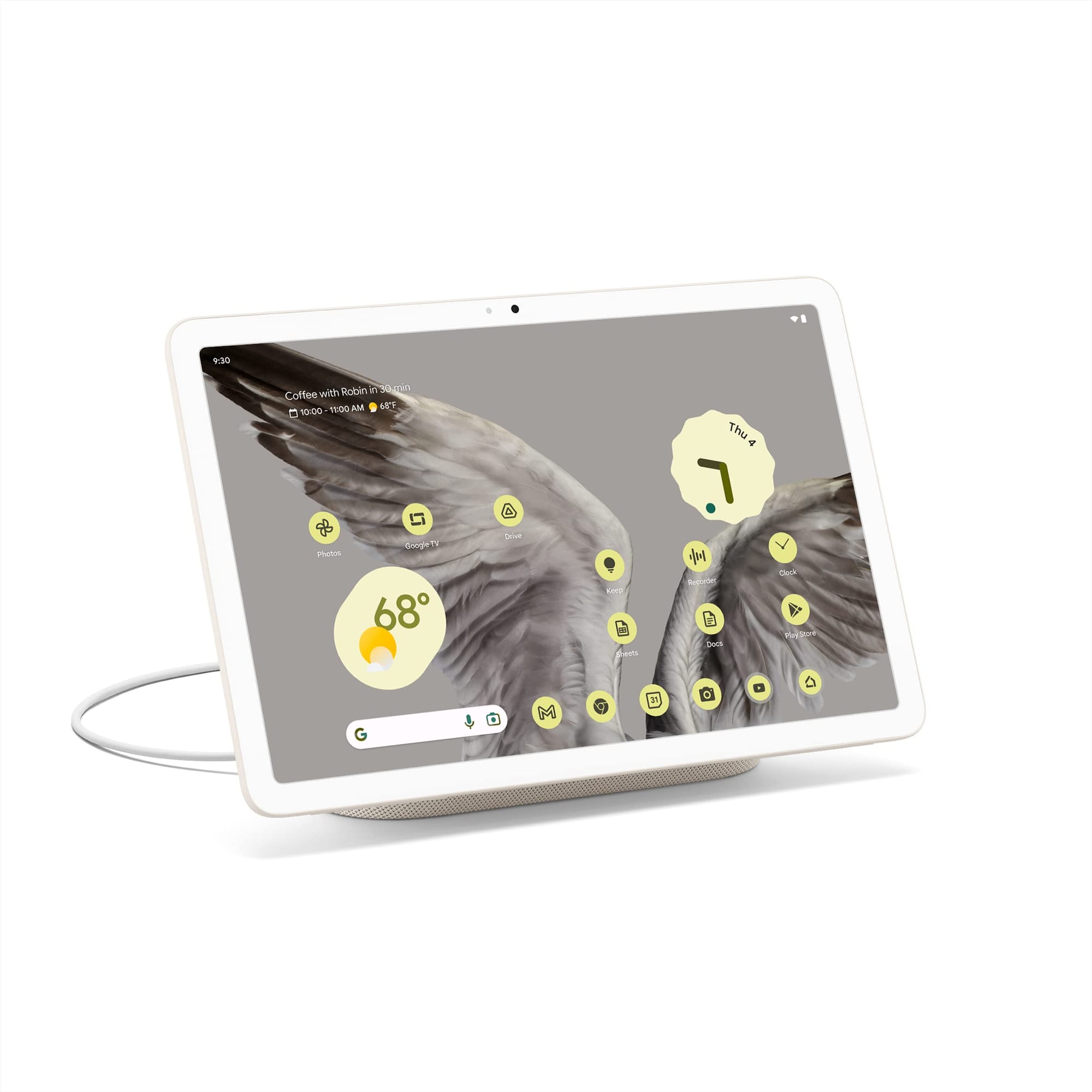
The Google Pixel Tablet is a home-focused Android tablet released in 2023. It features a 10.95-inch LCD touchscreen display (2560 × 1600 resolution, 16:10 aspect ratio) with around 500 nits of brightness. The tablet’s build uses an aluminum frame with rounded edges and a nano-ceramic coating inspired by porcelain, which gives it a soft matte texture for better grip. Google offers the Pixel Tablet in three colors – Porcelain (off-white), Hazel (gray-green), and Rose (pink). The device also houses four built-in speakers (two on each side) for stereo audio output during media playback.
Under the hood, the Pixel Tablet is powered by Google’s Tensor G2 chipset (the same processor used in the Pixel 7 series smartphones). It comes with 8 GB of RAM and either 128 GB or 256 GB of internal UFS 3.1 storage (non-expandable). The tablet ships with Android 13 and includes Google’s Titan M2 security chip, with Google promising at least five years of security updates for the device. Power is supplied by a built-in 27 Wh battery (about 7020 mAh) that is rated for up to 12 hours of video streaming on a full charge. Connectivity is Wi‑Fi 6 and Bluetooth 5.2 only (the Pixel Tablet does not offer cellular/LTE support). For cameras, it has an 8 MP front camera and an 8 MP rear camera, both with fixed focus and primarily intended for video calls or simple photos. A fingerprint scanner is integrated into the power button for secure unlocking.
Google has optimized the Pixel Tablet’s software for a large screen experience. Many popular apps (such as YouTube, Spotify, and Disney+) have improved layouts on the tablet’s display, and a Google TV app comes preloaded to make it easy to browse and stream video content on the big screen. The tablet supports multitasking features like split-screen mode, allowing two apps to run side by side, and it offers accurate voice typing and other Google AI features for convenient hands-free input. It is also compatible with USI 2.0 stylus pens, enabling users to draw or take notes with a supported active stylus (no stylus is included in the box). Notably, the Pixel Tablet supports multiple user profiles – each family member can have their own account with separate apps, settings, and personalizations on the device. This multi-user support underlines its role as a shared home tablet.
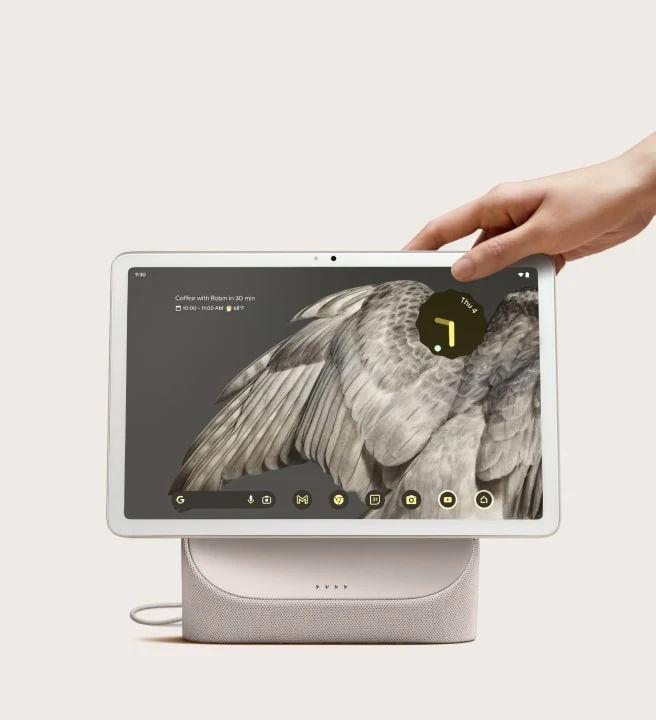
One of the Pixel Tablet’s signature features is its Charging Speaker Dock, which comes included with the tablet. The tablet can be placed on this dock via pogo pin connectors (held in place magnetically), which both charges the device and boosts its audio. The dock contains a full-range speaker that provides significantly more bass and room-filling sound compared to the tablet’s built-in speakers. When the Pixel Tablet is docked, it automatically enters Hub Mode, functioning like a smart display for the home. In this mode, the tablet can show a hands-free Google Assistant interface, smart home controls, and even a digital photo frame or clock on the screen. Users can control smart devices (lights, thermostats, doorbells, etc.) directly from the tablet’s hub interface, similar to a Google Nest Hub. Additionally, the Pixel Tablet is the first tablet with Chromecast built-in, allowing you to cast music or videos from your phone to the tablet’s screen when it’s on the dock. This dual functionality lets the Pixel Tablet serve as both a personal tablet and a communal smart home display depending on how it’s being used.

 Contributors to Wikimedia projects
 Ben Janofsky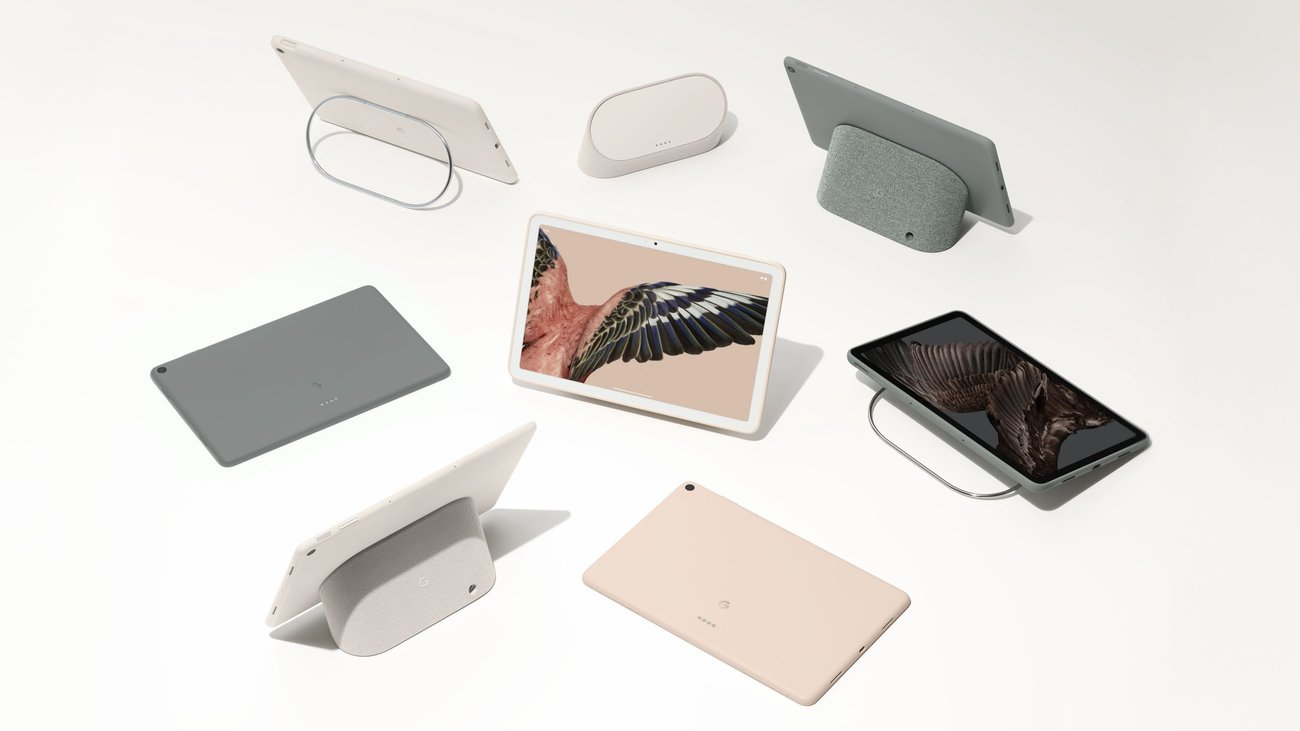

 Mike Prospero

Pixel Buds Pro (I & II)
Loud and clear, Pixel Buds Pro are here.
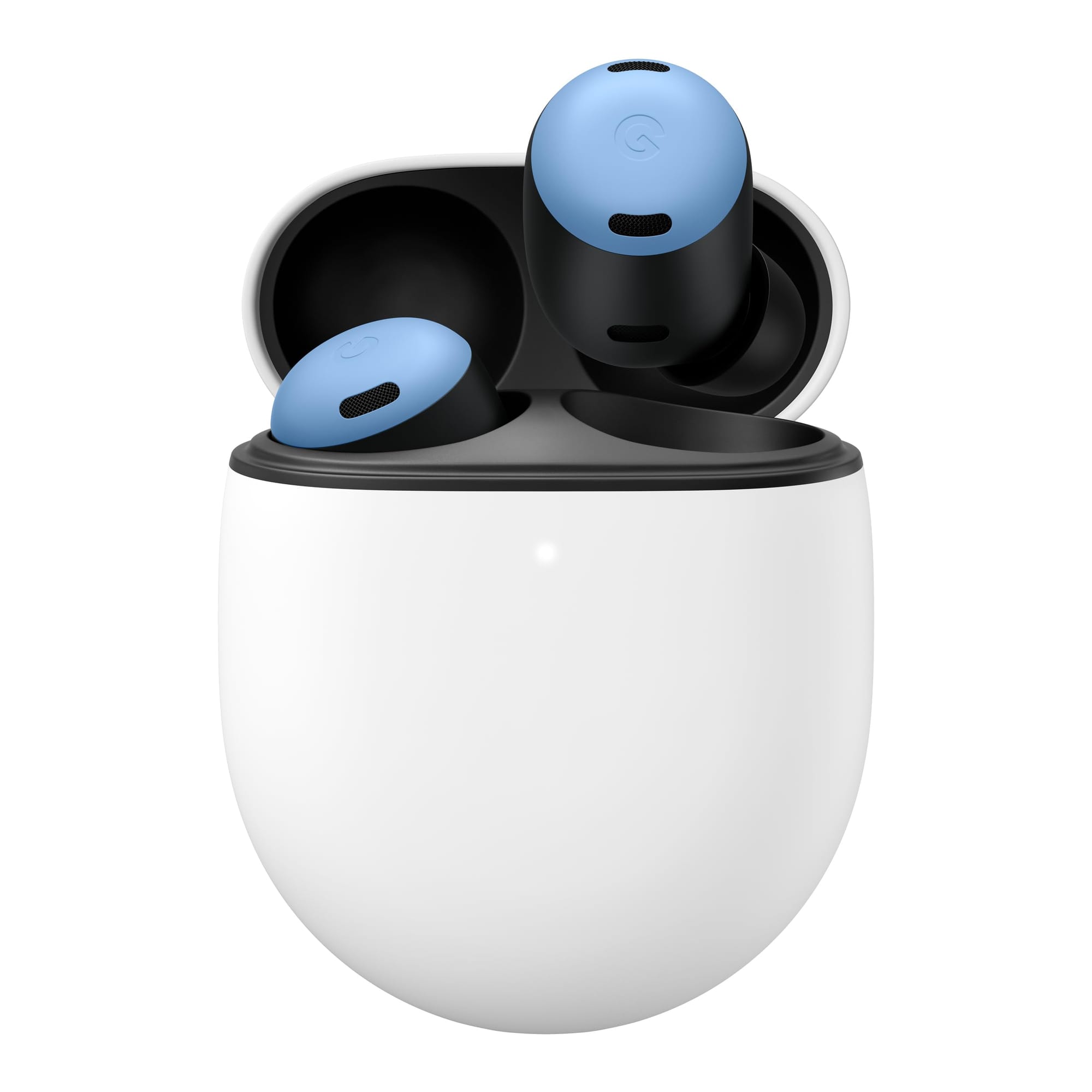
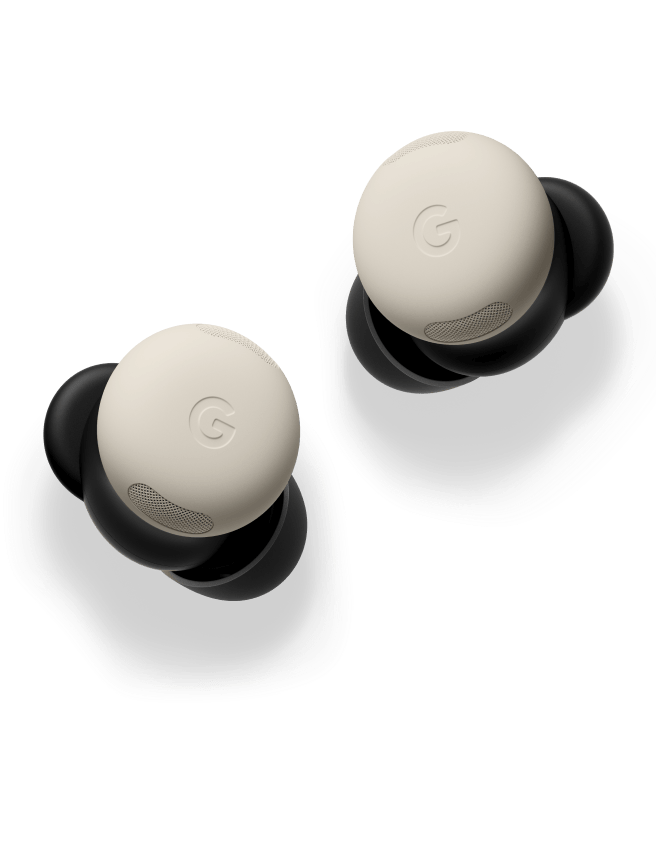
Google’s Pixel Buds Pro (released mid-2022) are compact true wireless earbuds with a smooth, stemless design. Unlike earlier Pixel Buds models, the Pro version drops the “stabilizer arc” wing-tips for a simpler in-ear fit, improving comfort. Each earbud comes with silicone tips in multiple sizes to ensure a snug seal. The oval charging case (available in four colors) has a pebble-like shape similar to the Pixel Buds A-Series case (about 10–15% larger). Both the earbuds and case are water-resistant (buds IPX4, case IPX2), making them suitable for workouts and light rain.
The Pixel Buds Pro include:
- Active Noise Cancellation (ANC) and a transparency (ambient sound) mode, letting you either block out or hear surrounding noise as needed.
- Hands-free Google Assistant for voice commands (play/pause, volume, etc.) and even on-device translation support in conversation mode.
- Multipoint Bluetooth pairing (connect to two devices at once) and Google Fast Pair for quick setup between phones, tablets, and laptops.
- Water/sweat resistance (earbuds rated IPX4) for use during exercise or in light rain.
The Pixel Buds Pro deliver strong audio and reliable performance. Reviewers note clear, well-balanced sound and effective noise canceling. They also feature an in-ear detection sensor that automatically pauses audio when you remove an earbud. Battery life is rated up to about 7 hours per charge with ANC on (11 hours with it off), and the compact case provides roughly two full extra charges (around 30 total hours). The case supports both USB-C wired charging and Qi wireless charging. Connectivity is much improved over earlier Pixel Buds: the earbuds use Bluetooth 5.0 with Google’s Fast Pair and show virtually no dropouts in testing. They also support automatic device switching (multipoint pairing) between two connected devices.

 Nidhi Rathi
 Joel Meares
 Molly McHugh-Johnson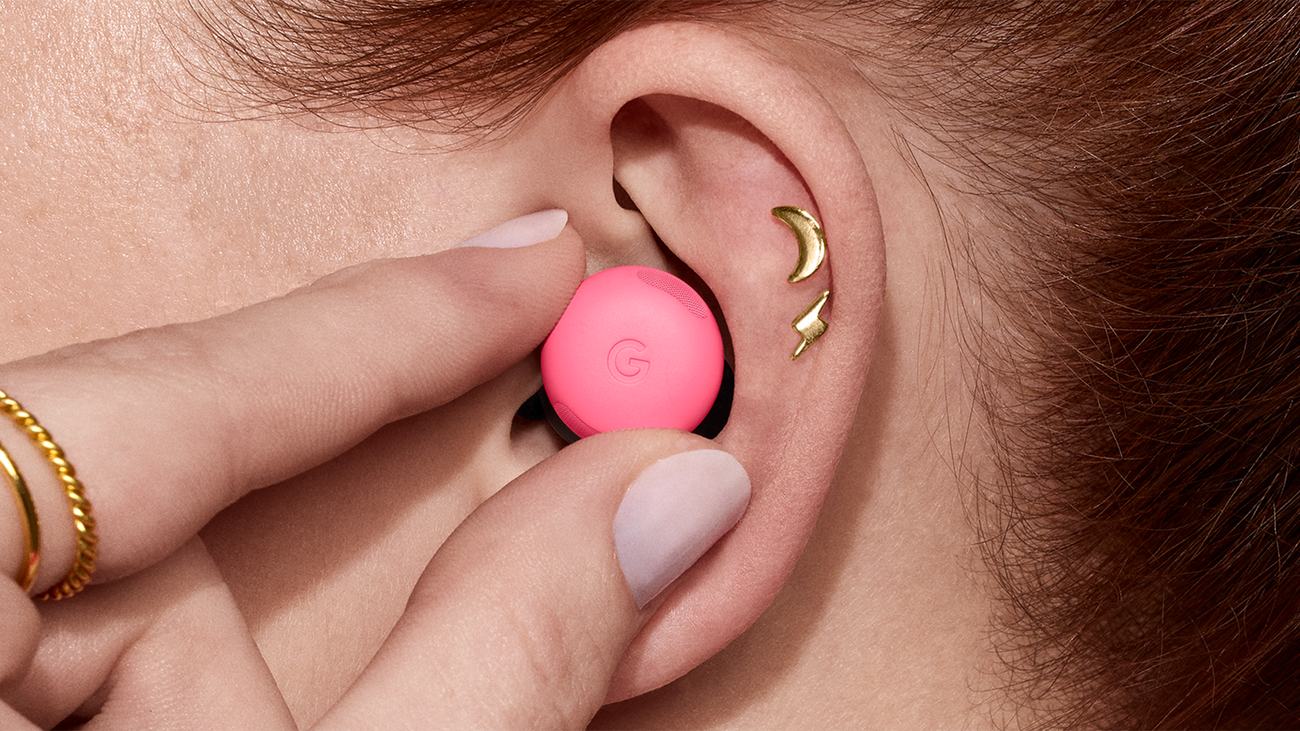
 Ivy Levine
 Google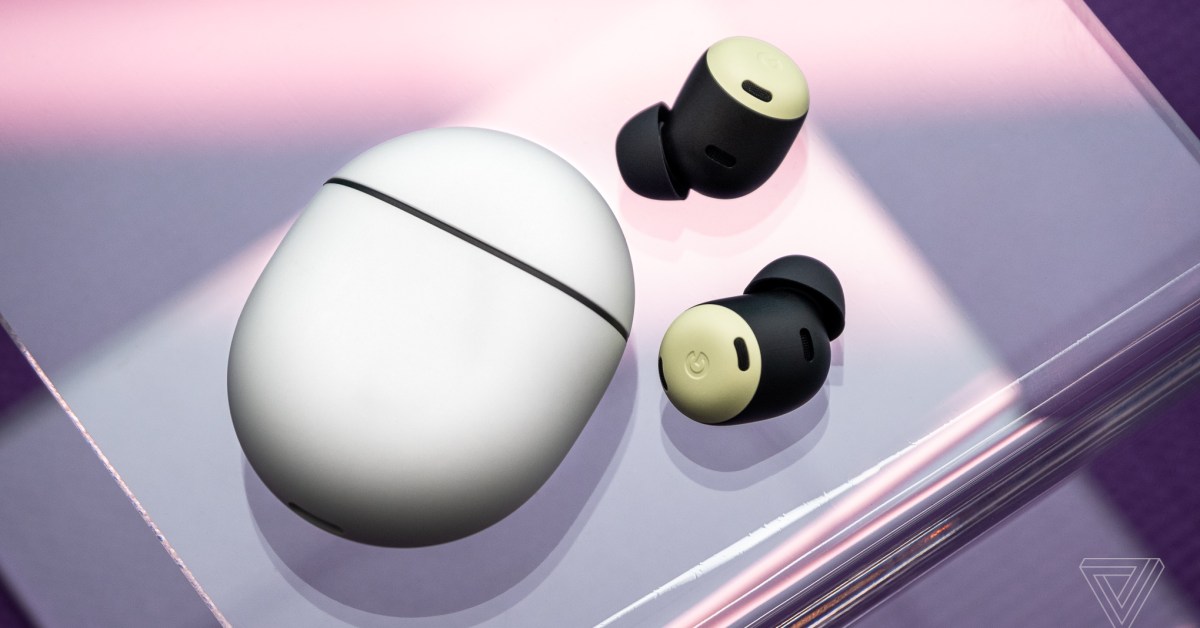
 See full bio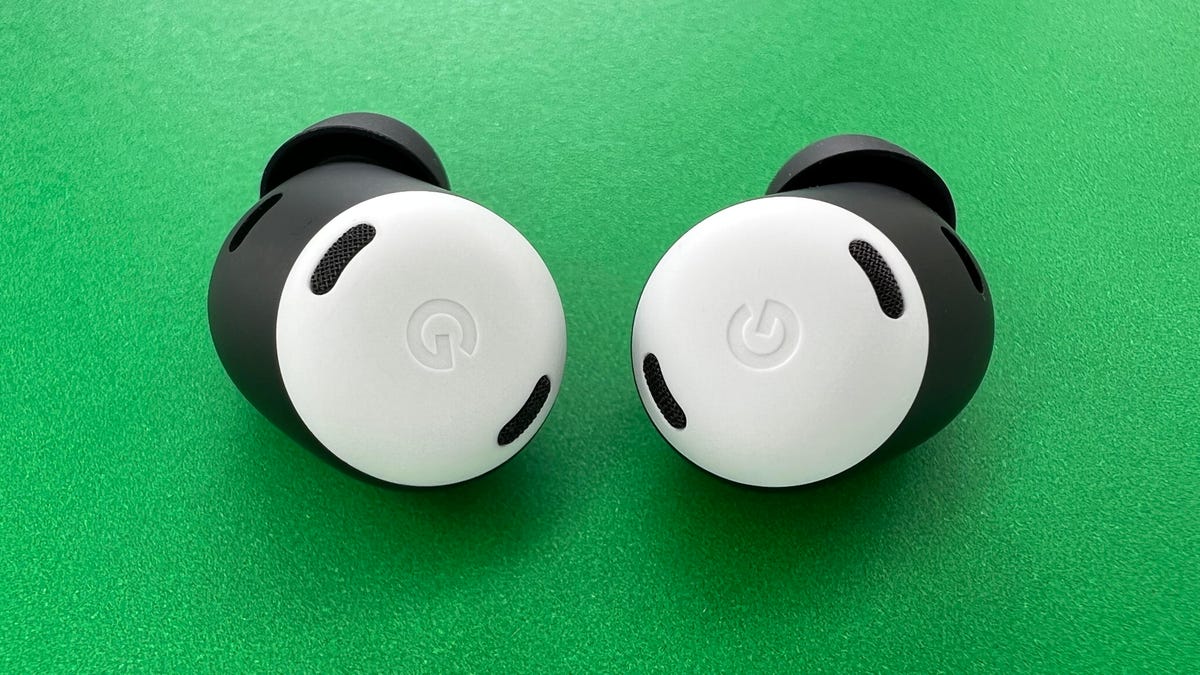
 Jasper Lastoria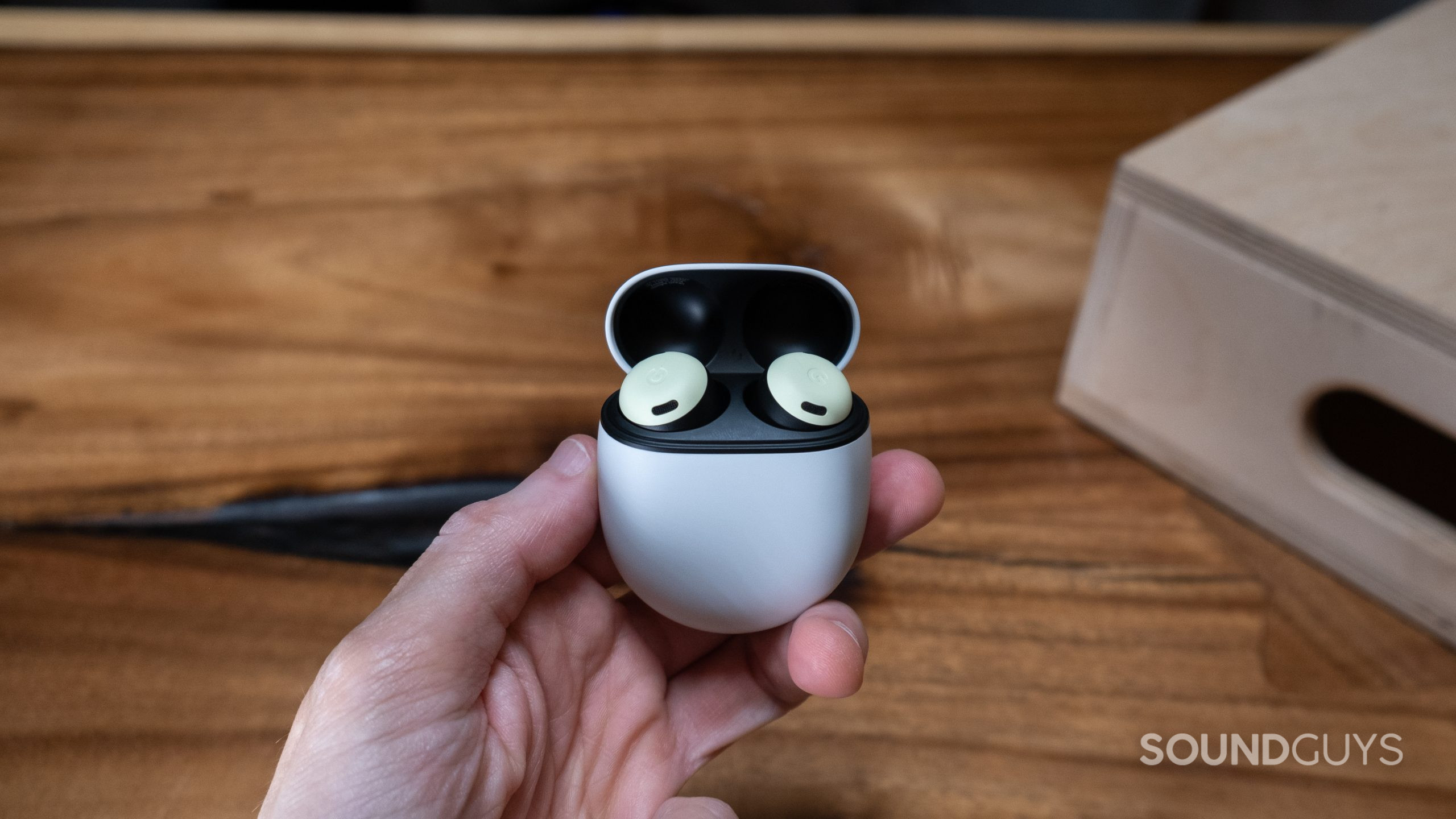
)
Nest Indoor Camera
Nest Cam tells you more about what’s going on inside.
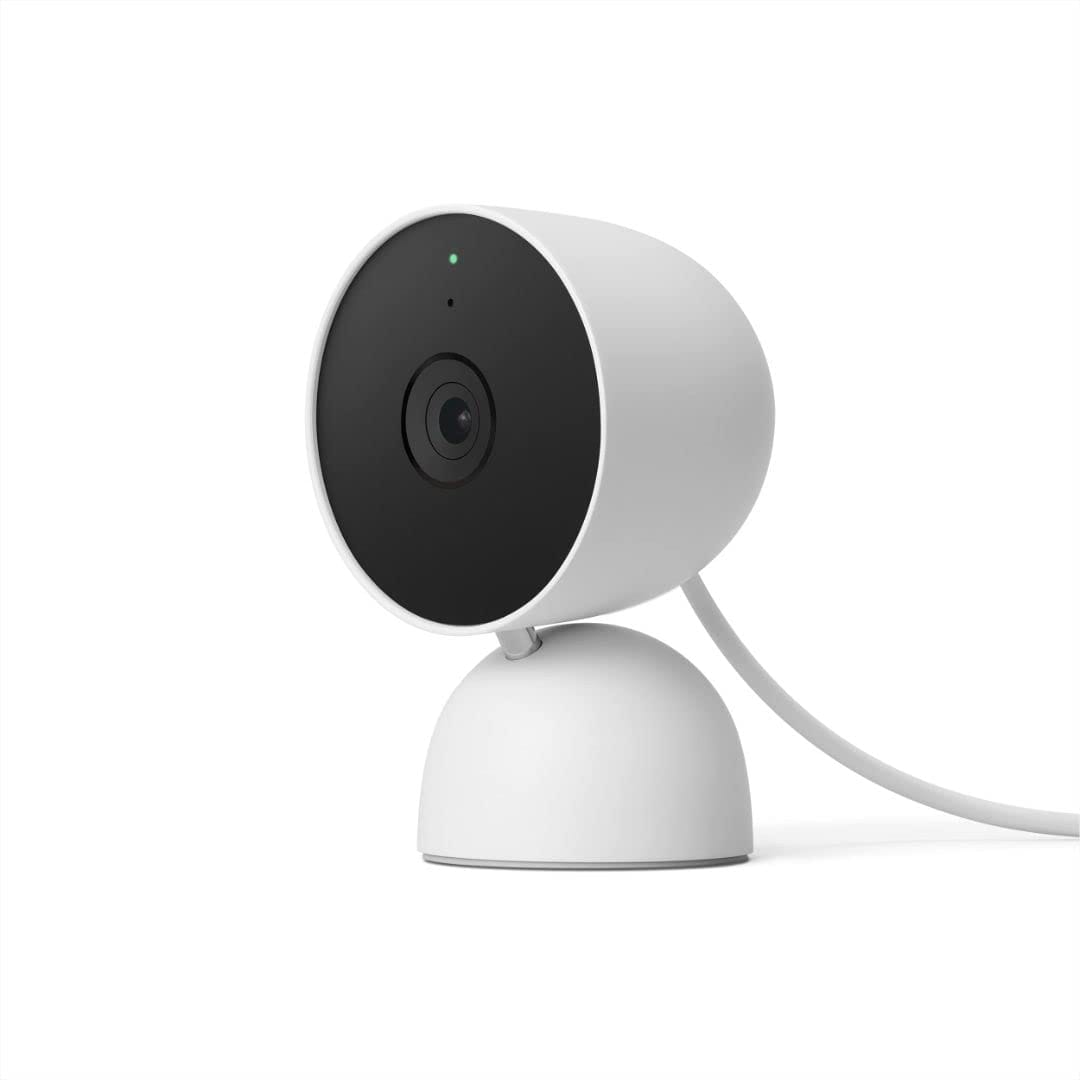
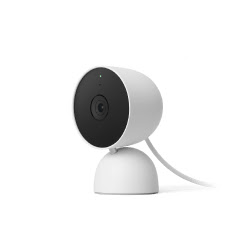
Google’s Nest Indoor Camera is a small home security camera designed for indoor use. It has a compact, rounded body and comes in neutral colors so it can blend into home decor. The camera can sit on a shelf or table using its built-in stand, or be mounted on a wall with the included bracket and screws. It connects to your home Wi-Fi network and streams live video to your smartphone or tablet through the Google Home app.
The camera records full high-definition (1080p) video and uses a wide-angle lens (about 135 degrees) to capture a broad area. It also uses high-dynamic-range (HDR) imaging to improve detail in bright and dark parts of the scene, and it has infrared night vision to see clearly even in low light. A built-in microphone and speaker allow two-way communication through the app, so you can listen to and speak with people or pets near the camera. Together, these video and audio features let you keep an eye on a room and even interact with anyone there while you’re away.
One of the camera’s key smart features is motion detection. If the camera detects movement, it automatically sends an alert to your phone. You can then open the live video feed in the Google Home app at any time to check on what’s happening. The camera also has a small LED light (usually green) that turns on when it is recording or streaming. This visual indicator lets people nearby know the camera is active and helps address privacy concerns.
Setup is straightforward and user-friendly. You plug the camera into a standard wall outlet using the supplied USB cable, then open the Google Home app on your phone to complete the setup. The app guides you through connecting the camera to your Wi-Fi network and naming the device, so most people can have it running in just a few minutes. This simple process means advanced technical skills are not needed to start using the camera.
The Nest Indoor Camera is part of Google's Nest line of smart home devices and integrates with the Google Home app and other Nest products in the same household.